DNX Body Tattoos (LooksMenu Overlays)
⚪ Last updated 2018⚠️ Install Order · 4 steps
Install in this order, then this mod last — most mods fail to load without their framework and dependencies in place.
Preview
🔍 Analysis
- 👍 1.1% endorsement rate — high engagement, a strong quality signal
📋 About This Mod
DNX BODY TATTOOS
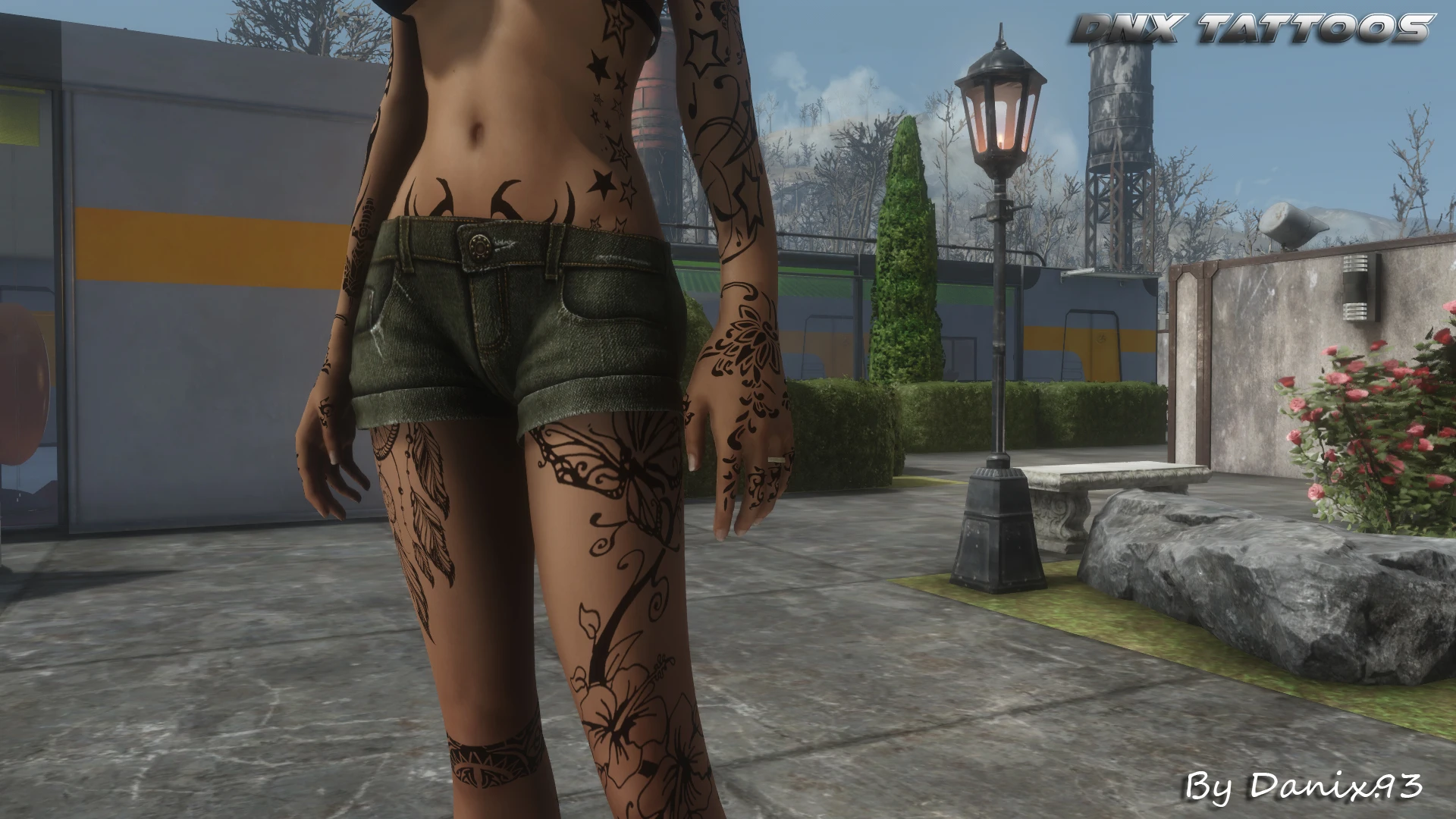
28 overlay tattoos that can be applied to a CBBE body via LooksMenu.
Each tattoo can be applied individually, and can be moved and resized via LooksMenu functions. Choose between Pure Black and Transparent.
Full tattoo list avaliable here.
MAIN REQUIREMENTS:
-
[]F4SE
[
]LooksMenuMOD MANAGER INSTALL:
- []Download with manager and install via the guided FoMod installation procedure.
MANUAL INSTALL:
-
[] Choose the version you prefer between Pure Black (author's pick - very marked) or Transparent (less marked, more visible skin);
[
]Put the Data folder (from the folder of the chosen version) in Fallout 4 main directory (if you're updating, replace the files);[]Add the line DnxTattoos.esp in your plugins.txt, below the LooksMenu.esp line.
[]In-game, enter the character creation menu (e.g. visit a plastic surgeon or open the console and type SLM 14, then close the console)
[]Go to the Body section, then to the Overlays section;
[]Select Add and choose the tattoo you want, possibly change position and size, then confirm. Repeat this step for each tattoo;
[][font=Trebuchet MS
Adds 28 overlay tattoos for CBBE bodies via LooksMenu, available in Pure Black or Transparent styles. A popular cosmetic mod for Fallout 4 with over 3,700 endorsements, last updated in 2018.
✨ Key Features
📊 Pros & Cons
✅ Pros
- Community favorite with 3,708 endorsements and 347k downloads
- Simple two-option design: Pure Black or Transparent, easy to mix and match
- Lightweight cosmetic addition that doesn't affect gameplay
⚠️ Cons
- Last updated in 2018 — may not be compatible with the latest Fallout 4 updates or LooksMenu versions
- Only 28 tattoos, so variety is limited compared to larger packs
- Requires CBBE and LooksMenu, so not for vanilla body users
For Fallout 4 players who use CBBE and want to add some ink to their character without heavy mods. If you're into body customization and already have LooksMenu set up, this is a quick grab. Skip if you don't use CBBE or want more tattoo variety.
💡 Beginner Tips
- Make sure you have the latest LooksMenu and CBBE installed, then use a mod manager like Vortex to avoid manual file placement issues.
- In LooksMenu, navigate to the Overlays tab and select the tattoo you want; you can adjust opacity and position to your liking.
- If tattoos don't appear, double-check that your body is set to CBBE in the mod manager and that LooksMenu is active.
📊 Mod Details
- Game
- Fallout 4 Mods
- Author
- DNX
- Version
- 1.1a
- Downloads
- 347,036
- Endorsements
- 3,708
- Category
- Tattoos
- Created
- 3/11/2018
- Updated
- 3/18/2018
🧩 Commonly Used Together
Users add these mods to the same collections — a real compatibility signal, not an AI guess.
🔧 How to Install Fallout 4 Mods
Download from Nexus.
📖 Full step-by-step install guide for Fallout 4 →
Visit the official mod page for specific installation instructions for this mod.
🎮 Need cheat codes or console commands? Check ur gaming wiki for Fallout 4 commands, item IDs, and more.
Keep browsing — more Fallout 4 mods await