Disable Creation Club - Remove Main Menu News
⚪ Last updated 2022⚠️ Install Order · 2 steps
Install in this order, then this mod last — most mods fail to load without their framework and dependencies in place.
Preview
🔍 Analysis
- 👍 1.0% endorsement rate
- 🏆 #20 of 32 Miscellaneous mods in this game by downloads
📋 About This Mod
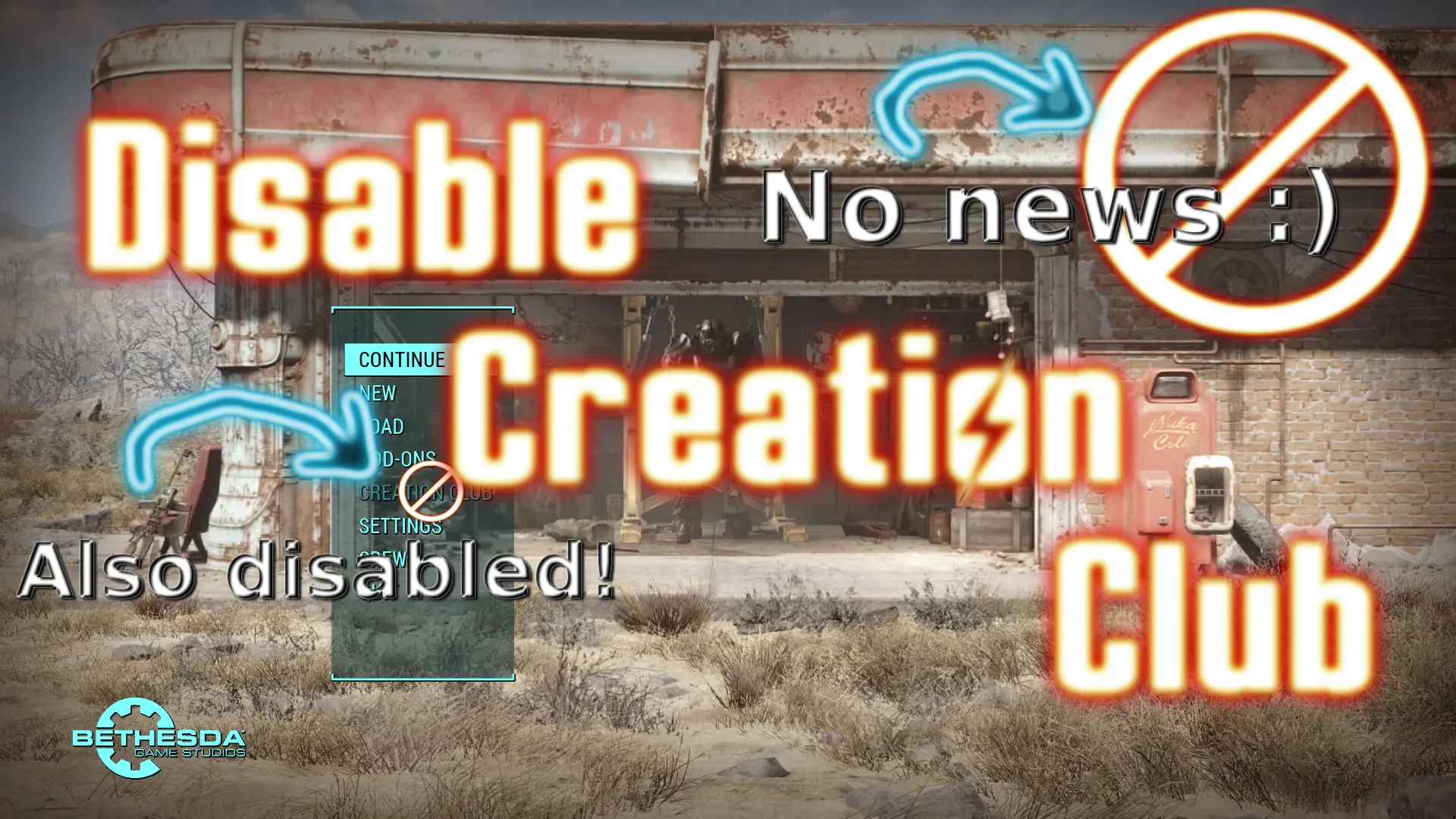
Mini-Mod: Disable Creation Club - Remove Main Menu News
This mini-mod will disable all Creation Club parts and the bethesda.net connection (by setting the ini value bEnablePlatform=0). This will remove the Creation Club news from the main menu. Also the main menu entries "Creation Club" and "Mods" (for bethesda.net mods) will be disabled. NOTE: You won't be able to use or install Creation Club content!
The mod file is ESL-flagged, so it won't count in your main plugins load order. Also this mod is fully compatible with MainMenu replacers.
This mod can be safely deactivated/uninstalled at any time.
Tip: You can easily switch Creation Club on/off by just enabling/disabling this mod in your Mod Organizer.
Don't use this mod, if you are using Creation Club content or have mods installed via bethesda.net!
Installation
- Simply install with any Mod Organizer
Do It Yourself
If you don't want to use this mod, you can achieve the same by adding the following to your Fallout4.ini or Fallout4Custom.ini:
bEnablePlatform = 0
DankRafft (inspiration for this mod)Thanks To
VishVadeva (testing the mod)
The Collective Modding discord (hosting the FallUI hub, testing and morale support)
Bethesda (Fallout 4)
The Nexus community
Disables the Creation Club entirely, removing the news feed from the main menu in Fallout 4. This is for players who want a cleaner menu and don't use any Creation Club content. Note that it blocks all CC features, so you can't install or use any CC items.
✨ Key Features
📊 Pros & Cons
✅ Pros
- Huge community trust with 2,238 endorsements and over 234k downloads.
- Simple, effective solution for a clean main menu without CC clutter.
- Lightweight and doesn't affect other mods or gameplay.
⚠️ Cons
- Disables ALL Creation Club content, so you can't use any CC items you own.
- Last updated in 2022, so it may not be compatible with the latest game patches.
- No config options — it's all or nothing.
For Fallout 4 players who never use Creation Club and want a distraction-free main menu. Skip if you rely on any CC content, since this mod blocks everything.
💡 Beginner Tips
- If you use a mod manager like Vortex, install this mod and enable it in your load order.
- Make sure you don't have any Creation Club content installed, or it will be inaccessible.
- If you ever want CC content back, just disable or uninstall this mod.
📊 Mod Details
- Game
- Fallout 4 Mods
- Author
- m8r98a4f2
- Version
- 1.0
- Downloads
- 234,347
- Endorsements
- 2,238
- Category
- Miscellaneous
- Created
- 1/2/2022
- Updated
- 1/2/2022
🔧 How to Install Fallout 4 Mods
Download from Nexus.
📖 Full step-by-step install guide for Fallout 4 →
Visit the official mod page for specific installation instructions for this mod.
🎮 Need cheat codes or console commands? Check ur gaming wiki for Fallout 4 commands, item IDs, and more.
Keep browsing — more Fallout 4 mods await