Dialogue Camera Sensitivity
⚪ Last updated 2015⚠️ Install Order · 2 steps
Install in this order, then this mod last — most mods fail to load without their framework and dependencies in place.
Preview
🔍 Analysis
- 👍 3.8% endorsement rate — high engagement, a strong quality signal
- 🏆 #20 of 86 User Interface mods in this game by downloads
📋 About This Mod
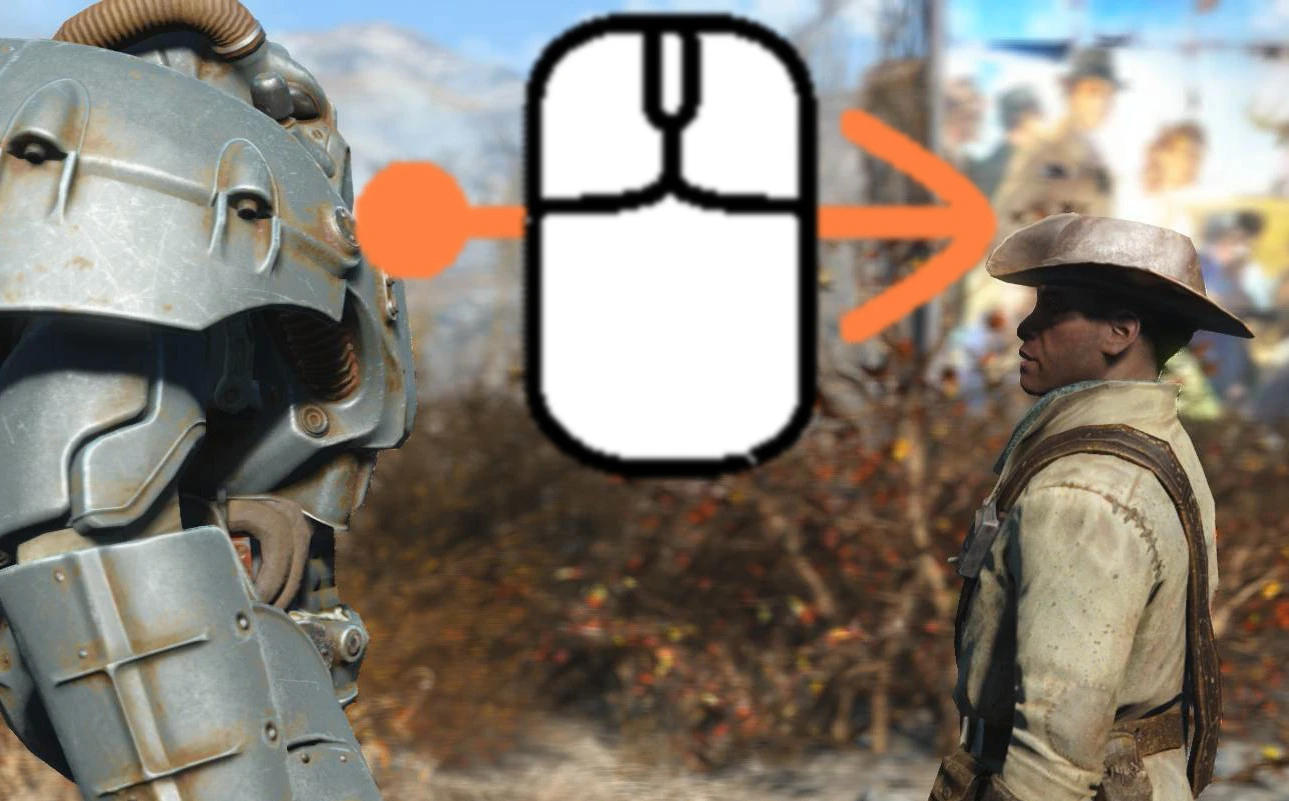
- What is it? This mod changes the sensitivity for escaping the dialog camera mode to a lower value.
- - Why?
- The vanilla sensitivity is to high! The smallest mouse movement will interrupt the dialogue camera. Only a small fingertip on the mouse breaks the camera mode.
- I like the cinematic camera during the dialog so i don't want it to exit accidentally so i can watch the conversation.
- - How to use
- The breaking of the dialogue is rather controlled from the acceleration of the mouse than from the distance the mouse moves over the mouse-pad.
- So even with the low setting, you don't need to push your mouse over the entire desktop. Just make a quick push to the side.
- How to install?
- Install the mod with the NMM (Nexus Mod Manager) or any other mod manager tool.
- I have made a NMM installer, so you can choose the setting you want to use.
- Or manually: copy the data folder from the archive into your game folder.
(This a ini mod. If you have the experience in editing INI´s, you can also modify your fallout4.ini with the appropriate value.)
- - Uninstall
- Unininstall through your mod manager.
- Or manually: delete the files "Dialogue Camera Sensitivity.esp" and "Dialogue Camera Sensitivity.ini" in the game data folder.
- Which Languages does it support?
- Every game language is supported.
my latest mods: - The smell of napalm - Valkyrie SFX - Screen Flicker Killer and no blur effect - FO4ME - ModEnabler Tool
my other mods
Dialogue Camera Sensitivity is a lightweight UI mod for Skyrim that lets you adjust how much mouse movement is needed to exit cinematic dialogue. With 1,638 endorsements and 43,105 downloads, it's a popular quality-of-life tweak for players who find the default escape sensitivity too high or too low. Last updated in 2015, it remains a simple, effective solution for a common annoyance.
✨ Key Features
📊 Pros & Cons
✅ Pros
- Community favorite (1,638 endorsements) — clearly fills a need for many players.
- Tiny mod that does one thing well: no bloat, just tweaks dialogue camera behavior.
- High download-to-endorsement ratio (43k downloads) suggests it's widely used and appreciated.
⚠️ Cons
- Last updated in 2015 — may not be compatible with the latest Skyrim Special Edition or Anniversary Edition without patches.
- Only affects dialogue camera sensitivity — if you're looking for broader UI improvements, this won't help.
For Skyrim players who find the default mouse movement to exit cinematic dialogue too sensitive or not sensitive enough. If you've ever accidentally skipped dialogue or struggled to break free from a conversation, this mod is for you. Skip if you want more comprehensive UI overhauls — this is a single-purpose tweak.
💡 Beginner Tips
- Since the mod is from 2015, check if you're playing Skyrim Legendary Edition or if there's a Special Edition patch — the original may not work on newer versions.
- If you use a mod manager like Vortex or Mod Organizer 2, install it through that for easy uninstallation.
- Test the sensitivity in-game right after installing to see if it feels right; you may need to adjust the INI file if the mod allows it.
📊 Mod Details
- Game
- Fallout 4 Mods
- Author
- Fl0W
- Version
- 1.0.0
- Downloads
- 43,105
- Endorsements
- 1,638
- Category
- User Interface
- Created
- 11/30/2015
- Updated
- 11/30/2015
🔧 How to Install Fallout 4 Mods
Download from Nexus.
📖 Full step-by-step install guide for Fallout 4 →
Visit the official mod page for specific installation instructions for this mod.
🎮 Need cheat codes or console commands? Check ur gaming wiki for Fallout 4 commands, item IDs, and more.
Keep browsing — more Fallout 4 mods await