Craftable Animation Marker (Relaxation Furniture)
⚪ Last updated 2016⚠️ Install Order · 2 steps
Install in this order, then this mod last — most mods fail to load without their framework and dependencies in place.
Preview
🔍 Analysis
- 👍 4.0% endorsement rate — high engagement, a strong quality signal
- 🏆 #10 of 80 Player Settlement mods in this game by downloads
📋 About This Mod
BUT then you realize, the Awesome Sanctuary Hills you've built and how 'OK' it is in Travis' book and also tons of other settlements mods you've downloaded to make it more lively, are inherited by a bunch of unrealistic, dumb and stupid Settlers whos have decided to settle down there, which supposed to be a good thing actually as the more the merrier eh? Instead, what they'd actually do is just standing around like mindless zombies after passing the working hours.
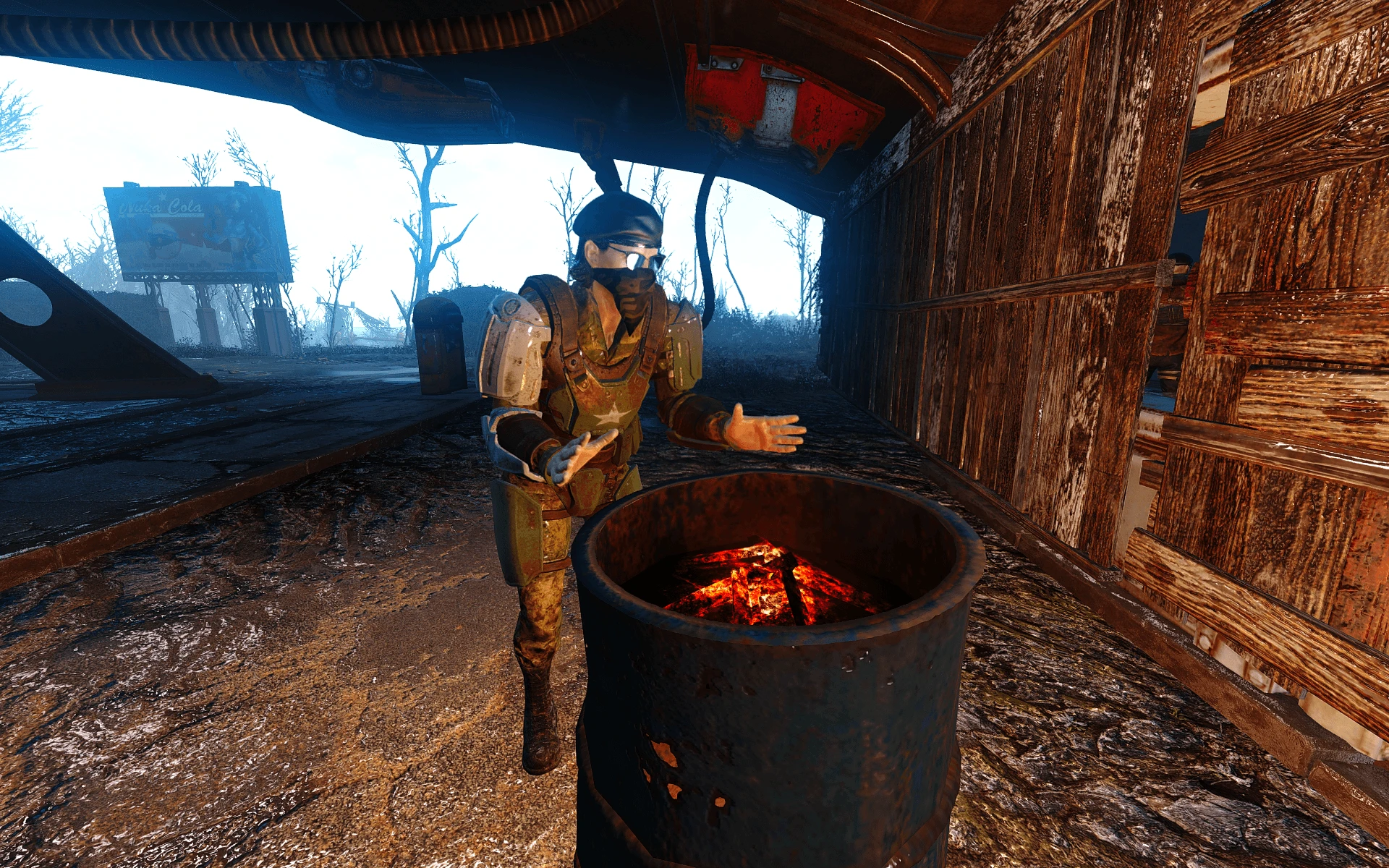
So, here's where this mod come in handy(supposedly), Craftable Animation Marker with Relaxation keyword located under Furniture/Misc/(InvisibleRug) so that whenever the settlers are idle(unassigned), or the working hour is passed by, they will use the marker and will actually LOOK ALIVE now, as they're doing something at least. Like the residents you've seen in vault 81 etc etc...
Side Note: Unlike Busy Settlers mod which I highly recommend, this mod make it so you don't have to assigned the settlers to the markers, they activate it themselves :)
Credits to vatiwah for the featuring my mod in his video, thank you!!
NAOW9IPfHYk
Also, I've been dreaming about this, huge thanks to MXR, big fan of your mod review ^^ UxFVc7riOkA
Installation:-
Add this row under the section of your Fallout4.ini: bInvalidateOlderFiles=1 Remove everything from sResourceDataDirsFinal: sResourceDataDirsFinal= I recommend installing through the Nexus Mod Manager.
With Nexus Mod Manager (NMM):
[]Download the mod by clicking "Download with manager". Manual installation:
[]Manually download the .zip file containing the mod. []Open the .zip using a file archiver. []Extract the CraftableAnimationMarker.esp into the Data folder (not in any subfolder) of your Fallout 4 installation. [*]Open pl
This Fallout 4 mod lets you craft animation markers for relaxation furniture, so settlers actually use them instead of standing idle. With 4,672 endorsements and 115,812 downloads, it's a popular quality-of-life addition for settlement builders. Last updated in 2016, it remains a staple for making settlements feel alive.
✨ Key Features
📊 Pros & Cons
✅ Pros
- Huge community trust (4,672 endorsements) — this is a proven mod that settlement builders swear by
- Massive download count (115,812) shows it's been tested by a ton of players
- Simple concept that directly improves immersion — no more settlers staring at walls
⚠️ Cons
- Last updated in 2016 — might have compatibility issues with newer game patches or DLC
- Requires you to manually place markers on furniture, which could be tedious for large settlements
For Fallout 4 settlement builders who want their settlers to actually use the furniture they build. If you're tired of seeing NPCs stand around like statues, this mod adds a layer of life. Skip if you're not into settlement building or prefer gameplay overhauls.
💡 Beginner Tips
- After installing, check the crafting menu under Furniture or Miscellaneous for the animation markers.
- Place the marker directly on a relaxation furniture item (like a chair or bench) to see the animation trigger.
- If settlers still ignore the furniture, try assigning them to the marker or using the 'Move' command to force them.
📊 Mod Details
- Game
- Fallout 4 Mods
- Author
- opariffazman
- Version
- 1.3
- Downloads
- 115,812
- Endorsements
- 4,672
- Category
- Player Settlement
- Created
- 2/17/2016
- Updated
- 3/12/2016
🔧 How to Install Fallout 4 Mods
Download from Nexus.
📖 Full step-by-step install guide for Fallout 4 →
Visit the official mod page for specific installation instructions for this mod.
🎮 Need cheat codes or console commands? Check ur gaming wiki for Fallout 4 commands, item IDs, and more.
Keep browsing — more Fallout 4 mods await