Cool Wasteland ReShade
⚪ Last updated 2016⚠️ Install Order · 2 steps
Install in this order, then this mod last — most mods fail to load without their framework and dependencies in place.
Preview
🔍 Analysis
- 👍 5.8% endorsement rate — high engagement, a strong quality signal
- 🏆 #4 of 12 ReShade Presets mods in this game by downloads
📋 About This Mod
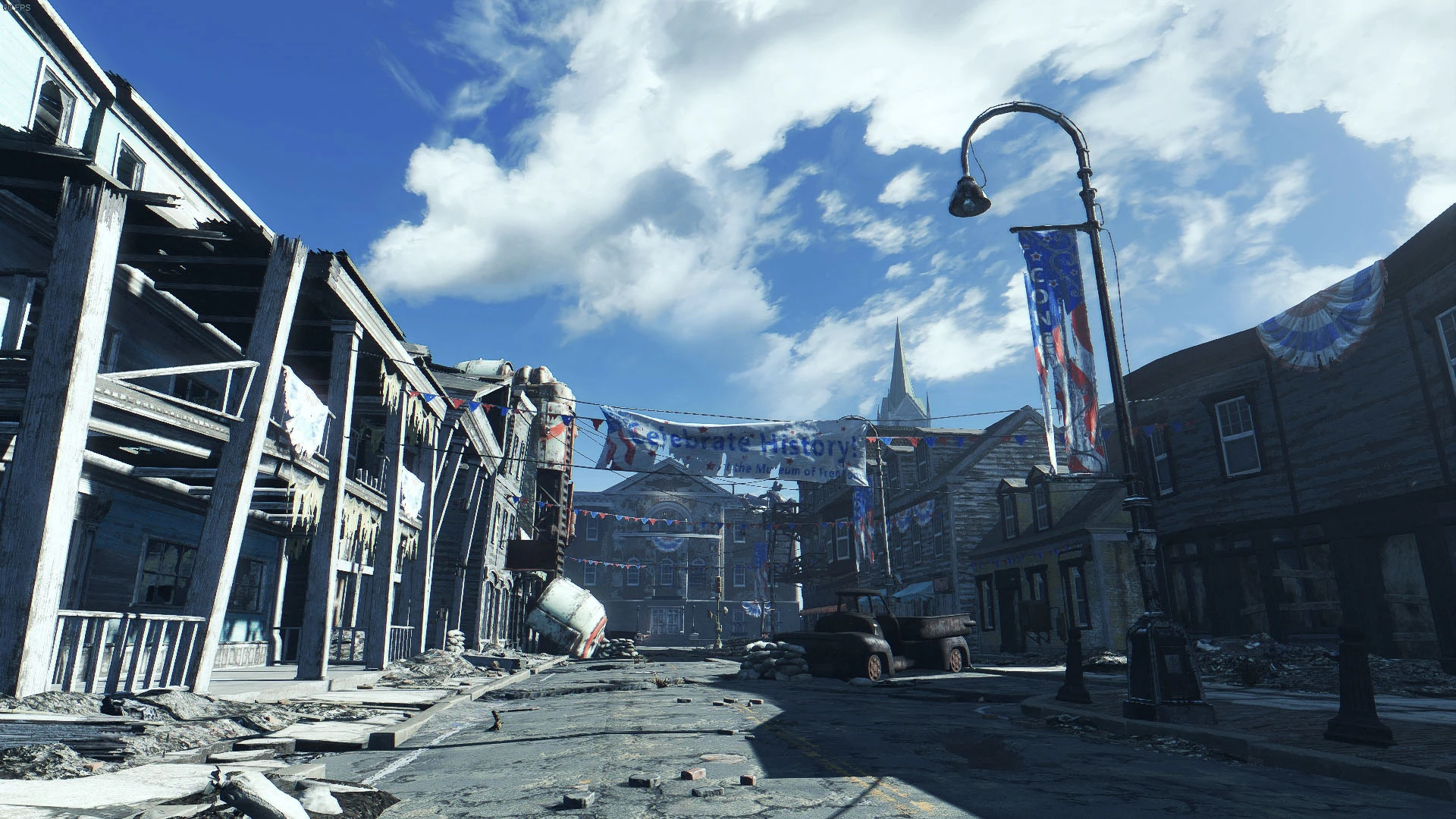
Cool Wasteland - ReShade 1.2 Preset<br /><br />-Cooler color palette, outwashed look, reduced saturation<br />-Darker, more vibrant Sky<br />-Dynamic depth of field <br />-More contrast<br />-More sharpness<br />-No FPS drop<br />-DOF with
COOL WASTELAND - RESHADE PRESET
Cool Wasteland is a preset for ReShade 3
CHANGELOG VERSION 1. 2
-
[]INI File for ReShade 3[/]
[]Contrast, saturation changed[/]
-
[]Cooler color palette (More blue+green, less red - This removes the colorful warm/orange look of Vanilla game)[/]
[]Outwashed look, reduced saturation[/]
[]Darker, more vibrant Sky[/]
[]Dynamic depth of field [/]
[]More contrast[/]
[]More sharpness & details (better looking textures)[/]
[]decent grain-effect for reducing color-banding[/]
[]No FPS drop[/]
rKGNMBNPDk4
INSTALLATION
For using this preset you need ReShade v3.
Download Reshade: http://reshade.me/
Install ReShade & Preset:
Download ReShade Installer and select Fallout 4 Game EXE "fallout4.exe".
Click on "Direct3D 10+" button (it's already selected so click again) and accept downloading collection of standard effects from github. Select all, press OK.
Locate Cool Wasteland folder in your FO4 Data Folder (Download with NMM)
Copy "Cool_Wasteland_1_2.ini" to your main Fallout folder. (steam/steamapps/common/fallout4)
That's it. Start the Game.
There's an initialisation lag during loading screen.
Open ReShade overlay by pressing "SHIFT+F2". You can follow the integrated tutorial.
SELECT COOL WASTELAND 1. 2 PRESET IN OVERLAY TO APPLY SETTINGS
ReShade should now work.
Add this to dxgi.ini (Fallout main folder) to enable HOTKEYS:
KeyMenu=113,0,1
InputProcessing=2
KeyScreenshot=44,0,0
KeyEffects=145,0,0
[]Access ReShade interface by pressing "SHIFT+F2"[/]
[]You can turn off ReShade by pressing the "SCROLL"-KEY.[/]
[]Pressing "PRINT" allows you to save PNG Screenshots in your Fallout 4 folder.[/]
[*]You can toggle the DOF with the "PAUSE"-KEY
-
[]Cooler color palette (More blue+green, less red - This removes the colorful warm/orange look of Vanilla game)[/]
📊 Mod Details
- Game
- Fallout 4 Mods
- Author
- thermalpaste
- Version
- 1.2
- Downloads
- 1,604
- Endorsements
- 93
- Category
- ReShade Presets
- Created
- 3/8/2016
- Updated
- 10/31/2016
🔧 How to Install Fallout 4 Mods
Download from Nexus.
📖 Full step-by-step install guide for Fallout 4 →
Visit the official mod page for specific installation instructions for this mod.
🎮 Need cheat codes or console commands? Check ur gaming wiki for Fallout 4 commands, item IDs, and more.
Keep browsing — more Fallout 4 mods await