Compact and Fancy - A HUD Layout for FallUI - HUD
⚪ Last updated 2021⚠️ Install Order · 3 steps
Install in this order, then this mod last — most mods fail to load without their framework and dependencies in place.
Preview
🔍 Analysis
- 👍 5.2% endorsement rate — high engagement, a strong quality signal
- 🏆 #22 of 99 User Interface mods in this game by downloads
📋 About This Mod
Compact
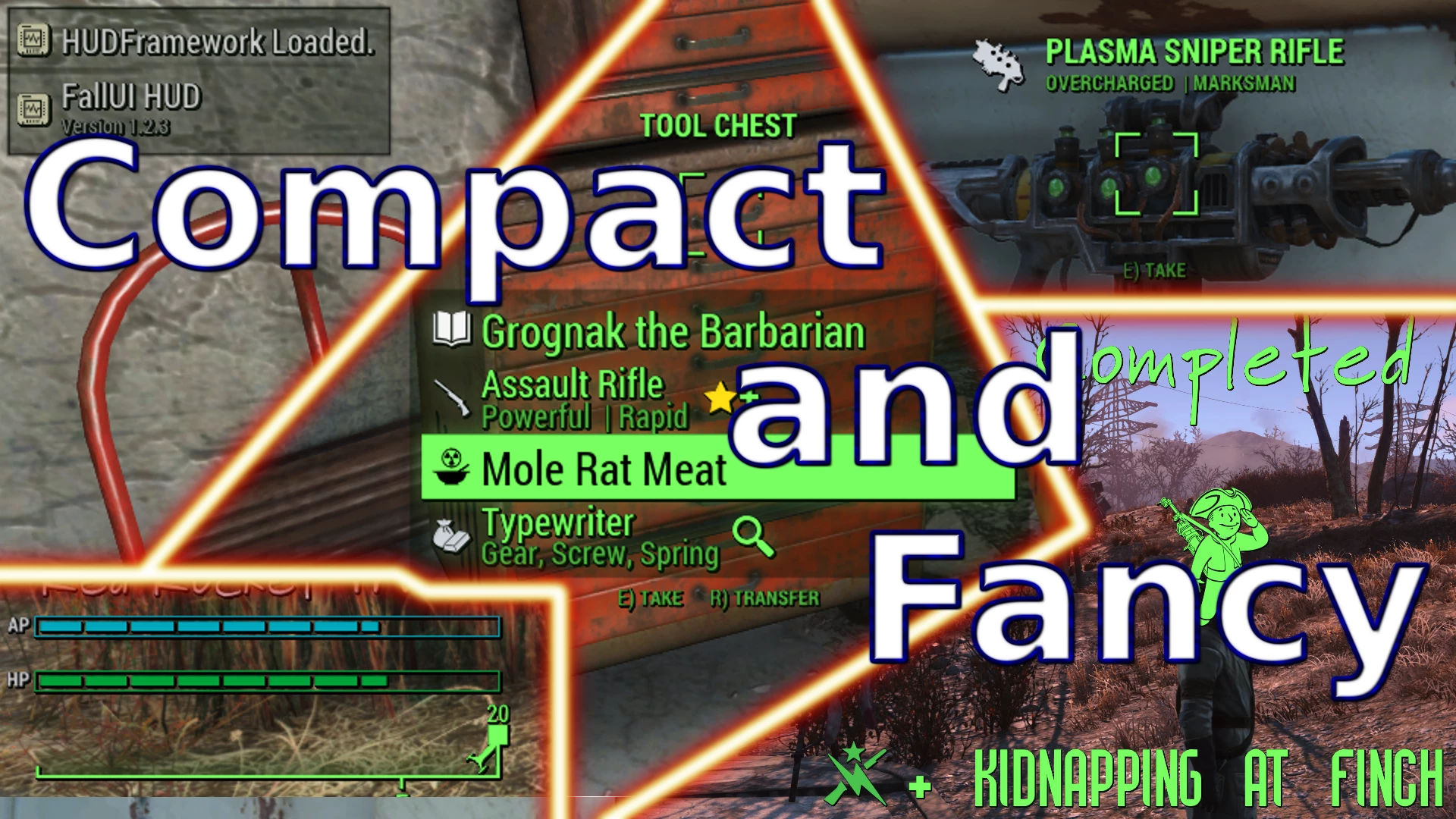
The Fancy and Compact HUD Layout is like its name says: fancy and compact. It reduces the most widgets to a minimum and reorder them in compact aligned order to the edges. While the needed space is reduced, the fanciness is increased. Nice sliced bars for HP, AP, CRIT, XP and enemy health, your level progress in percent, cool new fonts and more.
This layout is meant for all people who want a cool layout, but don't want to spend hours editing the HUD.
Its ready-to-install: Just a download and a click and its working.
It also demonstrates how FallUI HUD layout mods work, and how easy and conflict-free it can be installed.
You can freely use this layout as a base for your own layout!
Layout description
My main intention was to get rid of the massive space the vanilla HUD consumes. The second intention is to add just more fanciness and a modern character to the layout.
So i adjusted all elements of the interface to be looking more modern and a bit more distinctive and unique. Also rearranged the widgets so the main part of the screen is unoccupied (at least until you start a quest :) ).
The rollover and quickloot is arranged to be nicely playing together and showing the hovered item in the approximity of your eye-sight. Less importend things like the button hints are faded out, so it doesn't distract from the main info.
I added a big quest-started and quest-completed screems like known from other games. I like it feels like a new chapter beginning or ending in your characters live. Something big, matched by the sound when a quest is started/ended. You don't see it often, so i think it can be a bit more special.
And many other little details, just take a look at the screenshots!
Features
-
[]Compact display of widget elements at the screen sides.
[
]No hidden widgets[]Scaled down most elements to better fit in a pc environment
[]Sliced bordered bars for HP, AP, XP, CRIT and enemy health. Tiny description tags to fetch less attention.
[]Special colored bars for HP and AP, to attract attention if they change.
[]Big and fancy quest-start and quest-end screen.
[]Nice handwritten-font for the location display
[]Message box is grayed out and scaled down to fetch less attention
[]Bigger enemy health bar (as it is more importend)
[]Arranged flash bar icon to the other effect icons
Install
[]Install FallUI - HUD
[]Install this mod
[]Go into MCM > FallUI - HUD > Layout and click "Compact and Fancy"
[]Load a gam
Compact and Fancy is a HUD layout for FallUI - HUD that shrinks widget sizes and rearranges them into a compact, edge-aligned layout. It's a cosmetic UI overhaul for Fallout 4 players who want a cleaner, more efficient interface. With 420 endorsements and 8,087 downloads, it's a well-received option for those using FallUI.
✨ Key Features
📊 Pros & Cons
✅ Pros
- Community-approved with 420 endorsements and over 8k downloads
- Delivers on its promise: compact layout that frees up screen space
- Works as a direct add-on for FallUI - HUD, so no extra setup headaches
⚠️ Cons
- Requires FallUI - HUD as a base, so it's not standalone
- Last updated in 2021, so it may not be compatible with newer game patches or FallUI versions
- Cosmetic only – if you want functional HUD changes, this isn't it
For Fallout 4 players who already use FallUI - HUD and want a sleeker, more space-efficient interface. If you're tired of cluttered widgets and want a cleaner look without losing functionality, this is for you. Skip if you don't use FallUI or want gameplay-altering UI changes.
💡 Beginner Tips
- Make sure you have FallUI - HUD installed first, then just drop this mod's files into your Data folder or use your mod manager.
- If you're using a mod manager, enable this mod after FallUI - HUD to ensure proper load order.
- Check the in-game HUD settings to adjust widget positions if you want to fine-tune the layout.
📊 Mod Details
- Game
- Fallout 4 Mods
- Author
- m8r98a4f2
- Version
- 1.0.1
- Downloads
- 8,087
- Endorsements
- 420
- Category
- User Interface
- Created
- 5/17/2021
- Updated
- 6/19/2021
🔧 How to Install Fallout 4 Mods
Download from Nexus.
📖 Full step-by-step install guide for Fallout 4 →
Visit the official mod page for specific installation instructions for this mod.
🎮 Need cheat codes or console commands? Check ur gaming wiki for Fallout 4 commands, item IDs, and more.
Keep browsing — more Fallout 4 mods await