Combat Comments
⚪ Last updated 2021⚠️ Install Order · 2 steps
Install in this order, then this mod last — most mods fail to load without their framework and dependencies in place.
Preview
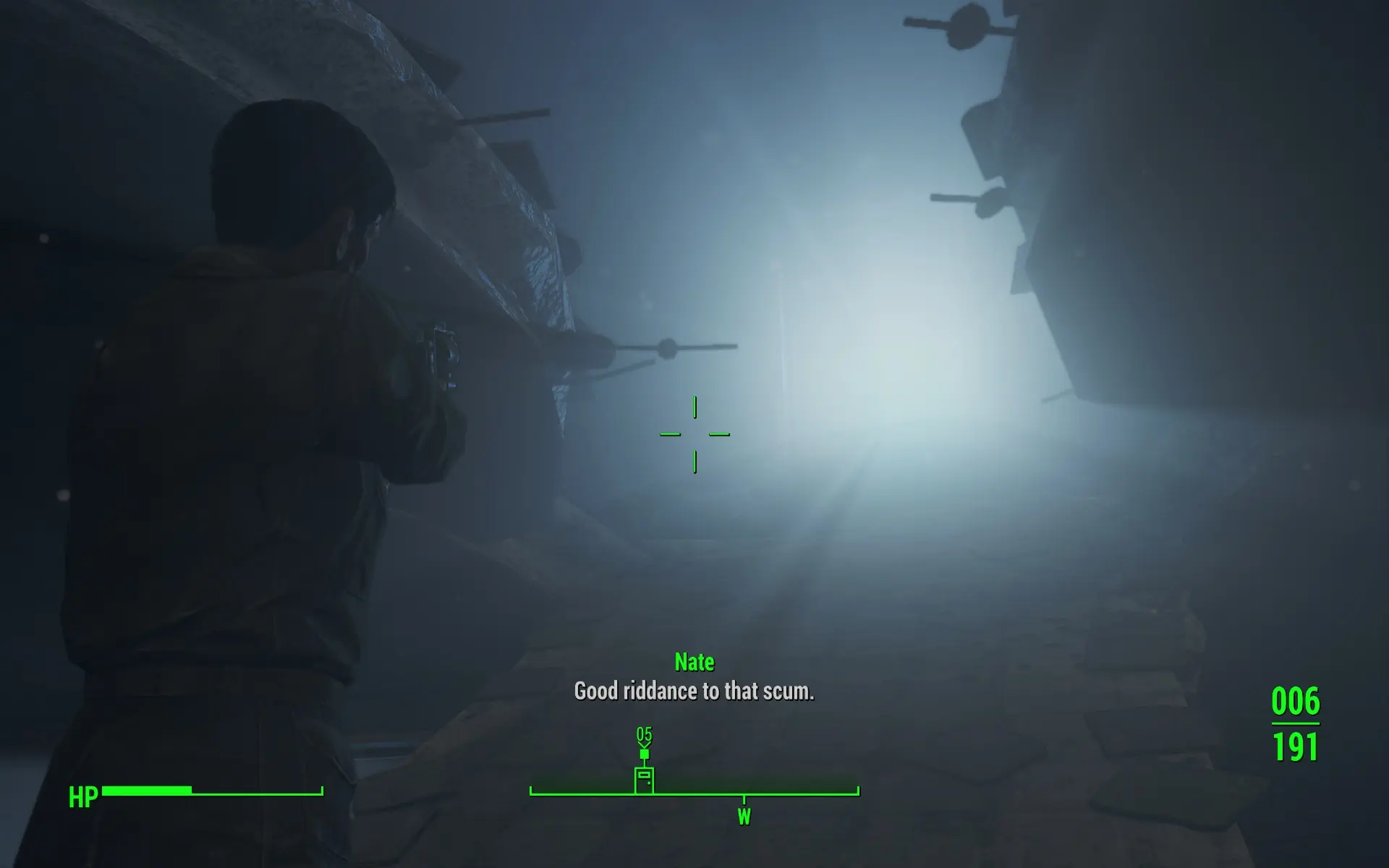
🔍 Analysis
- 👍 3.4% endorsement rate — high engagement, a strong quality signal
- 🏆 #14 of 42 Immersion mods in this game by downloads
📋 About This Mod
Combat Comments adds comments for the player character during and after combat.
The aim of this mod is to have the player say lines that are relevant to the situation and to keep the frequency from becoming annoying. Combat Comments checks for a number of variables and makes the player say a line based on these checks.
This mod does not alter existing data and should technically be compatible with everything.
Mateusmr ported this mod for Xbox One users, check it out!
Details
While similar mods work fine, I began work on my own mod to be able to implement my preferences. I used ChizFoShiz's Player Voicesets for Skyrim as an example of how to add scripts to nearby actors.
The scope of the player comments is (currently) limited to combat and the end of combat, Stimpak & RadAway healing and damage status (including radiation).
Some examples of variables that are taken into account and may trigger specific lines:
-
[]Number of enemies killed (one or more)
[
]Race of enemy[]Type of enemy (e.g.: robot, big boss type, Courser)
[]Faction(s) of enemy
[]Type of weapon used to kill enemy (explosive)
[]If the player was almost killed
- And more
Voice lines will also be triggered when the player has taken a lot of radiation or physical damage, or when using Stimpaks or RadAway to heal.
Face animations are changed to be in line with what the player is saying.
This mod should not conflict with other mods, but will obviously show strange results if used with mods that add voice lines for the player.
All DLC are required because of used voice lines and NPC Race checks.
I have not encountered drops in performance on my mid-range machine.
Because sound files are packed in the .ba2 file, the voices will always be in English.
As always, back up your save games before using. I have not encountered breaking issues during testing, but please use at your own risk and report any issues you may find.
Note on custom added races/creatures: this mod checks for things like keywords and races to pick a voice line for the player to say. If a custom added creature uses an existing keyword or race, said lines will refer to that existing entity. For example, if a creature is technically a new skin and/or variation of a feral ghoul, this mod will still identify it as a feral ghoul.
Combat Comments adds situational voice lines for the player character during and after combat, aiming to keep frequency from becoming annoying. With 1,492 endorsements and 44,142 downloads, it's a well-received immersion mod for players who want their character to react to battle. Last updated in 2021, it may need compatibility checks for current game versions.
✨ Key Features
📊 Pros & Cons
✅ Pros
- Solid community approval with 1,492 endorsements
- Downloads are strong at 44,142, showing real usage
- Focus on situational relevance and avoiding spam is a smart design choice
⚠️ Cons
- Last updated in 2021 — might not work with the latest game patches
- Description is cut off, so you're flying blind on exact features and setup
For immersion-focused players who want their character to feel more alive in combat. If you're tired of silent protagonists or want more reactive dialogue, this is worth a shot. Skip if you prefer minimal audio or are on a newer game version without confirmed compatibility.
💡 Beginner Tips
- Check if the mod has been updated for your game version, since it's from 2021.
- Look for any patches or compatibility notes in the mod's forum or posts section.
- If you use a mod manager, install it manually first to see if it works without extra steps.
📊 Mod Details
- Game
- Fallout 4 Mods
- Author
- Censor
- Version
- 1.0.10
- Downloads
- 44,142
- Endorsements
- 1,492
- Category
- Immersion
- Created
- 4/29/2020
- Updated
- 8/18/2021
🔧 How to Install Fallout 4 Mods
Download from Nexus.
📖 Full step-by-step install guide for Fallout 4 →
Visit the official mod page for specific installation instructions for this mod.
🎮 Need cheat codes or console commands? Check ur gaming wiki for Fallout 4 commands, item IDs, and more.
Keep browsing — more Fallout 4 mods await