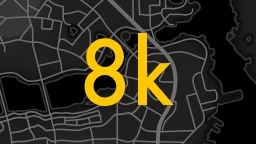
Classic Redrawn AI-Upscaled 8k Map
⚪ Last updated 2021⚠️ Install Order · 2 steps
1🛠️ F4SE — Fallout 4 Script Extender Download ↗
2🔧 UFO4P — Unofficial Fallout 4 Patch Download ↗
Install in this order, then this mod last — most mods fail to load without their framework and dependencies in place.
Preview
🔍 Analysis
- 👍 7.8% endorsement rate — high engagement, a strong quality signal
- 🏆 #39 of 81 User Interface mods in this game by downloads
📋 About This Mod
Completely redrawn from scratch, a classic map of the world.
ONLY MANUAL INSTALLATION
1. DOWNLOAD A MOD
2. UNPACK "DATA" FOLDER INTO MAIN FALLOUT 4 FOLDER
3. DOWNLOAD AND INSTALL THAT MOD FOR MAP WORKING PROPERLY
4.
FIND THESE VALUES IN Fallout4Prefs.ini TO IMPROVE PIPBOY AND MAP QUALITYuPipboyTargetHeight=700
uPipboyTargetWidth=876
AND REPLACE WITH THIS VALUES
uPipboyTargetHeight=1400
uPipboyTargetWidth=1753
5. LAUNCH AND PLAY THE GAME
📊 Mod Details
- Game
- Fallout 4 Mods
- Author
- ZV4X
- Version
- First-n-Last
- Downloads
- 1,905
- Endorsements
- 148
- Category
- User Interface
- Created
- 10/17/2021
- Updated
- 10/17/2021
🔧 How to Install Fallout 4 Mods
Download from Nexus.
📖 Full step-by-step install guide for Fallout 4 →
Visit the official mod page for specific installation instructions for this mod.
🎮 Need cheat codes or console commands? Check ur gaming wiki for Fallout 4 commands, item IDs, and more.
Keep browsing — more Fallout 4 mods await