Classic-Overseer-Monofonto Font Replacer
⚪ Last updated 2017⚠️ Install Order · 2 steps
Install in this order, then this mod last — most mods fail to load without their framework and dependencies in place.
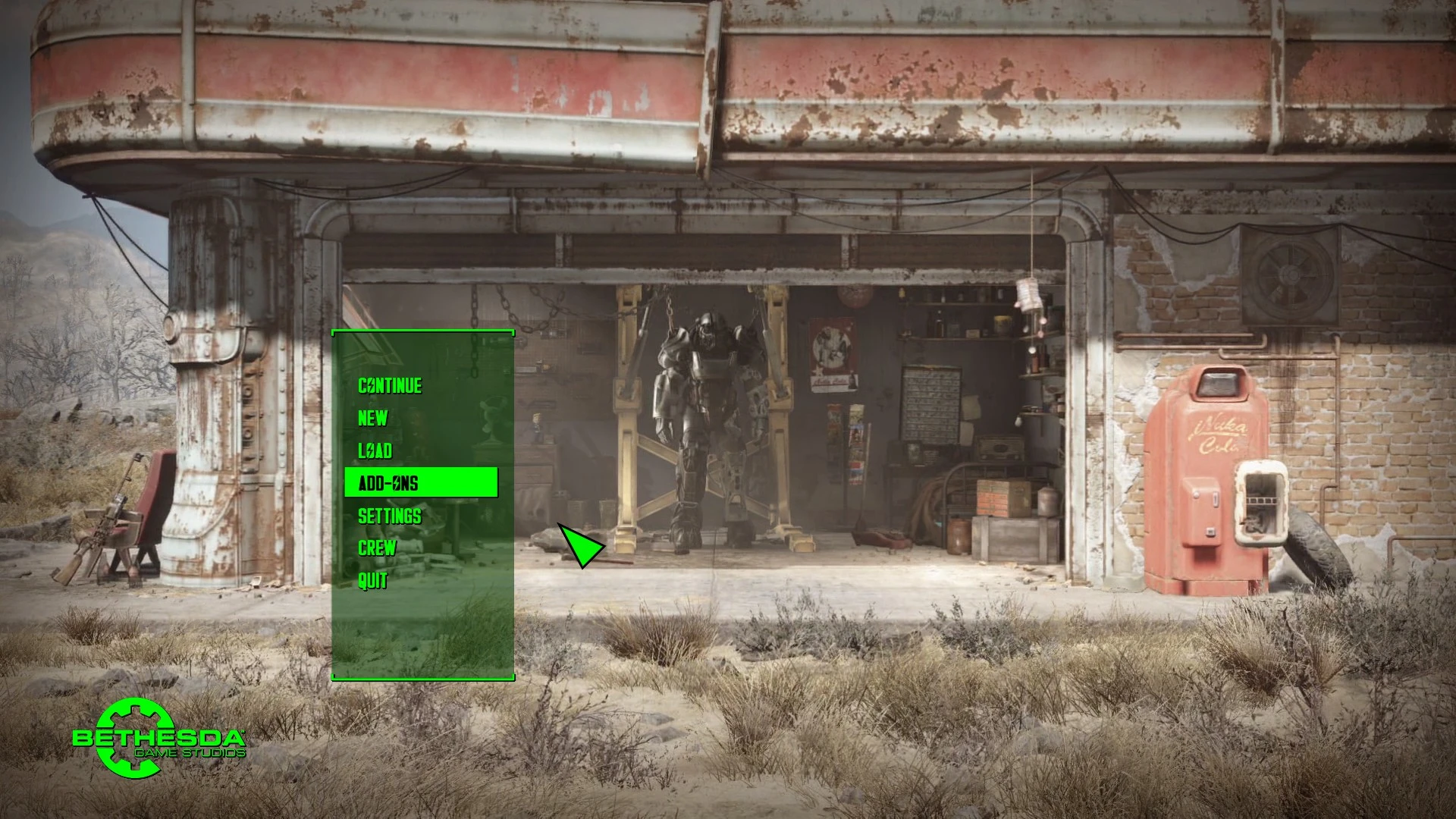
Preview
🔍 Analysis
- 👍 2.8% endorsement rate — high engagement, a strong quality signal
- 🏆 #78 of 86 User Interface mods in this game by downloads
📋 About This Mod
To install:
Place the Interface folder into your Data folder.
Delete fonts_en.swf
My other mods:
- [](Fallout 4) My Little Pony User Interface Overhaul Project [](Fallout 4) Animated Vault Boy HEAD [](Fallout 4) Vault Girl STATS [](Fallout 4) Classic-Overseer-Monofonto Fonts Replacers [](Fallout 4) RaceCustomizer (For custom races) [](Skyrim Special Edition) Immortal/Essential Followers []Crimes Against Nature Adaptations (Fallout 3 / New Vegas) []My Little Pony - Mane 6 Followers (Fallout 3 / New Vegas)
- [](Fallout 4) Crimes Against Nature (made by FancyPants, includes a playable Pony Race)
- []Freakish Custom Race Tutorial (Fallout 4, Skyrim, Fallout 3/New Vegas) []. TRI Facial Animations Tutorial []Skeletal Fittings Tutorial (For Skyrim Only)
- (Fallout 4) . LIP File Generator
A tiny UI mod for Fallout 4 that swaps the default font for a more Fallout-styled monofonto typeface. With 707 endorsements and 24,858 downloads, it's a popular, lightweight cosmetic tweak for players who want a grittier terminal look. Last updated in 2017, it remains a simple drop-in solution.
✨ Key Features
📊 Pros & Cons
✅ Pros
- Community favorite with 707 endorsements and nearly 25k downloads—clearly a lot of people dig it
- Tiny file size and zero performance hit, so it's a no-brainer if you want a quick vibe change
- Gives your UI that classic Fallout terminal aesthetic without messing with anything else
⚠️ Cons
- Only changes the font—if you're expecting a full UI overhaul, this isn't it
- Last updated in 2017, so it might not play nice with newer game patches or DLC content
- Compatibility risk with other UI mods that also replace fonts—you'll need to pick one
For Fallout 4 players who want a subtle, lore-friendly UI tweak without overhauling their whole interface. If you're a purist who loves the classic terminal font, this is a quick win. Skip if you're after major UI changes or if you're on a modded setup with conflicting font replacements.
💡 Beginner Tips
- Make sure you place the files in your Fallout 4 Data folder, usually at C:\Program Files (x86)\Steam\steamapps\common\Fallout 4\Data
- If you're using a mod manager like Vortex or NMM, you can install it directly—just remember to enable it in your load order
- Since this only changes the font, it's safe to use with most gameplay mods, but avoid stacking it with other font replacers to prevent conflicts
📊 Mod Details
- Game
- Fallout 4 Mods
- Author
- lazyradly
- Version
- 3
- Downloads
- 24,858
- Endorsements
- 707
- Category
- User Interface
- Created
- 4/13/2016
- Updated
- 8/30/2017
🔧 How to Install Fallout 4 Mods
Download from Nexus.
📖 Full step-by-step install guide for Fallout 4 →
Visit the official mod page for specific installation instructions for this mod.
🎮 Need cheat codes or console commands? Check ur gaming wiki for Fallout 4 commands, item IDs, and more.
Keep browsing — more Fallout 4 mods await