Builders Budget
⚪ Last updated 2015⚠️ Install Order · 2 steps
Install in this order, then this mod last — most mods fail to load without their framework and dependencies in place.
Preview
🔍 Analysis
- 👍 6.4% endorsement rate — high engagement, a strong quality signal
- 🏆 #83 of 121 Player Settlement mods in this game by downloads
📋 About This Mod
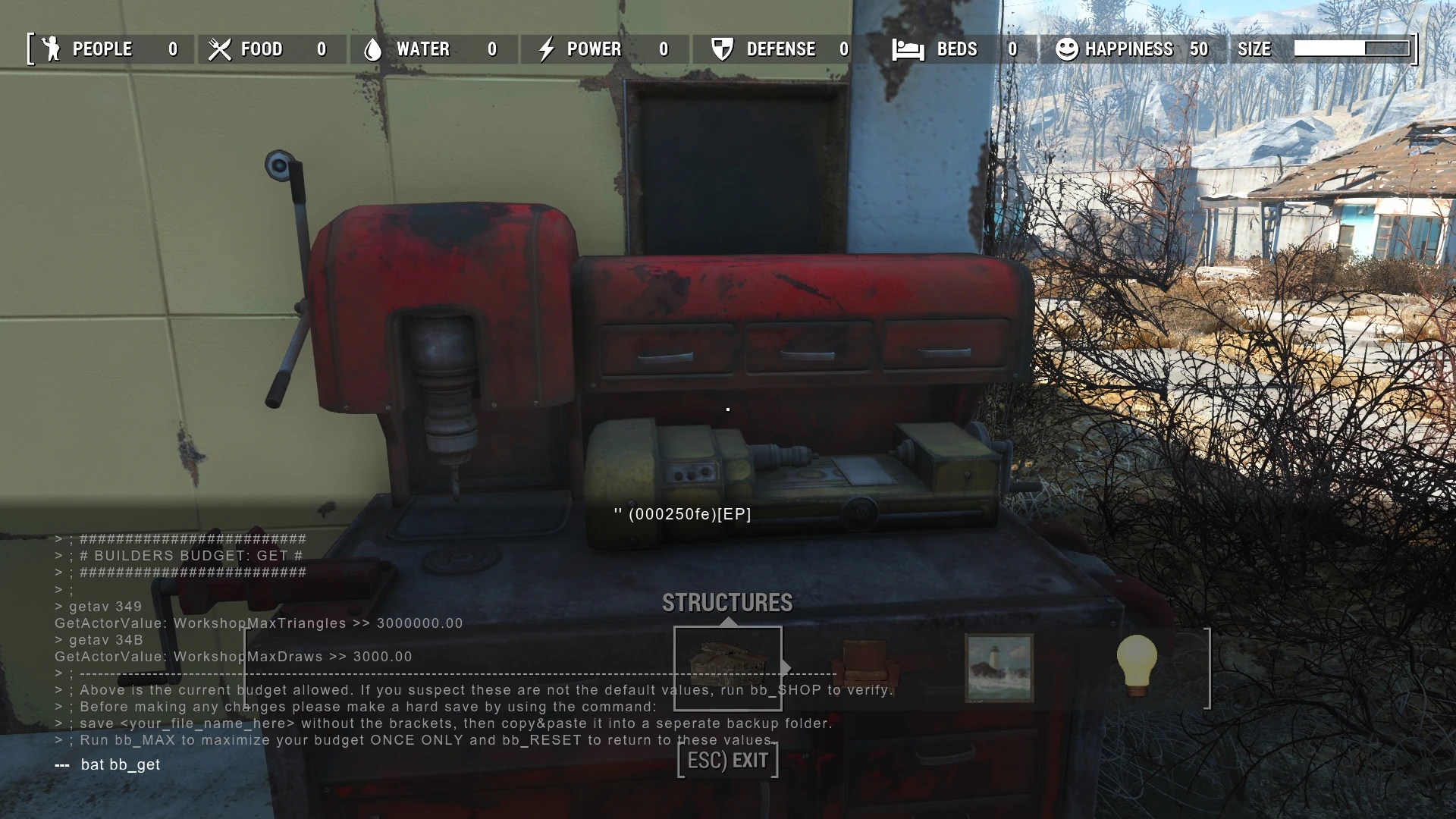
Adjust building budget to accommodate larger settlements.Get current site limits, maximize for building then reset to exact default settings in between build sessions to help minimize any glitches that may occur.
Thank you for downloading and please read this entire document before proceeding.
1) List including every work bench and their default values with instructions on how to return them to their original state.
2) bb_MAX now goes into negative numbers effectively becoming a "Off" switch for unlimited building, with bb_RESET returning to the "On" position at default values.
3) Messages displayed on script run updated to reflect changes.
1) Separate NMM and Manual downloads.
2) Lowered the MAXIMIZE values. Still high enough for any size build.
3) Both changed and cleaned up the wording.
Attention: These scripts modify CURRENT VALUES. If another method has been already used to change budget values, Builders Budget scripts will modify those numbers. These scripts assume you have not already done so. There is a new script included that gives the default values for every settlement and instructions on how to change them back.
To use these scripts you must be in build mode. Enter the console (~ key) then click on the Workbench. It's I. D. has to be showing for them to work.
Scrolling the mouse wheel or accidentally clicking another object will cause it to change or disappear. So if you find them not working that may be the reason why.
Activate the scripts by starting the batch command: "bat bb_GET", "bat bb_MAX", "bat bb_RESET" and "bat bb_SHOP" without the quotes one at a time.
For "bb_SHOP" it is not necessary to click on the Workbench and can be used anytime.
bb_GET.txt (Builders Budget: Get)
Use this before any other included scripts. This file will give the default building values per Workbench site. Be sure to make a note of them as every site has their own unique set of values, determined by plot size and whatever Bethesda has decided the factors are.
Suggested to do a hard save before moving to the next script, as adjusting a setting in any game much farther than was intended is bound to break something.
To make a unique save that is easily identifiable use the console comman
📊 Mod Details
- Game
- Fallout 4 Mods
- Author
- Simjedi
- Version
- 3.0
- Downloads
- 3,737
- Endorsements
- 241
- Category
- Player Settlement
- Created
- 12/6/2015
- Updated
- 12/11/2015
🔧 How to Install Fallout 4 Mods
Download from Nexus.
📖 Full step-by-step install guide for Fallout 4 →
Visit the official mod page for specific installation instructions for this mod.
🎮 Need cheat codes or console commands? Check ur gaming wiki for Fallout 4 commands, item IDs, and more.
Keep browsing — more Fallout 4 mods await