Boston FPS Fix - aka BostonDT PreVis-PreCombine
⚪ Last updated 2019⚠️ Install Order · 2 steps
Install in this order, then this mod last — most mods fail to load without their framework and dependencies in place.
Preview
🔍 Analysis
- 👍 1.6% endorsement rate — high engagement, a strong quality signal
- 🏆 #3 of 26 Performance mods in this game by downloads
📋 About This Mod
In a mostly unmodded game this mod would be loaded at the top of your load order, after the main game and any UFO Patches.
Since most GREEN mods like Regrowth Overhaul, Rust Belt Flora, Conifers Redux, etc; OVERHAUL mods that add new places (Beantown Interiors, and a few others),break precombines by changing the existing Precombines/Vis data in their esp; They will conflict with this mod.
Additional Note:
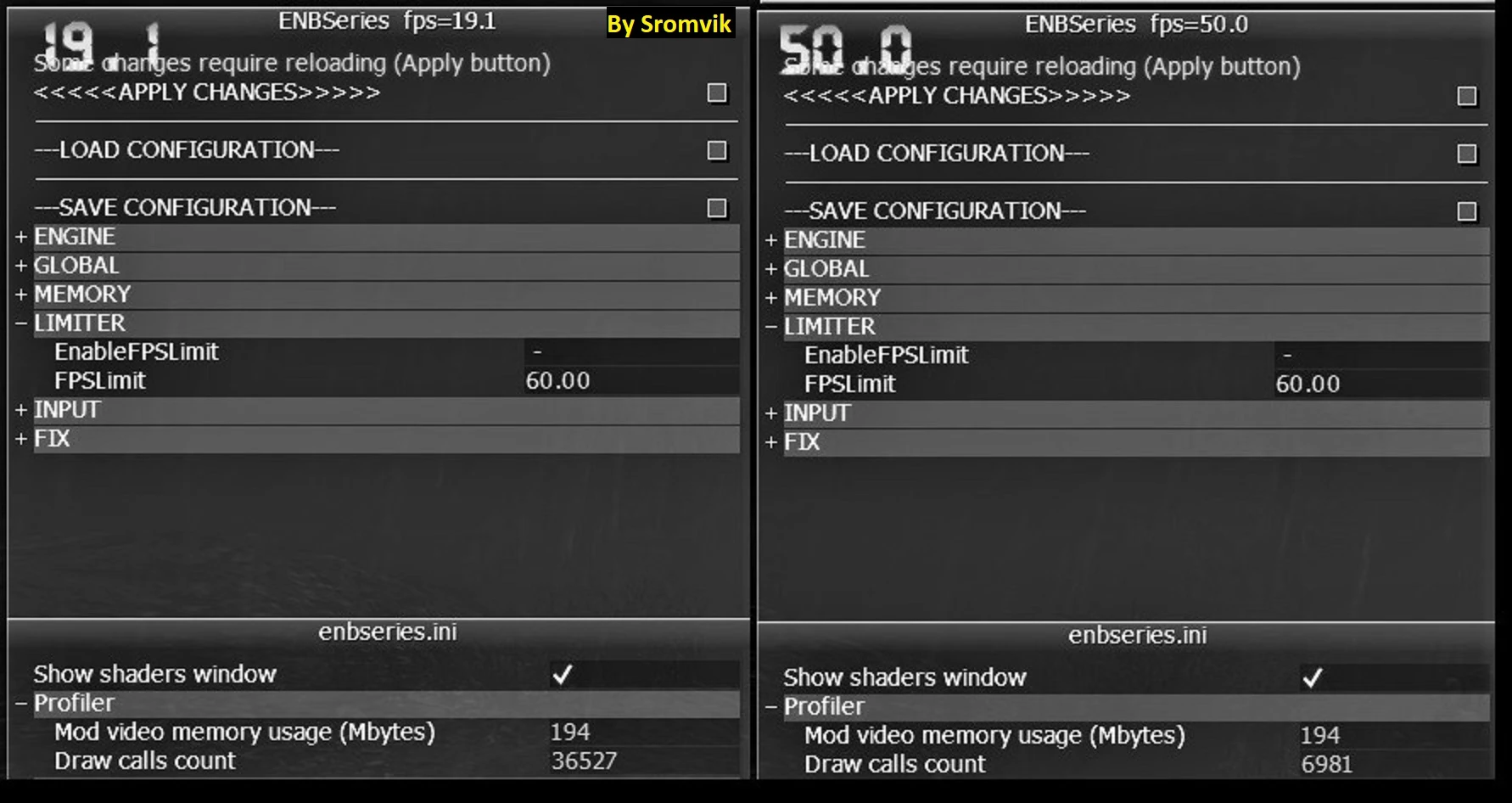
This mod is designed to make the game load better and Improve FPS when using mods. Performance increases have been 10-20 fps better than vanilla, with most players reporting avg of 50-60 FPS in most areas.
Compatibility should be high with most mods if they are loaded after my mod, but it is advised that you test this mod both above or below the mods you want to use.
Any mod that deletes or changes the Vis data will conflict. So, provide me with locations and the mods you know conflict, as well as what happens with different load orders.
Watch the videos in the Video section: It helps you understand what this mod does and why DETAILED feedback is VERY important, or if you feel adventurous, how to make your own patches/changes.
-
[]Precombine & Previs Tutorial
[]Fallout 4 Optimization and Performance Systems Explained
[]Fallout 4's Modular Level Design
This mod was made with the intention that people could learn from and even use my mod as a base for their own mods.
Additional note: If a mod simply adds, BUT does NOT change existing objects in the cell/game, it will not conflict. Unfortunately this is rarely seen as most modders do not simply add to an area, most want to change the area to suit their vision and thus breaks the pre
Boston FPS Fix is a discontinued performance mod for Fallout 4 that boosts FPS in Boston and surrounding external areas, particularly beneficial for players using mods that disable previs or break precombines. With 25,773 endorsements and 1.6M downloads, it was a popular fix before being discontinued in 2019.
✨ Key Features
📊 Pros & Cons
✅ Pros
- Huge community trust with 25,773 endorsements and 1.6M downloads
- Targets the worst FPS drop zone in the game — Boston's external areas
- Essential for modded setups that break precombines, which tank performance
⚠️ Cons
- Discontinued since 2019 — may not work with the latest game patches or newer mods
- Only affects external areas; interiors and other regions won't see improvements
- No longer supported, so bugs or conflicts won't be fixed
For Fallout 4 players who mod heavily and suffer FPS drops in Boston's streets. If you use mods that disable previs or break precombines, this is a must-have. Skip if you play vanilla or don't venture into Boston often.
💡 Beginner Tips
- Since it's discontinued, check the mod's comments for any compatibility notes with your current game version.
- If you use a mod manager, install it manually by dropping the files into your Data folder to avoid any manager conflicts.
- Pair it with a precombine-friendly mod setup to get the best FPS gains in Boston.
📊 Mod Details
- Game
- Fallout 4 Mods
- Author
- BetaVirus
- Version
- .32
- Downloads
- 1,580,773
- Endorsements
- 25,773
- Category
- Performance
- Created
- 8/21/2017
- Updated
- 5/18/2019
🔧 How to Install Fallout 4 Mods
Download from Nexus.
📖 Full step-by-step install guide for Fallout 4 →
Visit the official mod page for specific installation instructions for this mod.
🎮 Need cheat codes or console commands? Check ur gaming wiki for Fallout 4 commands, item IDs, and more.
Keep browsing — more Fallout 4 mods await