Black Pip-Boy Ultimate Edition
⚪ Last updated 2015⚠️ Install Order · 2 steps
Install in this order, then this mod last — most mods fail to load without their framework and dependencies in place.
Preview
🔍 Analysis
- 👍 8.8% endorsement rate — high engagement, a strong quality signal
- 🏆 #91 of 209 Clothing mods in this game by downloads
📋 About This Mod
1. My Documents / MyGames / fallout4 / Fallout4. INI ( Configuration Settings ) ---> Search and Edit Line like this QUOTE sResourceDataDirsFinal=STRINGS
Change to QUOTE sResourceDataDirsFinal=STRINGS\, TEXTURES\
2. Create Necessary Folders in Fallout Directory Like this ( for other mods or current ) QUOTE Fallout 4\Data\animobjects\pipboy 3. Extract "data" into the Fallout Main Directory And Replace All ( Click OK ) and you're New skin is Ready , Enjoy and more to come.
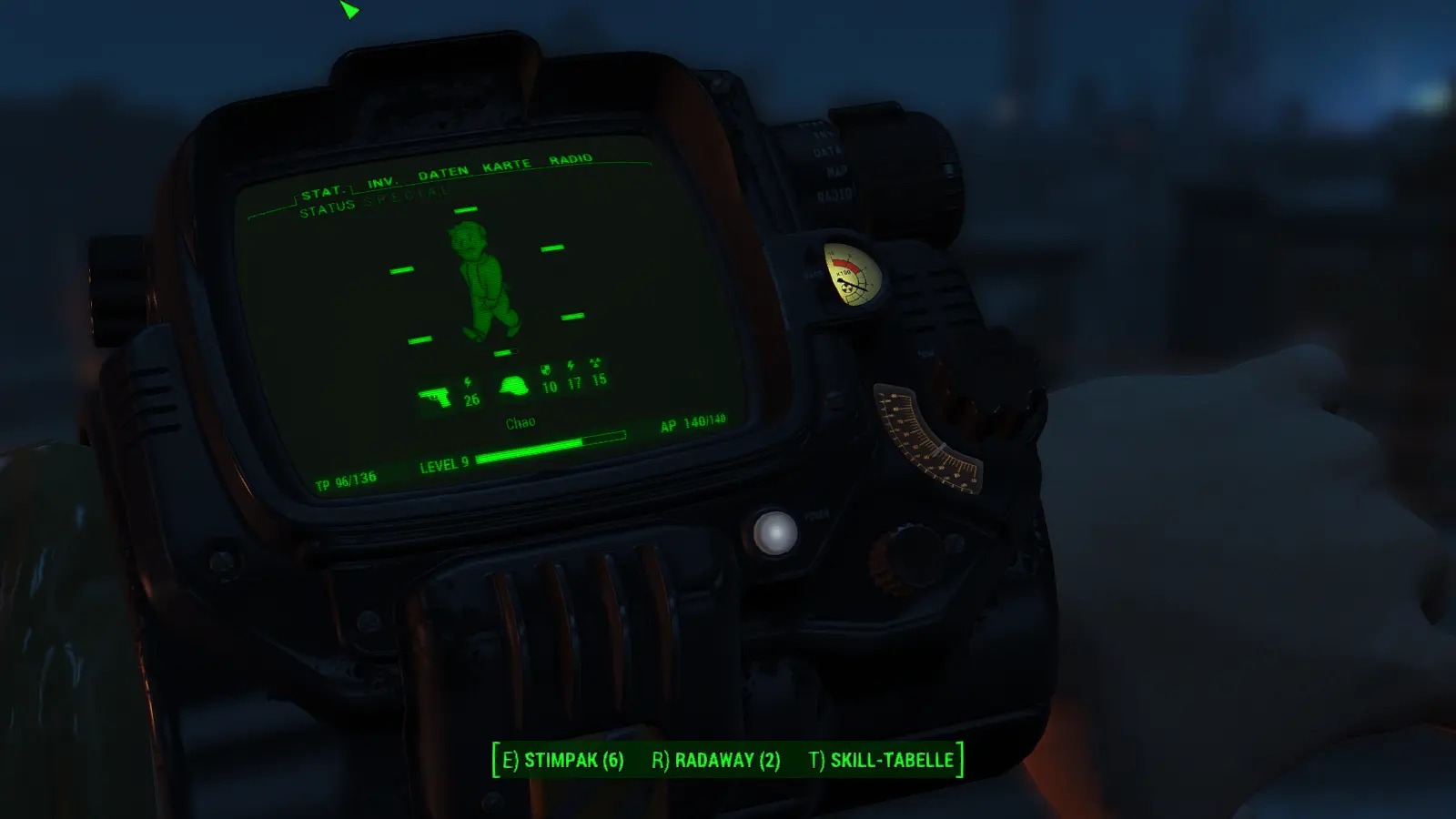
Black Pip-Boy Ultimate Edition is a cosmetic skin for the Pip-Boy in Fallout 4, replacing the default model with a black variant. It requires manual installation via INI edits and file placement. With 475 endorsements and 5,379 downloads, it's a popular choice for players wanting a darker Pip-Boy aesthetic.
✨ Key Features
📊 Pros & Cons
✅ Pros
- Community-approved (475 endorsements) and well-downloaded (5,379 downloads)
- Simple cosmetic change that gives your Pip-Boy a sleek black look
- Works with other mods if you follow the folder setup
⚠️ Cons
- Manual installation is fiddly—you have to edit Fallout4.INI and create folders yourself
- Last updated in 2015, so it might not play nice with newer game patches or mods
- Only changes the Pip-Boy's appearance—no gameplay or UI tweaks
For Fallout 4 players who want a darker, more tactical Pip-Boy without overhauling the whole UI. It's a quick cosmetic win if you're comfortable with basic file edits. Skip if you're on a mod manager and want one-click installs—this one's old-school.
💡 Beginner Tips
- Make sure to back up your Fallout4.INI before editing, and use a text editor like Notepad++ to avoid encoding issues.
- After extracting the 'data' folder, double-check that the pipboy folder is in Data\animobjects\pipboy—a wrong path breaks the skin.
- If you use other mods that edit the same INI line, merge them carefully to avoid conflicts.
📊 Mod Details
- Game
- Fallout 4 Mods
- Author
- IdontKnow666
- Version
- 1.0
- Downloads
- 5,379
- Endorsements
- 475
- Category
- Clothing
- Created
- 11/13/2015
- Updated
- 11/13/2015
🔧 How to Install Fallout 4 Mods
Download from Nexus.
📖 Full step-by-step install guide for Fallout 4 →
Visit the official mod page for specific installation instructions for this mod.
🎮 Need cheat codes or console commands? Check ur gaming wiki for Fallout 4 commands, item IDs, and more.
Keep browsing — more Fallout 4 mods await