Black Militia Hat (Retexture)
⚪ Last updated 2015⚠️ Install Order · 2 steps
Install in this order, then this mod last — most mods fail to load without their framework and dependencies in place.
Preview
🔍 Analysis
- 👍 6.9% endorsement rate — high engagement, a strong quality signal
- 🏆 #39 of 85 Models and Textures mods in this game by downloads
📋 About This Mod
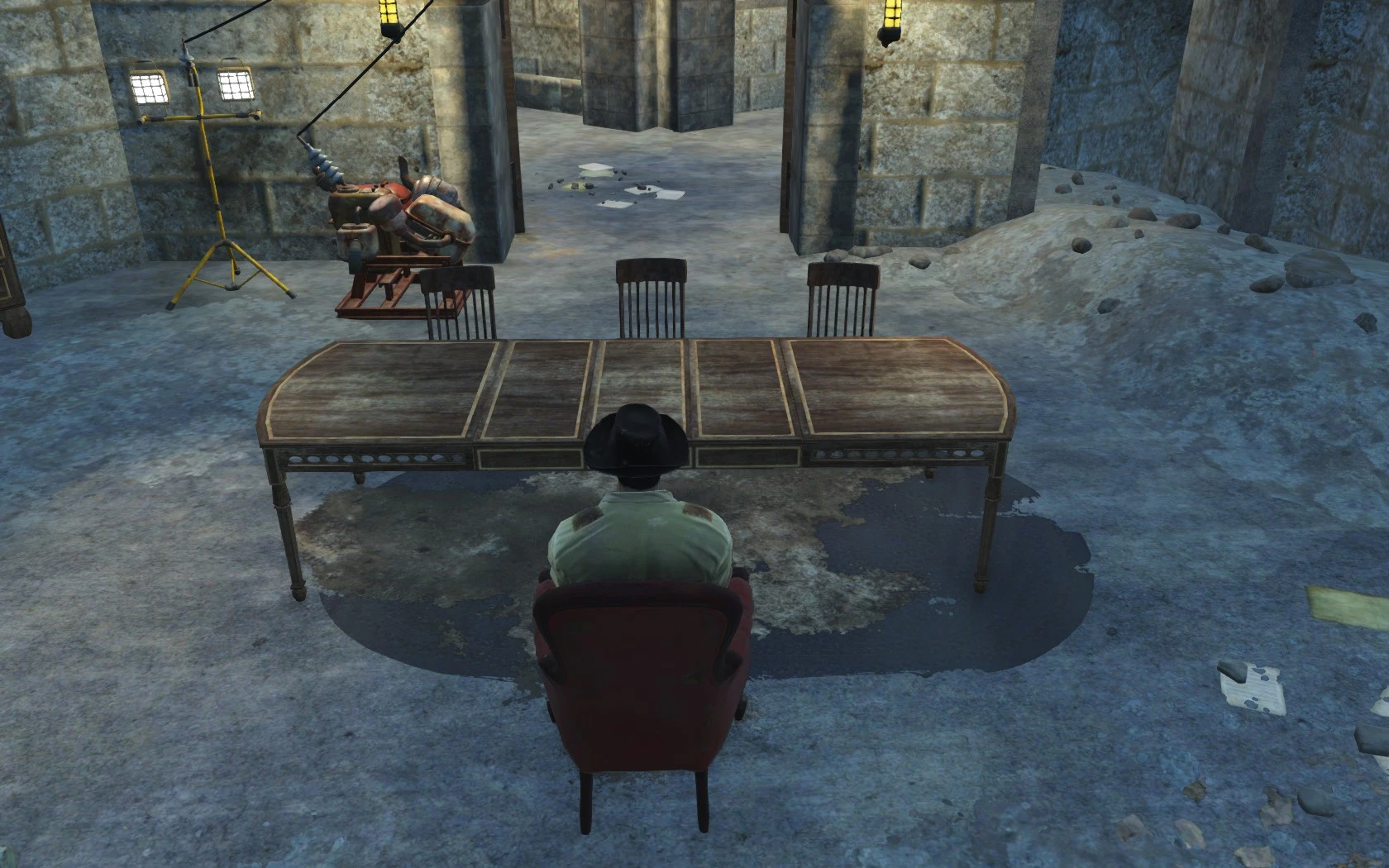
This mod simply replaces the texture for the Militia Hat that the Minute Men wear, requested by KRAZZYKRACKER1.
This mod changes the texture of the Militia Hat worn by the Minute Men to a black version, credit to KRAZZYKRACKER1 for the mod request/suggestion.
In order to install this mod simply follow the steps below:
1. Navigate to your Fallout 4 game directory (normally located at C:\Program Files (x86)\Steam\steamapps\common\Fallout 4\Data) and create a folder called Textures (unless you have already created it, in which case don't create another).
2. Insert the contents of the mod files into the Textures folder that you just created.
3. Navigate to %userprofile%\Documents\My Games\Fallout4 (change %userprofile% to your PC user name) and open the file fallout4.ini, once you have the file locate the line sResourceDataDirsFinal=STRINGS\ and replace it with sResourceDataDirsFinal=STRINGS\, TEXTURES\
4. Load up your game and enjoy.
📊 Mod Details
- Game
- Fallout 4 Mods
- Author
- Caseter6
- Version
- 1.0
- Downloads
- 2,862
- Endorsements
- 197
- Category
- Models and Textures
- Created
- 11/22/2015
- Updated
- 11/22/2015
🔧 How to Install Fallout 4 Mods
Download from Nexus.
📖 Full step-by-step install guide for Fallout 4 →
Visit the official mod page for specific installation instructions for this mod.
🎮 Need cheat codes or console commands? Check ur gaming wiki for Fallout 4 commands, item IDs, and more.
Keep browsing — more Fallout 4 mods await