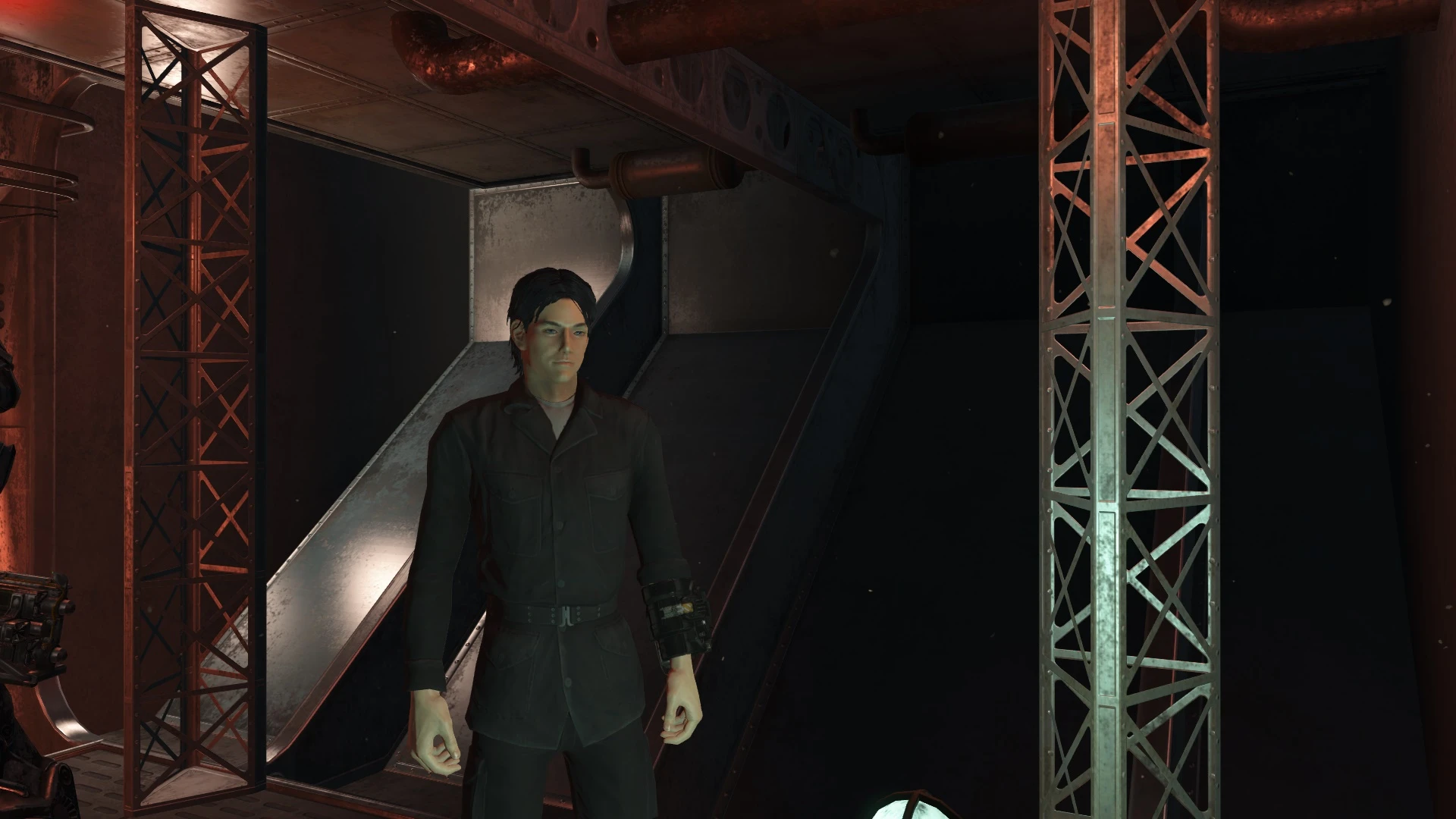
Black Army Fatigues
⚪ Last updated 2015⚠️ Install Order · 2 steps
1🛠️ F4SE — Fallout 4 Script Extender Download ↗
2🔧 UFO4P — Unofficial Fallout 4 Patch Download ↗
Install in this order, then this mod last — most mods fail to load without their framework and dependencies in place.
Preview
🔍 Analysis
- 👍 5.4% endorsement rate — high engagement, a strong quality signal
- 🏆 #47 of 228 Models and Textures mods in this game by downloads
📋 About This Mod
Makes the normal (not decayed) Army Fatigues Black as requested ~
🤖 AI-enhanced — based on mod data
A simple cosmetic mod that recolors the standard Army Fatigues to black, leaving decayed variants untouched. With 437 endorsements and 8,128 downloads, it's a niche but appreciated texture swap for Fallout 4 players wanting a darker military look.
✨ Key Features
Recolors the normal Army Fatigues to black
Does not affect decayed variants
Simple texture replacement mod
📊 Pros & Cons
✅ Pros
- Community-approved (437 endorsements) for a simple recolor
- Lightweight texture swap with no gameplay impact
- Fulfills a specific aesthetic request—black fatigues for stealthy looks
⚠️ Cons
- Only affects one outfit variant; decayed version unchanged
- No preview images or detailed instructions in the description
- May conflict with other mods that alter Army Fatigues textures
🎯 Is This For You?
For Fallout 4 players who want a darker, more tactical appearance for their character without overhauling the whole game. If you're into military-style roleplay or just prefer black over olive drab, this is a quick fix. Skip if you're looking for new armor stats or additional variants.
For Fallout 4 players who want a darker, more tactical appearance for their character without overhauling the whole game. If you're into military-style roleplay or just prefer black over olive drab, this is a quick fix. Skip if you're looking for new armor stats or additional variants.
📦 Install:Easy· Under 1 minute
💡 Beginner Tips
- Place the files in your Fallout 4 Data folder or use a mod manager like Nexus Mods' Vortex for easy installation.
- Since it's a texture replacer, load order doesn't matter much, but if you have other mods that change Army Fatigues, put this one last to ensure it takes effect.
- Check the in-game inventory to confirm the change—if the fatigues still look olive, another mod might be overriding the texture.
📊 Mod Details
- Game
- Fallout 4 Mods
- Author
- Akalor
- Version
- 1.2
- Downloads
- 8,128
- Endorsements
- 437
- Category
- Models and Textures
- Created
- 11/17/2015
- Updated
- 12/18/2015
🔧 How to Install Fallout 4 Mods
Download from Nexus.
📖 Full step-by-step install guide for Fallout 4 →
Visit the official mod page for specific installation instructions for this mod.
🎮 Need cheat codes or console commands? Check ur gaming wiki for Fallout 4 commands, item IDs, and more.
Keep browsing — more Fallout 4 mods await