Bat file installer for Fallout 4 - Texture Optimization Project by torcher
⚪ Last updated 2018⚠️ Install Order · 2 steps
Install in this order, then this mod last — most mods fail to load without their framework and dependencies in place.
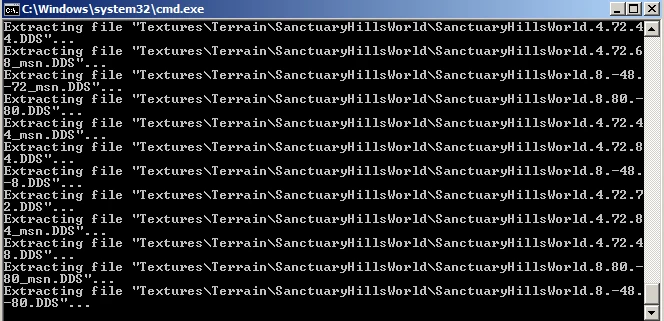
Preview
🔍 Analysis
- 👍 5.9% endorsement rate — high engagement, a strong quality signal
- 🏆 #4 of 25 Utilities mods in this game by downloads
📋 About This Mod
1. 0. 3 is now uploaded.
it does everything that was previously done, but now you must drag a folder to select where to save the backups or to tell the bat file where the backups are to restore. (this was a requested feature)
READ THIS PART IF NOTHING ELSE:
You need archive2 which you can get from bethesda as part of the fallout 4 creation kit You can get that HERE
you need to make a free account to login and download, and after installing
you would usually find the ARCHIVE2 folder in:
"C:\Program Files (x86)\Bethesda.net Launcher\Games\Tools\"
archive 2 is sometimes located in your fallout 4 folder after installing the creation kit.
which is usually:
"C:\Program Files (x86)\Steam\steamapps\common\Fallout 4\Tools"
The T. O. P folder has to be in the same hard drive as your fallout game. (if your fallout is installed to D:\ then the t.o.p folder needs to be on D:\)
Just follow the instructions on screen when you run the bat file and you should be golden.
Change power shell to CMD window if needed.
YOU DO NOT NEED TO READ ANY MORE, BUT THE INFO IS HERE FOR YOU
----------------------
Some other info:
Windows has security features in place so the 1st thing it can do that may cause an issue is to block apps that came from a diferent computer.
You can check this by right clicking the bat file then going to properties. if you see an un-block option in the bottomr right corener.. then that is probably your issue.. just unblock it and run it normaly. do not run it as an administrator..
The reason i say do not run as an admin is because of the second windows issue..
UAC will not allow an elevated bat file to interact with a non elvated app "explorer.exe is not elivated" this means at the very least you cannot drag and drop the folders to get the locations. at the worst it would mean that apps that need to run to do the work will also be unable to function proerly..
So Do not run as an admin, and do un-block the bat.. if you cannot unblock the bat then scrll down and find the code from the bat file in this description and copy and past it in to a text file and save it as a bat file..
Additional notes: READ ME:
Some people have had to change the permisiions on the fallout 4 data folder to allow read and write access.
I have now added this functionality as default behaviour to the bat file. i have also added atrib
A utility that generates a batch file installer for the Texture Optimization Project by torcher, streamlining the installation process. With 1,307 endorsements and 22,289 downloads, it's a community-trusted tool for Fallout 4 modders. Last updated in 2018, it may require manual setup for current game versions.
✨ Key Features
📊 Pros & Cons
✅ Pros
- Community-approved (1,307 endorsements) — plenty of players trust this installer
- Saves time by automating the install process for a popular texture mod
- High download count (22,289) shows it's been useful to many
⚠️ Cons
- Last updated in 2018 — may not work with the latest Fallout 4 patches or mod manager versions
- Requires the Texture Optimization Project mod to be installed first, adding an extra dependency
- No detailed instructions provided — you'll need to figure out how to run the batch file correctly
For Fallout 4 modders who use the Texture Optimization Project and want a quicker way to install it. If you're comfortable running batch files and don't mind a bit of manual setup, this tool can save time. Skip if you prefer using a mod manager or want a fully automated installer.
💡 Beginner Tips
- Make sure you have the Texture Optimization Project mod downloaded and extracted before running this installer.
- Run the batch file as administrator to avoid permission issues during installation.
- If the installer doesn't work, try manually placing the texture files as a fallback.
📊 Mod Details
- Game
- Fallout 4 Mods
- Author
- Shambles1980
- Version
- 1.0.3
- Downloads
- 22,289
- Endorsements
- 1,307
- Category
- Utilities
- Created
- 5/19/2017
- Updated
- 12/4/2018
🔧 How to Install Fallout 4 Mods
Download from Nexus.
📖 Full step-by-step install guide for Fallout 4 →
Visit the official mod page for specific installation instructions for this mod.
🎮 Need cheat codes or console commands? Check ur gaming wiki for Fallout 4 commands, item IDs, and more.
Keep browsing — more Fallout 4 mods await