Anime Backgrounds for pipboy and settlement Portraits
⚪ Last updated 2015⚠️ Install Order · 2 steps
Install in this order, then this mod last — most mods fail to load without their framework and dependencies in place.
Preview
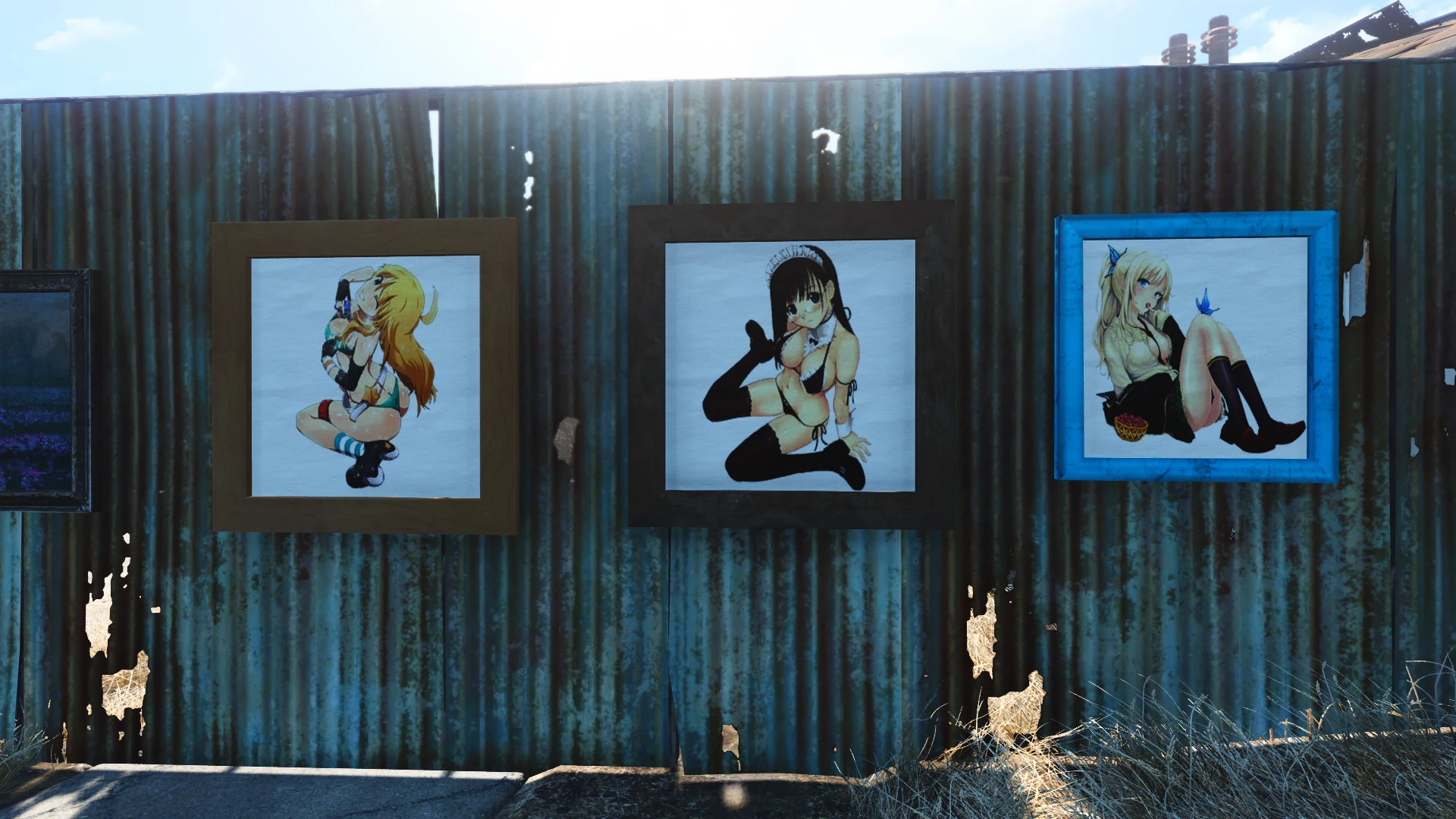
🔍 Analysis
- 👍 3.1% endorsement rate — high engagement, a strong quality signal
- 🏆 #1 of 16 Pip-Boy mods in this game by downloads
📋 About This Mod
HEY HEY i no longer can support this mod i have had a long road and no longer have any of the necessary files to do this so to any modder out there you have my full permission to use what i have here makes me sad that i can no longer continue but that is life but thank you all for the support and kudos to all of you for liking what was here and i hope that you all are doing wonderful and continue to have an awesome time and adventures ~ LOVE DJ
Installation
--------------
First of all, if you have not done this start here
Go to "Documents\My Games\Fallout4" and open the file "Fallout4.ini" and edit the following line:
Find : sResourceDataDirsFinal=STRINGS\
Change to : sResourceDataDirsFinal=STRINGS\, TEXTURES\, MUSIC\, SOUND\, INTERFACE\, MESHES\, PROGRAMS\, MATERIALS\, LODSETTINGS\, VIS\, MISC\, SCRIPTS\, SHADERSFX\
next, adding your pipboy background
-------------------
1-Extract the "DATA" file in the Fallout 4 main folder, replace any existing file (see : Compatibilty)
>>Keep the "Choices" file aside for backup<<
2-Time for you to choose your favorite Background:
Pick the "XX_pipboyscreen_d" you want.
Remane it "pipboyscreen_d" copy to (Data\Textures\animobjects\pipboy) if one already exist replace it
It must be done manually each time you want to change, sorry ... If anyone has an idea how to do it another way please let me know, :D
installing portraits
------------------------
1. Extract the "DATA" file in the Fallout 4 main folder, replace any existing file
2. for installing another picture just copy and replace the current portrait
Compatibilty :
--------------
Of course, this mod conflicts with all mods that change the pip-boy, Portraits, billboards, posters etc backgrounds (it will replace them )
KNOW ISSUE:
-----------------
1. the background is affected by surrounding light, so in low light, picture may not appear or in a good amount of light the image will be REALLY bright. >>dont freak out its there go some were well lit or turn away from the mass light<<
2. enb will sometimes cause image to disappear
--------------
My best buddy for helping test the files and getting pictures to look good :D
PATCH NOTES
-----------------------
Added a ecchi portraits pack 1
removed the hentai pictures from ecchi portraits pack 1
added a hentai Portraits pack 1
added 4 new Portraits to ecchi Portraits pack 1
*Added neko pipboy background pack
Anime-themed background replacements for the Pip-Boy and settlement portraits in Fallout 4. With 1,602 endorsements and 51,382 downloads, this cosmetic mod is popular among anime fans. Last updated in 2015, it may not be compatible with the latest game version.
✨ Key Features
📊 Pros & Cons
✅ Pros
- Community favorite with 1,602 endorsements and over 51k downloads.
- Adds a unique anime aesthetic to the Pip-Boy and settlement menus.
- Lightweight cosmetic mod that doesn't affect gameplay.
⚠️ Cons
- Last updated in 2015 — likely outdated and may conflict with current game patches.
- Limited scope: only backgrounds, no other anime-themed content despite the 'EVERYTHING' promise.
For Fallout 4 players who are anime fans and want to personalize their Pip-Boy and settlement screens. Skip if you prefer lore-friendly or realistic visuals, or if you're on the latest game version and worry about mod compatibility.
💡 Beginner Tips
- Since this mod is from 2015, check if it works with your game version by reading the comments section on the mod page.
- Use a mod manager like Nexus Mod Manager or Vortex to easily install and uninstall if issues arise.
- If you're using other UI mods, test load order to ensure backgrounds display correctly.
📊 Mod Details
- Game
- Fallout 4 Mods
- Author
- DJGRIM85
- Version
- v1.3
- Downloads
- 51,382
- Endorsements
- 1,602
- Category
- Pip-Boy
- Created
- 11/19/2015
- Updated
- 11/20/2015
🔧 How to Install Fallout 4 Mods
Download from Nexus.
📖 Full step-by-step install guide for Fallout 4 →
Visit the official mod page for specific installation instructions for this mod.
🎮 Need cheat codes or console commands? Check ur gaming wiki for Fallout 4 commands, item IDs, and more.
Keep browsing — more Fallout 4 mods await