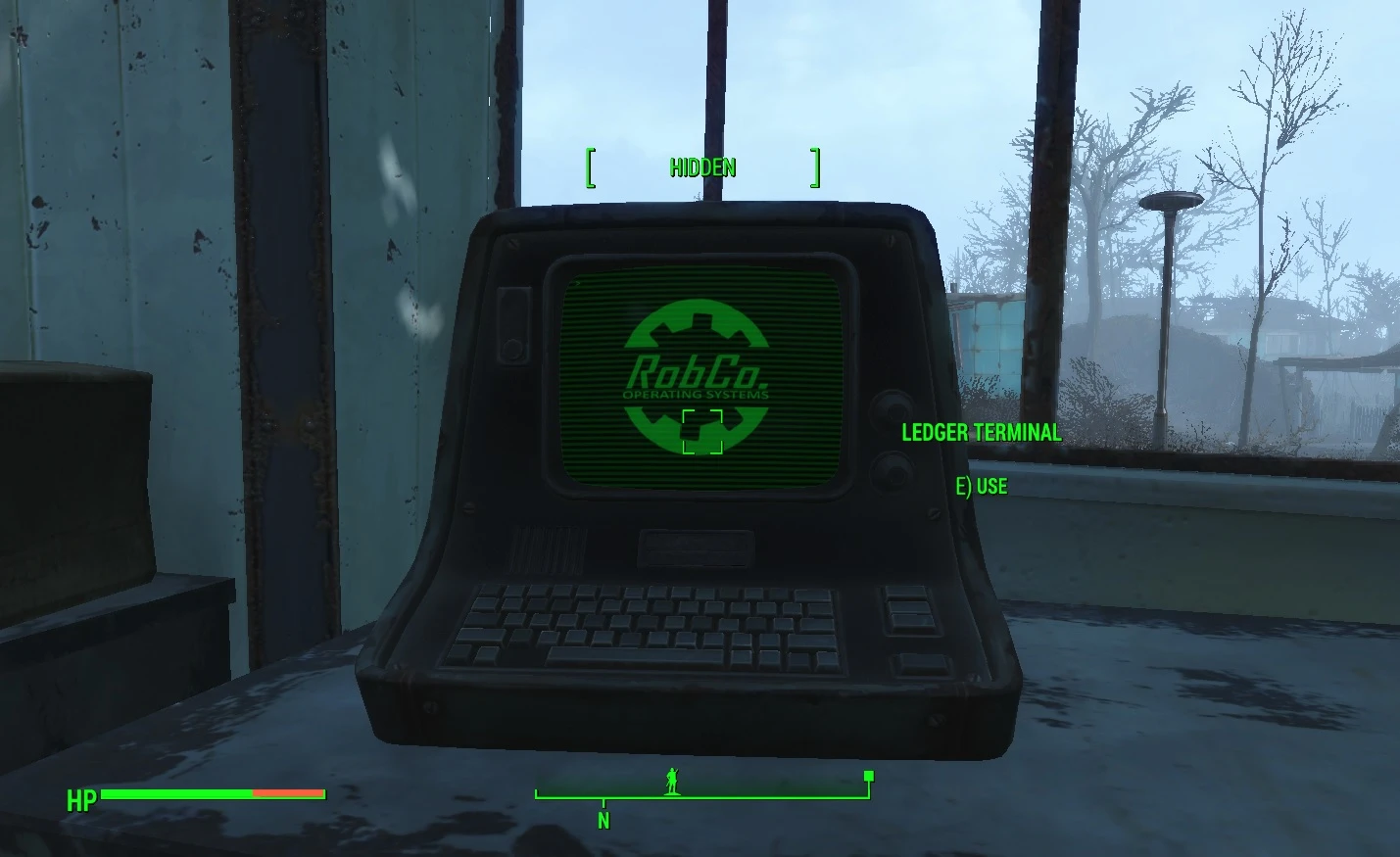
Animated Robco Logo for Terminals
⚪ Last updated 2022⚠️ Install Order · 2 steps
Install in this order, then this mod last — most mods fail to load without their framework and dependencies in place.
Preview
🔍 Analysis
- 👍 3.7% endorsement rate — high engagement, a strong quality signal
- 🏆 #13 of 46 Animation mods in this game by downloads
📋 About This Mod
This mod adds animated Robco logos and animated scanlines to most of the Fallout 4 terminals types and consoles. Read description and watch video.
This mod replaces the static Robco logos on Fallout 4 terminals with animated versions, adding scanline effects to most terminal types and consoles. It's a visual enhancement for players who want more immersive tech interfaces. With 746 endorsements and 20,370 downloads, it's a popular choice for cosmetic modders.
✨ Key Features
📊 Pros & Cons
✅ Pros
- Community favorite with 746 endorsements and over 20k downloads
- Breathes life into the otherwise static terminals, making hacking feel more immersive
- Simple visual upgrade that doesn't touch gameplay balance
⚠️ Cons
- Last updated in June 2022 — might not be compatible with the latest Fallout 4 patches or DLC
- Author didn't provide detailed install instructions, so you'll need to figure out the exact files to place
- Only affects terminals; if you're looking for broader UI overhauls, this won't cover other screens
For Fallout 4 players who want a subtle but cool visual upgrade to terminals without changing gameplay. Perfect for roleplayers and immersion seekers who spend time reading lore on computers. Skip if you prefer vanilla look or want more comprehensive UI changes.
💡 Beginner Tips
- Since it's a simple replacer, just drop the files into your Data folder or use a mod manager like Vortex for easy installation.
- Make sure to check the mod's video or images to see exactly which terminals are affected, so you know what to expect in-game.
- If you use other terminal texture mods, load this one after them to ensure the animated logos take priority.
📊 Mod Details
- Game
- Fallout 4 Mods
- Author
- AmaccurzerO
- Version
- 1.01
- Downloads
- 20,370
- Endorsements
- 746
- Category
- Animation
- Created
- 5/20/2022
- Updated
- 6/2/2022
🔧 How to Install Fallout 4 Mods
Download from Nexus.
📖 Full step-by-step install guide for Fallout 4 →
Visit the official mod page for specific installation instructions for this mod.
🎮 Need cheat codes or console commands? Check ur gaming wiki for Fallout 4 commands, item IDs, and more.
Keep browsing — more Fallout 4 mods await