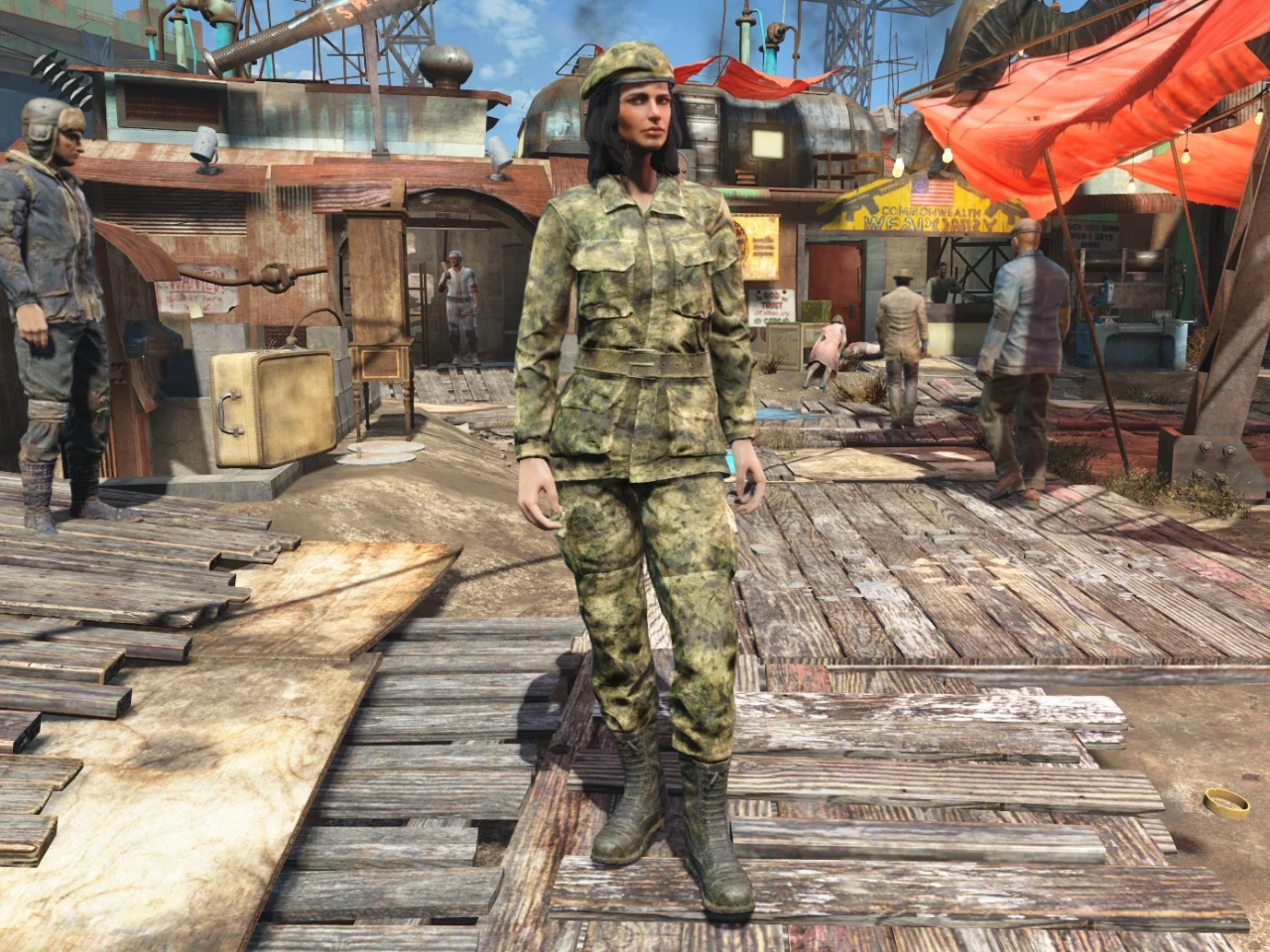
A-TACS Camo Uniform and Beret
⚪ Last updated 2015⚠️ Install Order · 2 steps
Install in this order, then this mod last — most mods fail to load without their framework and dependencies in place.
Preview
🔍 Analysis
- 👍 7.6% endorsement rate — high engagement, a strong quality signal
- 🏆 #12 of 89 Clothing mods in this game by downloads
📋 About This Mod
A simple texture mod that changes the Military Cap and Military Fatigues to A-TACS FG camouflage pattern.
To install, just extract the file into your FALLOUT 4 game folder. (C:\Program Files (x86)\Steam\steamapps\common\Fallout 4)
Find: sResourceDataDirsFinal=STRINGS\
Change to: sResourceDataDirsFinal=STRINGS\, TEXTURES\
Save the changes, then start up your game and enjoy the new goodies.
Console Item codes.: Military Cap = 0016892e Military Fatigues = 0016892c
P. S.: If you only want the camo uniform, and want to keep the black beret (Military Cap), just delete the 3 x "ronnie_uniform_cap" files from the install folder. (located in the Fallout4\Data\Textures\Clothes\Ronnie folder)
Please take time to endorse ALL the mods that you like on the Nexus. Thanks!
📊 Mod Details
- Game
- Fallout 4 Mods
- Author
- tredmeister
- Version
- 1.0
- Downloads
- 2,976
- Endorsements
- 226
- Category
- Clothing
- Created
- 11/21/2015
- Updated
- 11/21/2015
🔧 How to Install Fallout 4 Mods
Download from Nexus.
📖 Full step-by-step install guide for Fallout 4 →
Visit the official mod page for specific installation instructions for this mod.
🎮 Need cheat codes or console commands? Check ur gaming wiki for Fallout 4 commands, item IDs, and more.
Keep browsing — more Fallout 4 mods await