(a small) Gun HUD
⚪ Last updated 2021⚠️ Install Order · 2 steps
Install in this order, then this mod last — most mods fail to load without their framework and dependencies in place.
Preview
🔍 Analysis
- 👍 4.3% endorsement rate — high engagement, a strong quality signal
- 🏆 #11 of 40 Visuals and Graphics mods in this game by downloads
📋 About This Mod
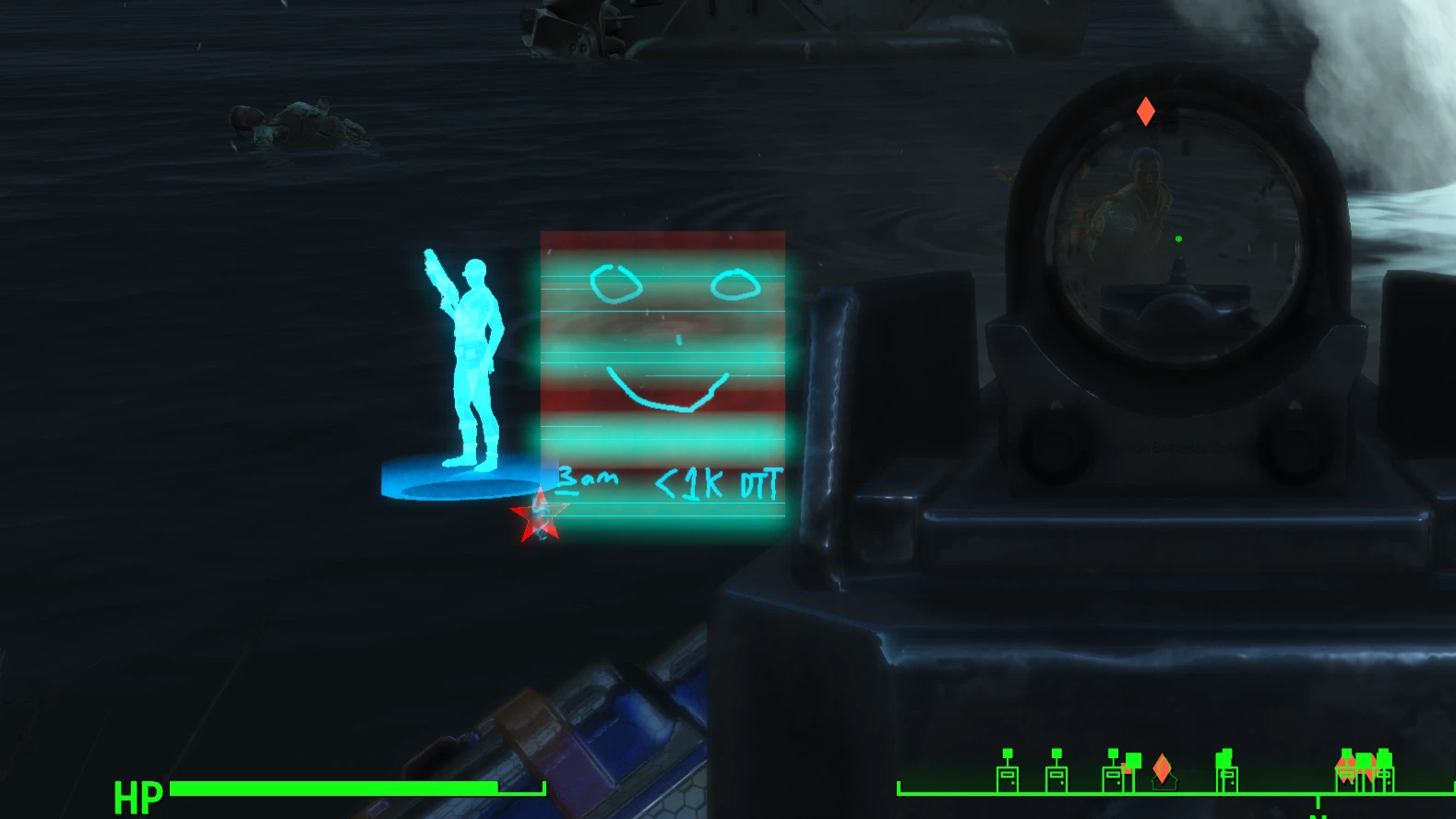
A Gun HUD that sits on left of gun in 1st person.
Shows various things about target and a bit about gun.
'Should' work on any gun...but wide guns may block it/get in the way a bit.
Known issue:
When changing weapons, will need to switch from 1st to 3rd person (or vice versa) and back for effects to reapply.
Some DLC (and probably some mod) melee weapons may still show the hud...but that's because someone (and I won't say names....okay, I will, Beth!) didn't stay consistent with adding new melee weapons to existing formlists that dictate what's what.
... I don't know...what else...it's a Proof of Concept and not meant to be perfect (or super fast).
¯\_(ツ)_/¯
A compact HUD mod for first-person shooters that displays target and gun information on the left side of your weapon. Works with most guns, though wide weapons may obscure it. Lightweight visual enhancement with 247 endorsements and 5,685 downloads, last updated in July 2021.
✨ Key Features
📊 Pros & Cons
✅ Pros
- Community-tested with 247 endorsements and over 5,600 downloads.
- Lightweight and focused—does one thing without bloating your UI.
- Works across different guns, so you don't need per-weapon patches.
⚠️ Cons
- Wide guns can block the HUD, which might be annoying if you favor big weapons.
- Last updated in 2021, so it may not be compatible with newer game versions or mods.
- Potential conflicts with other HUD mods that alter the same screen space.
For players who want extra combat info without overhauling their entire UI. If you use a lot of wide weapons, you might find it gets in the way. Skip if you prefer minimal HUDs or use other HUD mods that could clash.
💡 Beginner Tips
- Test with your most-used weapons first to see if the HUD stays visible.
- If you use other HUD mods, check load order to avoid overlapping elements.
- Since it's a small mod, manually dropping files into your game folder works fine.
📊 Mod Details
- Game
- Fallout 4 Mods
- Author
- BlahBlahDEEBlahBlah
- Version
- 0.10.0
- Downloads
- 5,685
- Endorsements
- 247
- Category
- Visuals and Graphics
- Created
- 8/15/2019
- Updated
- 7/19/2021
🔧 How to Install Fallout 4 Mods
Download from Nexus.
📖 Full step-by-step install guide for Fallout 4 →
Visit the official mod page for specific installation instructions for this mod.
🎮 Need cheat codes or console commands? Check ur gaming wiki for Fallout 4 commands, item IDs, and more.
Keep browsing — more Fallout 4 mods await