1st Person Camera Height Fix
⚪ Last updated 2017⚠️ Install Order · 2 steps
Install in this order, then this mod last — most mods fail to load without their framework and dependencies in place.
Preview
🔍 Analysis
- 👍 4.0% endorsement rate — high engagement, a strong quality signal
- 🏆 #10 of 93 Body, Face, and Hair mods in this game by downloads
📋 About This Mod
※注意 Caution
このMODは処理が甘く、未完成です。修正方法を模索中です。
This MOD is processing incomplete. I'm looking for a fix.
Ver 1. 3ではターミナル操作など一部のモーションで視点が高くなっています。
Ver 1. 3 is Terminal displays at wrong height.
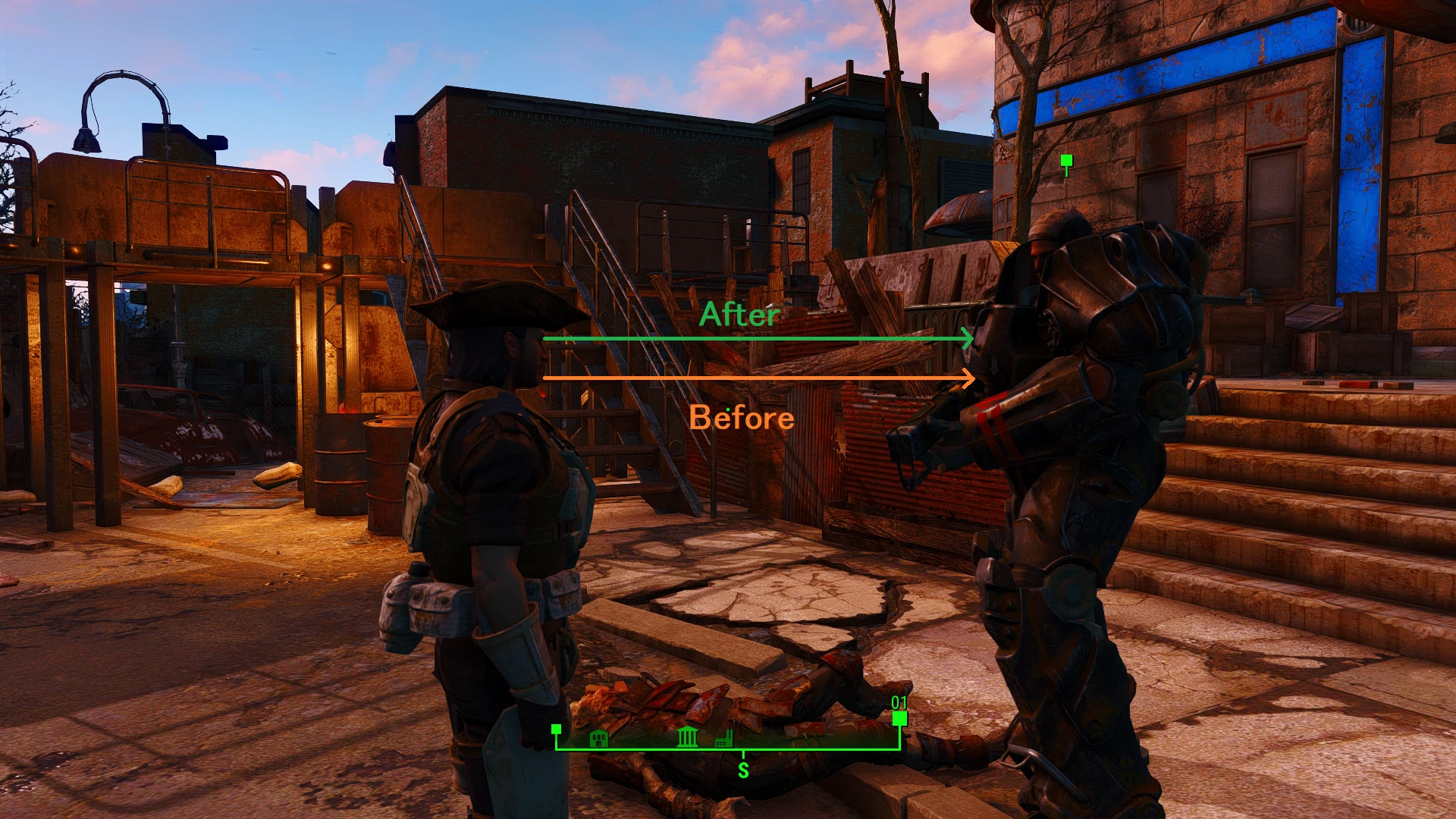
一人称視点の高さが、実際の目の位置ではなく少し下の位置にあるのを修正します。
Vanillaのカメラ位置から少し高くしています。(MOD環境により必ずしも目の位置にカメラ位置があるとは限りません)
Data>Meshes>Actors>Character>_1stPerson>CharacterAssetsフォルダ内のskeleton.nifのみ置き換えます。
※本来ならモーションファイルを修正するところ、これはskeleton.nif内のCameraのTranslationのZ座標を+2した簡単なMODです。
このMODについて権利は有しません、改変などご自由に。
・説明
一人称のカメラ位置を目の高さに合わせる修正をします。
・Description
We will modify the 1st person camera to eye level high.
・インストール
他のmodと同じように、Mod OrganizerやNexus Mod Manager、または他のMod Managerを使ってファイルをインストールします。
・Installation
Install the archive to Mod Organizer/Nexus Mod Manager or other mod managers like you would do with any other mod.
------------------------------
Ver 1. 0 アップロード。
Ver 1. 1 三人称視点に影響が出るため処理内容を変更、修正。
Ver 1. 2 一人称視点での自分の腕の位置の変更漏れ、修正。
Ver 1. 3 各モーション変更MODに対応するため処理内容を変更。
Ver 1. 4 数値の増加量を減らしターミナルなどのモーションに対応。
Fixes the first-person camera height in Fallout 4, raising it slightly above the vanilla position to better align with the character's eyes. A simple quality-of-life tweak for players who notice the camera sits too low.
✨ Key Features
📊 Pros & Cons
✅ Pros
- Community-approved with 890 endorsements and over 22k downloads.
- Simple fix for a common annoyance—no more staring at your character's neck.
- Lightweight and likely works with most setups since it only tweaks camera height.
⚠️ Cons
- Last updated in 2017—may not be tested with the latest Fallout 4 patches or DLC.
- Description is in Japanese only, so non-Japanese speakers may need to translate to understand the exact tweak.
- Only adjusts camera height—if you're looking for other camera improvements, this won't help.
For Fallout 4 players who notice the first-person camera sits too low and want a quick fix. Ideal for immersive players who want the camera to match their character's eye level. Skip if you're fine with the vanilla camera or want more comprehensive camera overhauls.
💡 Beginner Tips
- Install manually by dropping the files into your Fallout 4 Data folder, or use a mod manager like Vortex for easier management.
- Since it's a simple camera tweak, it should be compatible with most mods, but test it with your current load order to ensure no conflicts.
- If you use a mod that changes character height or eye position, this mod may need to be loaded after those to work correctly.
📊 Mod Details
- Game
- Fallout 4 Mods
- Author
- Shirutan
- Version
- 1.4
- Downloads
- 22,267
- Endorsements
- 890
- Category
- Body, Face, and Hair
- Created
- 8/10/2017
- Updated
- 8/18/2017
🔧 How to Install Fallout 4 Mods
Download from Nexus.
📖 Full step-by-step install guide for Fallout 4 →
Visit the official mod page for specific installation instructions for this mod.
🎮 Need cheat codes or console commands? Check ur gaming wiki for Fallout 4 commands, item IDs, and more.
Keep browsing — more Fallout 4 mods await