SLS - Scenic Loading Screens - WIP
⚪ Last updated 2009⚠️ Install Order · 2 steps
Install in this order, then this mod last — most mods fail to load without their framework and dependencies in place.
Preview
🔍 Analysis
- 👍 4.4% endorsement rate — high engagement, a strong quality signal
- 🏆 #6 of 61 User Interface mods in this game by downloads
📋 About This Mod
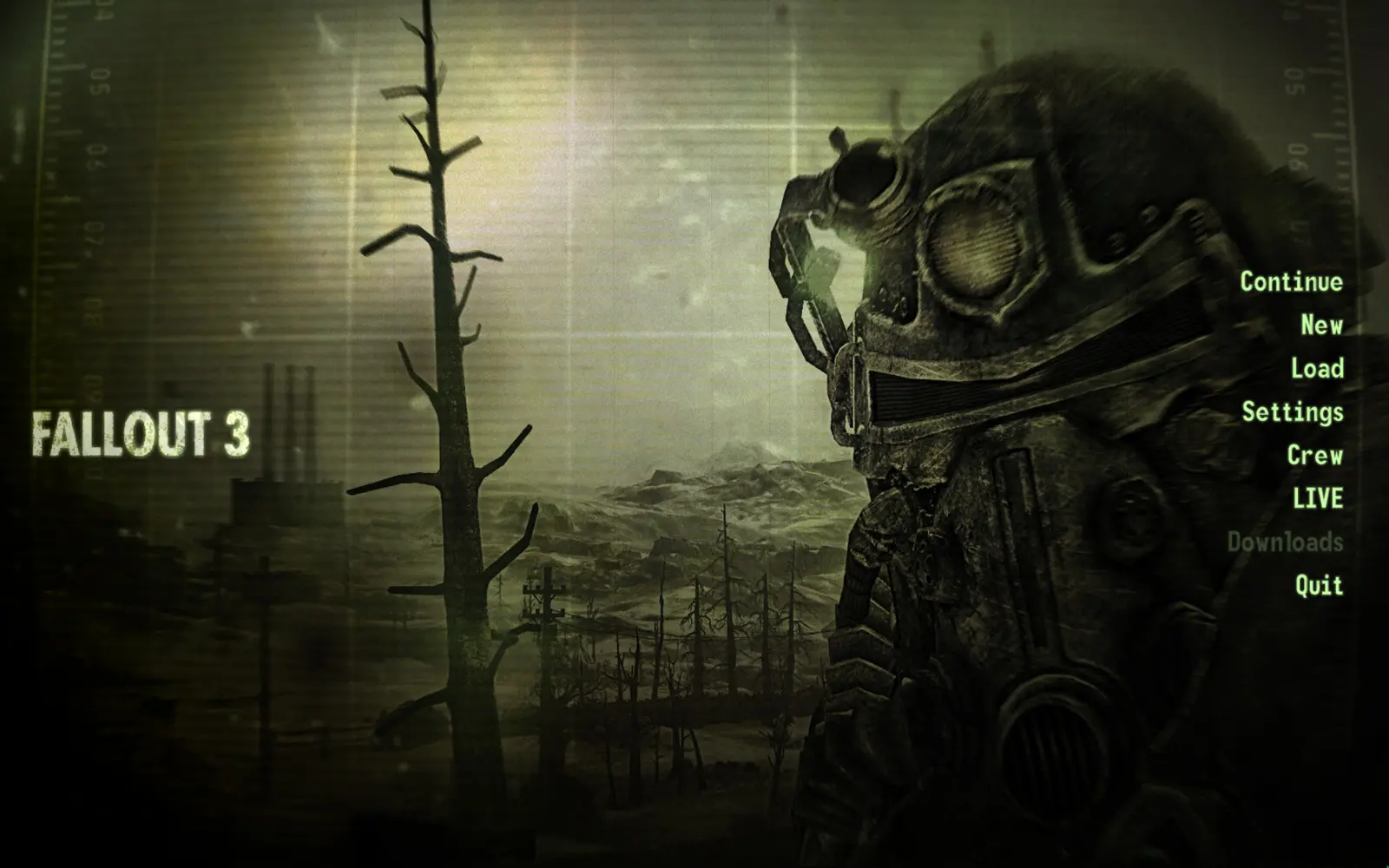
New loading screens, created with ingame screenshots.
!!!!!! After a long while, I will continue this little mod of mine. Sorry for the huge delay, but I was taking care of my personal life (moving appartment and such). I will update this mod soon! !!!!!! ================================================== Scenic Loading Screens - WIP Made by Aerumnosus (Daggoth on Fallout3Nexus) daggoth@telenet.be ================================================== -------------------------------------------------- [°1] Updates [°2] About [°3] (Un)Installation -------------------------------------------------- [ °1 - Updates ] -------------------------------------------------- ----- 2009/05/20 ----- - Replaced main menu background - Replaced 8 loading screens ----- 2009/05/21 ----- - Replaced 4 loading screens - Updated 2 screens (Glowing Ones and Megaton nuke) [ °2 - About ] -------------------------------------------------- The original Fallout 3 loading screens started to bore me pretty much. So I took some of my Fallout 3 screenshots, pinched them a bit in Photoshop, and replaced them with some loading screens. I also removed the glare on top of the screen. I realise this is quite simple to do, but well... I\'m new to the \"modding\" scene, and this is a fun thing for me to do to get acquinted with the different programs involved for retexturing. This is still a Work In Progress (as I don\'t play that often, and not much of the screenshots I take are to my liking). Any feedback is appreciated. I use some retextures made by others, so credits for some of the amazing textures go to these people: - Super Mutant Behemoth: \"Super Mutant Retexture\" by Koldorn - Female Ghoul: \"MathieuG89 Wasteland Ghouls\" by MathieuG89 - Glowing Ones / Feral Ghoul: \"Classic Wasteland Creatures Retexture\" by FalloutRaven - Hi-Res Laser Rifle: \"Hi-Res Weapons v3\" by the a - Power Armor: \"Rusty Power Armour texture with improved details\" by PurpleFire - T-51b: \"T-51B Hirez Retex\" by AntoFX - Hi-Res books: Better HiRes Skill Books by ObsidianStag [ °3 - (Un)Installation ] -------------------------------------------------- ----- To install ----- Extract the Data folder to your Fallout 3 folder. The default path is: C:\\Program Files\\Bethesda Softworks\\Fallout 3 If you\'re new to using retextures of any kind, I advise to download \"ArchiveInvalidation Invalidated\", which can be downloaded here: http://www.fallout3nexus.com/downloads/file.php?id=944 Simply extract this into your Fallout 3 folder, open it, and it should create a file in your Data folder named \"ArchiveInvalidationInvalidated!.bsa\". If not, just click Deactivate and Activate again. Exit and start up the game. ----- To uninstall ----- Go to the following folder: \\Fallout 3\\Data\\Textures\\interface and delete the \"loading\" and \"main\" folder.
📊 Mod Details
- Game
- Fallout 3 Mods
- Author
- Daggoth
- Version
- WIP
- Downloads
- 4,209
- Endorsements
- 184
- Category
- User Interface
- Created
- 5/21/2009
- Updated
- 5/22/2009
🔧 How to Install Fallout 3 Mods
Download from Nexus.
📖 Full step-by-step install guide for Fallout 3 →
Visit the official mod page for specific installation instructions for this mod.
🎮 Need cheat codes or console commands? Check ur gaming wiki for Fallout 3 commands, item IDs, and more.
Keep browsing — more Fallout 3 mods await