Simple Needs - Display Quotas
⚪ Last updated 2019⚠️ Install Order · 2 steps
Install in this order, then this mod last — most mods fail to load without their framework and dependencies in place.
Preview
🔍 Analysis
- 🏆 #360 of 378 Gameplay Effects and Changes mods in this game by downloads
📋 About This Mod
Name: Simple Needs - Display Quotas
Version: 1. 0
Category: Gameplay Changes and Effects
Requirements: 7-Zip, Simple Needs V4. 5, FOSE
Recommended: Fallout Mod Manager
Author: Clockmon
Description Summary
===================
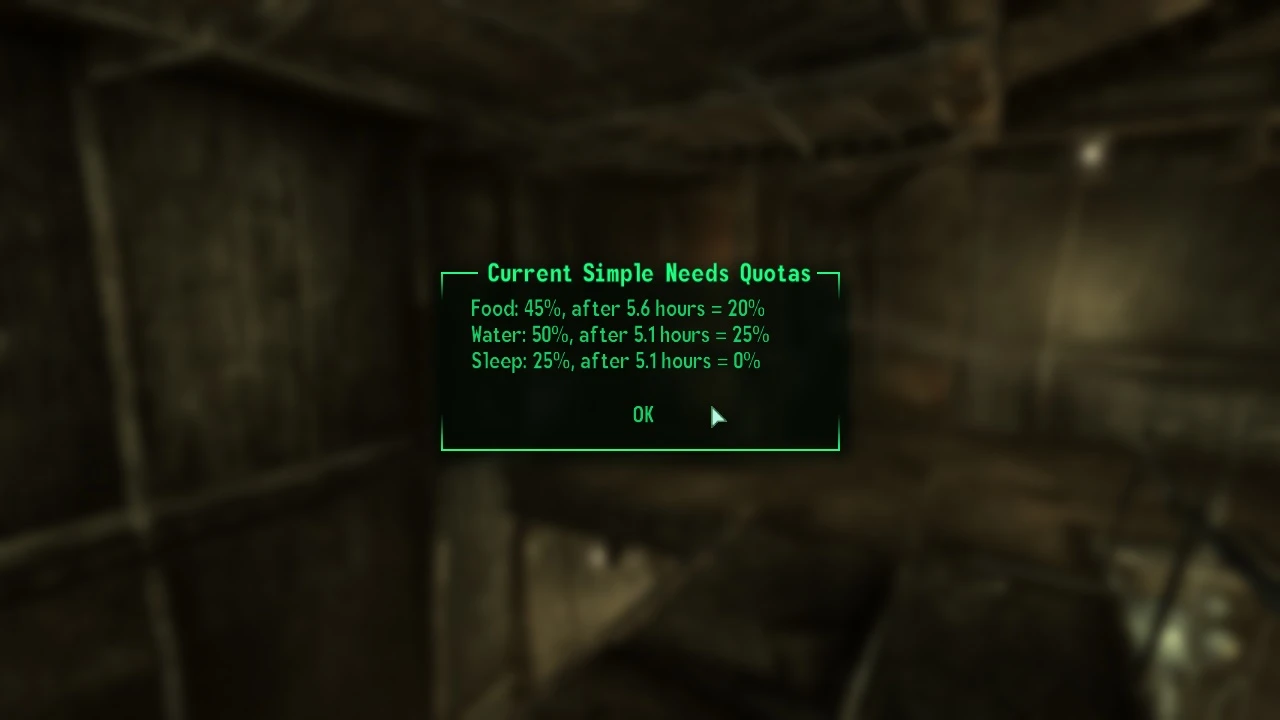
A patch for Treb's Simple Needs so you can display all the food, water, and sleep quotas on command.
===================================
Upon starting for the first time, a message box provides use information; press the L-key to display the current quotas and use the <Simple Needs Menu> to change which key to use. (I decided not to use the N or G keys as the default since those are often used for nightvision goggles and grenades).
After pressing the L-key, a message box displays:
1) The current quotas for food, water, and sleep.
2) Time in hours to the next drop.
3) What the new quotas will be.
I added a <Simple Needs Menu> item in the Pip-Boy apparel inventory. Click on it to activate a menu to change what key is used to show the quotas.
If you ever forget which key you mapped to, just reset to the default key and re-map. If you want to cancel the custom mapping process, just press any key used by the game.
Very useful to see if you need to top off before heading out!
Required Files
==============
- SimpleNeeds.esm V4. 5
- Fallout Script Extender (FOSE) V1. 1 Beta9 minimum. I am running 1. 2 Beta 2 with FO3 V1. 7.
Included Files
==============
SimpleNeeds - Display Quotas.esp
1. Extract the esp in the archive to the Fallout 3 Data folder.
2. Start Fallout 3 Launcher or FOMM and enable the .esp file.
Load after SimpleNeeds. ESM
1. Disable the esp file.
2. Delete the esp file.
Upgrade (if available)
==================
1. Extract and overwrite the esp.
Known Issues or Bugs
====================
None known.
1. 0 - Initial release.
You can find me on the official Fallout 3 Nexus forums as 'Clockmon.'
- Bethesda for creating Fallout 3.
- NexusMods for a one-stop-shop resource for authors and players.
- LHammonds for the Readme Generator this file was based on at http://hammondslegacy.com.
- Treb for Simple Needs, https://www.nexusmods.com/fallout3/mods/3769.
- Cipscis for helpful tutorials at http://www.cipscis.com.
- Lork for Sprint Mod, https://www.nexusmods.com/fallout3/mods/1854, whose menu system provided the basis for mine.
- Plus all the other modders whose menus provided me real-world examples to learn from. It has been an experience!
📊 Mod Details
- Game
- Fallout 3 Mods
- Author
- Clockmon
- Version
- 1.0
- Downloads
- 416
- Endorsements
- 24
- Category
- Gameplay Effects and Changes
- Created
- 4/13/2018
- Updated
- 11/27/2019
🔧 How to Install Fallout 3 Mods
Download from Nexus.
📖 Full step-by-step install guide for Fallout 3 →
Visit the official mod page for specific installation instructions for this mod.
🎮 Need cheat codes or console commands? Check ur gaming wiki for Fallout 3 commands, item IDs, and more.
Keep browsing — more Fallout 3 mods await