Mika999 ENB Settings
⚪ Last updated 2013⚠️ Install Order · 2 steps
Install in this order, then this mod last — most mods fail to load without their framework and dependencies in place.
Preview
🔍 Analysis
- 👍 4.9% endorsement rate — high engagement, a strong quality signal
- 🏆 #6 of 10 ENB Preset mods in this game by downloads
📋 About This Mod
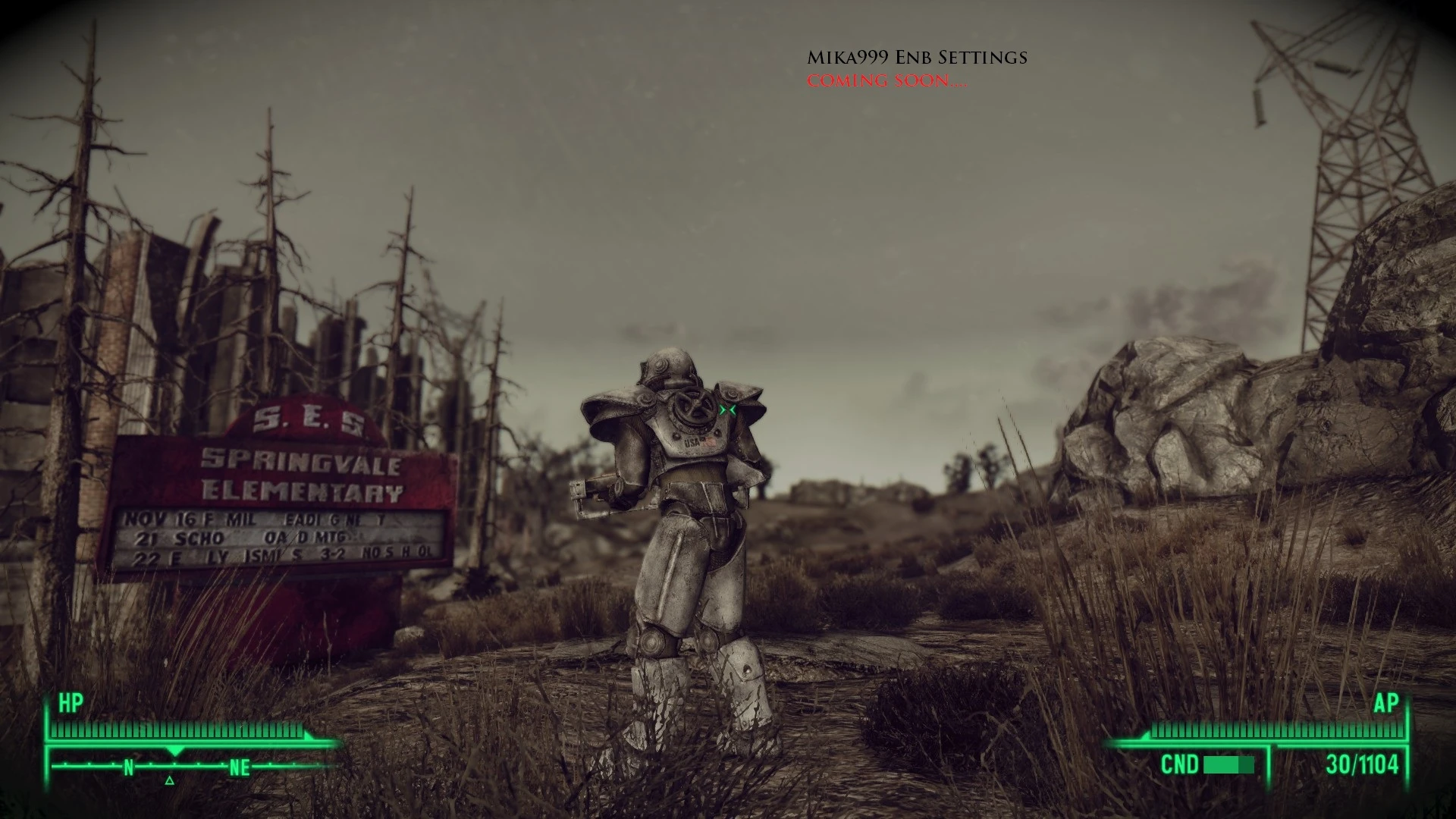
Mika999 ENB Settings (Depressive + cinematic + strong dof but still playable + no too dark nights + good fps. This is vanilla in-game mid brightness.)
At first, all credit goes to"DDD ENB - Bleak Cinematic Apocalyptia". I just edit and combined with a few other enb-s to get something more for my taste.... So, this is just edited settings...
Original enb you can find here: http://www.nexusmods.com/fallout3/mods/19810/?
Keep this simple. What i got here?
Depressive + cinematic + strong dof but still playable + no too dark nights + good fps +nois. This is for vanilla in-game mid brightness, if too dark for you, just go to game options and change....
1. Put all files in your Fallout 3 folder.
2. In game launcher options, be aware of the following:
- You must have HDR enabled.
- You must turn off the options for "Antialiasing" and "Anisotropic Filtering"
- You must click on advanced and disable the options for "Water Displacement" and "Water Multisampling" found under the "Water" tab.
- You must disable the option for "Transparency Multisampling" found under the "Detail" tab.
📊 Mod Details
- Game
- Fallout 3 Mods
- Author
- Mika999
- Version
- 1.04
- Downloads
- 2,853
- Endorsements
- 139
- Category
- ENB Preset
- Created
- 12/15/2013
- Updated
- 12/22/2013
🔧 How to Install Fallout 3 Mods
Download from Nexus.
📖 Full step-by-step install guide for Fallout 3 →
Visit the official mod page for specific installation instructions for this mod.
🎮 Need cheat codes or console commands? Check ur gaming wiki for Fallout 3 commands, item IDs, and more.
Keep browsing — more Fallout 3 mods await