HUD Color Sliders (FOSE)
⚪ Last updated 2020This mod may not work until the author updates it. Check for an update, or see the rollback guide.
⚠️ Install Order · 2 steps
Install in this order, then this mod last — most mods fail to load without their framework and dependencies in place.
Preview
🔍 Analysis
- 👍 3.9% endorsement rate — high engagement, a strong quality signal
- 🏆 #16 of 61 User Interface mods in this game by downloads
📋 About This Mod
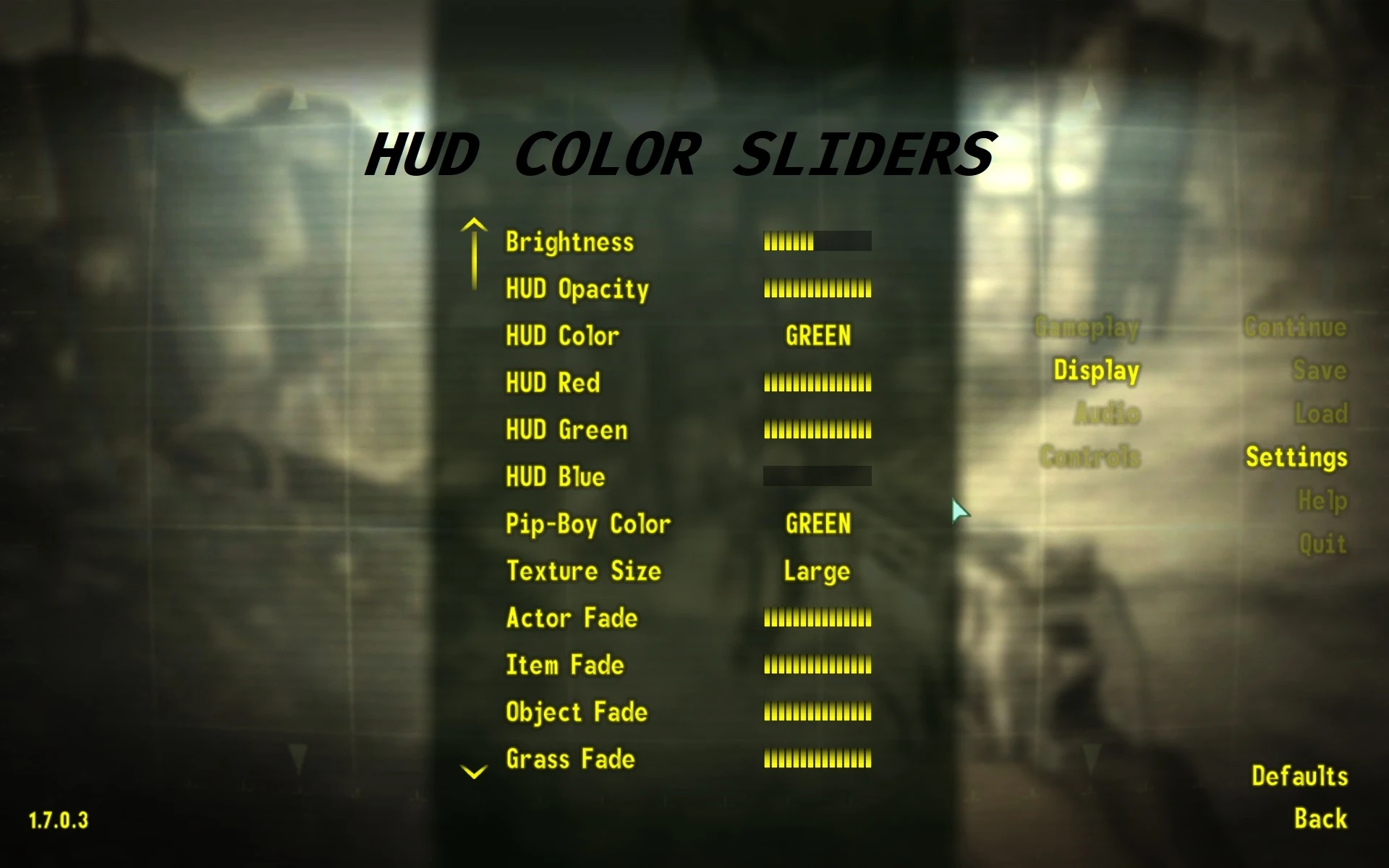
Adds RGB sliders to the settings menu to control the main HUD color. FOSE dll (no esp).
Adds Red Green and Blue sliders for the HUD color to the settings menu.
Changes to the HUD Color are persistent, changes to the Start Menu color are per-session.
You can use VUI+ which synchronizes the HUD and Start Menu colors to avoid this.
Installation
Use Mod Organizer 2/Nexus Mod Manager/FOMM, or manually extract the .zip file into your Fallout 3 'Data' folder.
Included in lStewieAl's Tweaks
📊 Mod Details
- Game
- Fallout 3 Mods
- Author
- lStewieAl
- Version
- 1.0
- Downloads
- 3,710
- Endorsements
- 145
- Category
- User Interface
- Created
- 1/9/2020
- Updated
- 1/9/2020
🔧 How to Install Fallout 3 Mods
Download from Nexus.
📖 Full step-by-step install guide for Fallout 3 →
Visit the official mod page for specific installation instructions for this mod.
🎮 Need cheat codes or console commands? Check ur gaming wiki for Fallout 3 commands, item IDs, and more.
Keep browsing — more Fallout 3 mods await