GECK Script Formatter
⚪ Last updated 2009⚠️ Install Order · 2 steps
Install in this order, then this mod last — most mods fail to load without their framework and dependencies in place.
Preview
🔍 Analysis
- 👍 2.6% endorsement rate — high engagement, a strong quality signal
- 🏆 #8 of 25 Utilities mods in this game by downloads
📋 About This Mod
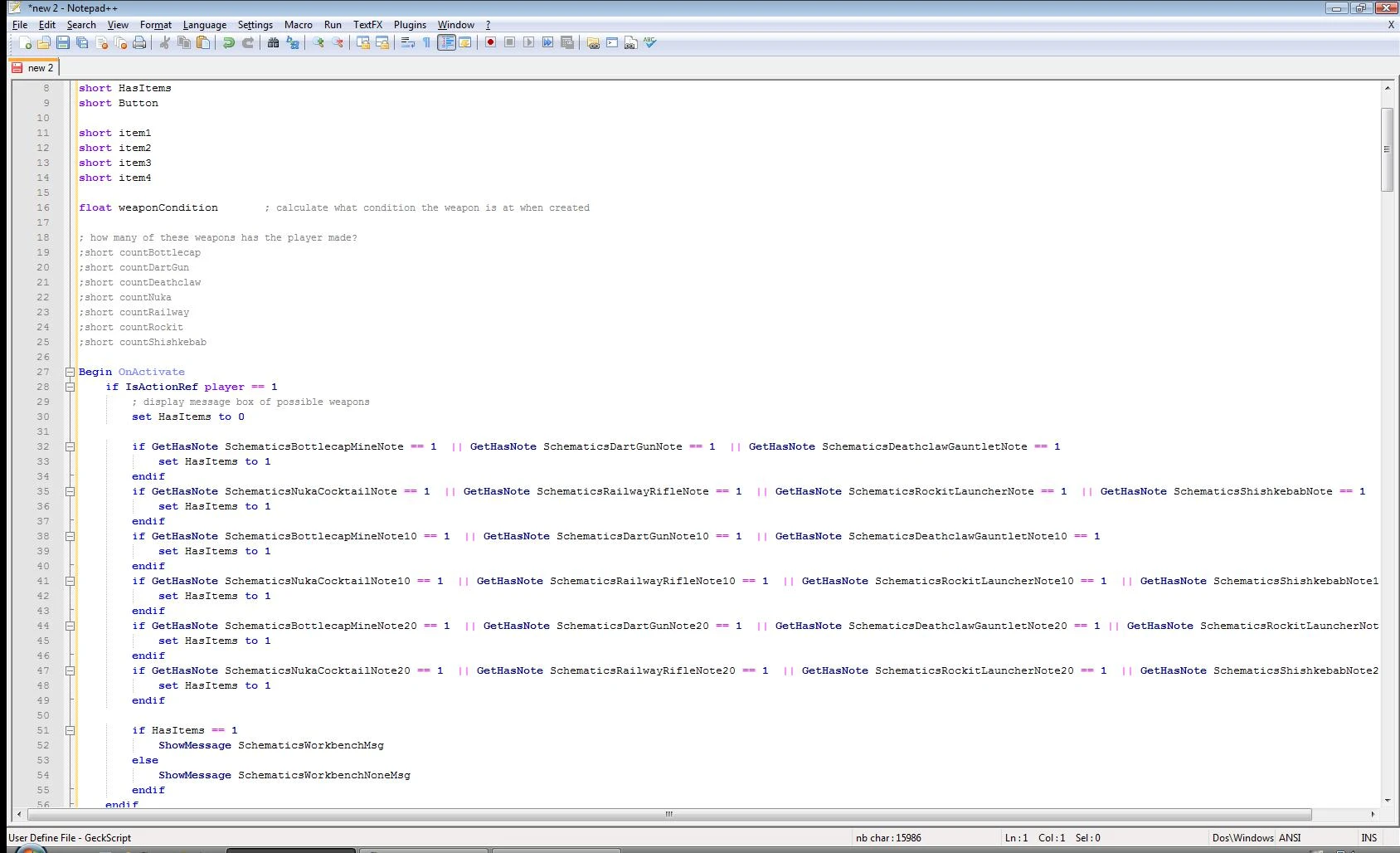
Formats G.E.C.K scripts from within Windows Clipboard, making them more readable.
A small tool watching for G. E. C. K. script to be copied into Windows Clipboard. Formats copied script to make it more readable. Useful for those who like editing scripts outside the G. E. C. K. Features: - Removing unnecessary spaces within the code. Comments and strings are not affected. - Formatting expressions within the code. For ex.: \'a+bc\' -> \'a + b c\'. - Formatting comments, for ex.: \';some comment\' -> \'; Some comment\'. - Formatting keywords. For ex.: \'If\' or \'if\' or \'iF\' -> \'IF\'. This option is customizable. - Replacing aliases with full names (or vice-versa - depends on your preferences). For ex.: \'scn\' -> \'ScriptName\'. - Wrapping conditional statements with brackets. For ex.: \'if player.getav repair>=75\' -> \'IF (Player. GetActorValue Repair >= 75)\'. - Indenting code (from version 2). Using: - Run the program. A red icon will appear in the System Tray. - Copy any portion of a G. E. C. K. script into clipboard and paste it anywhere you want - the script already would be formatted. Context Menu (right click on program\'s icon in the System Tray): 1) Keywords: Editing keywords formatting rules mode. 2) Smart Monitoring: When checked, only text starting with \'scn\' or \'ScriptName\' would be formatted. Otherwise - any text copied into clipboard might be changed. 3) Suspend: Stops formatting. Program\'s icon becomes disabled. To start formatting again select \'Resume\' from context menu. \'Suspend\' and \'Resume\' also can be switched just by double-click on program\'s icon, without opening the menu. 4) Exit: Closes the program. Requirements: - Windows 2000 or later (XP, 2003 Server, Vista, etc.) - Microsoft . NET Framework 2. 0 or later: http://www.microsoft.com/downloads/details.aspx?FamilyId=333325FD-AE52-4E35-B531-508D977D32A6&displaylang=en
📊 Mod Details
- Game
- Fallout 3 Mods
- Author
- Corehan
- Version
- 2.0
- Downloads
- 625
- Endorsements
- 16
- Category
- Utilities
- Created
- 4/30/2009
- Updated
- 4/30/2009
🔧 How to Install Fallout 3 Mods
Download from Nexus.
📖 Full step-by-step install guide for Fallout 3 →
Visit the official mod page for specific installation instructions for this mod.
🎮 Need cheat codes or console commands? Check ur gaming wiki for Fallout 3 commands, item IDs, and more.
Keep browsing — more Fallout 3 mods await