CRAFT Tutorial
⚪ Last updated 2014⚠️ Install Order · 2 steps
Install in this order, then this mod last — most mods fail to load without their framework and dependencies in place.
Preview
🔍 Analysis
- 🏆 #28 of 78 Modders Resources and Tutorials mods in this game by downloads
📋 About This Mod
Ever wondered how to make your own CRAFT module? Wonder no more!
CRAFT Tutorial by JLF65 =======================
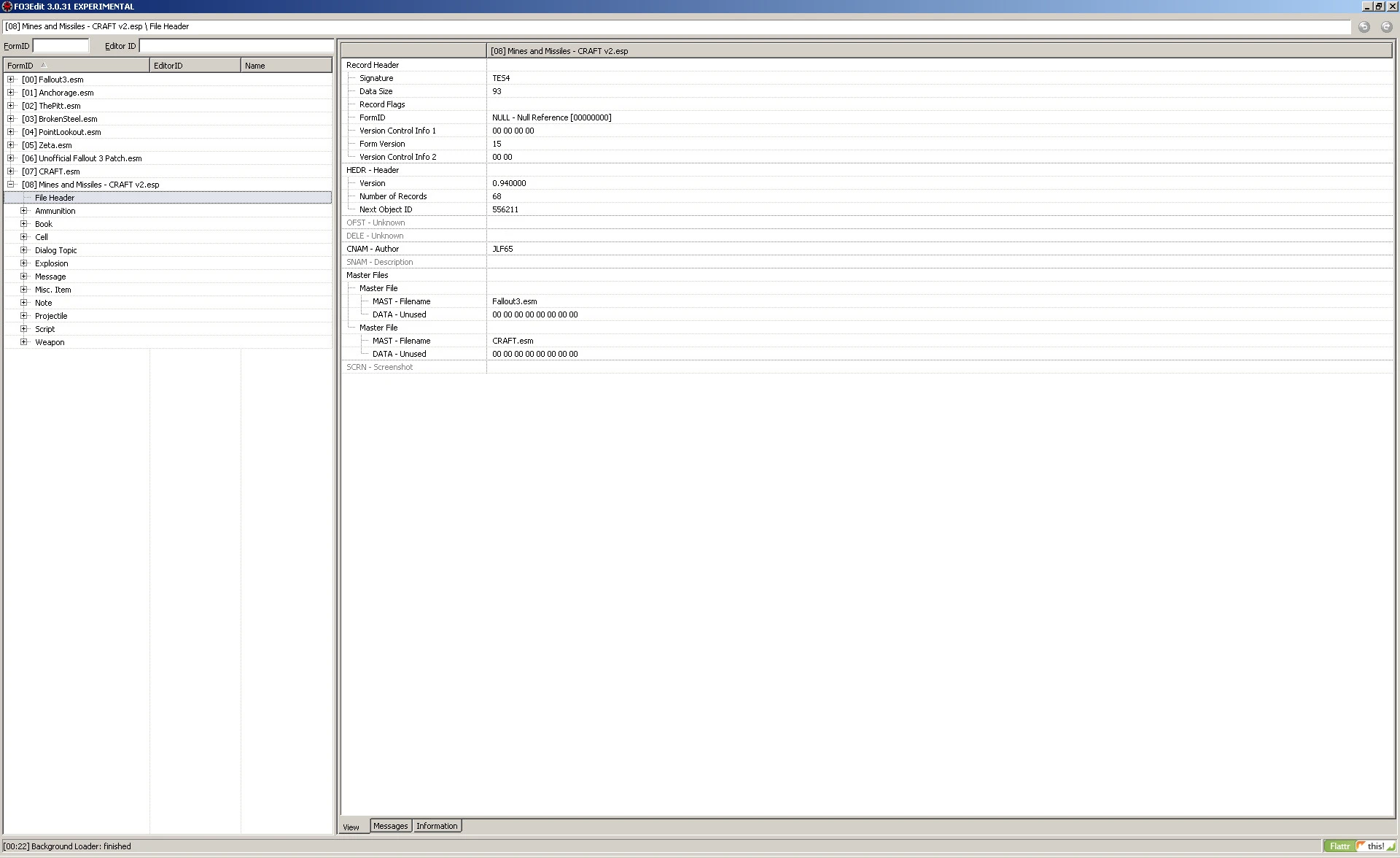
Refer to the JPG images from the associated archive while reading this document. All JPGs are screenshots of FO3Edit running in Windows XP.
Make sure you have CRAFT v1. 25 installed. You cannot make CRAFT modules without it.
CRAFT - Community Resource to Allow Fanmade Tinkering http://www.nexusmods.com/fallout3/mods/4447/?
The CRAFT archive contains an example, "Stealthboy Recon Armor - CRAFT.esp". You can work from that, as I did, or work from my CRAFT module. Whichever is easier for you. You can freely use my mod as you wish without credit.
CRAFTable Nuclear and Nuka Mines and Missiles http://www.nexusmods.com/fallout3/mods/20552/?
I suggest doing the bulk of your work in FO3Edit. You will still need to use GECK in the end to compile the scripts and place any schematics, but nearly all the grunt work is far easier to do in FO3Edit than GECK.
FO3Edit http://www.nexusmods.com/fallout3/mods/637/?
Start by copying the example esp or my esp to your Fallout 3 data directory. Be sure to rename it - use a decently descriptive name. For example, note that I did NOT name my esp "cnanmam10.esp". Such names are silly and do not help the user in any fashion.
Start FO3Edit, select Fallout3.esm, CRAFT.esm, and your esp at a minimum. Refer to craft01.jpg - make sure your esp includes CRAFT.esm as a master. If your mod needs one of the DLCs, be sure to add it to the master list as well. The author field doesn't need to be set, but I prefer to set it to my Nexus user name to help any modders whom might be looking to contact me.
Your CRAFT module will consist of at least two parts, and possibly a third, like mine. Refer to craft02.jpg. We start with a schematic. This will be a misc item. This will normally just be a copy of any of the other schematic items. Use a COPY, not an OVERRIDE. You want a new item, not to override an existing item... unless that is the purpose of your mod - to override an existing item.
The only thing to really note here is the item script towards the bottom. Refer to craft03.jpg. This shows the script associated with the schematic item we just made. Make the EDID something sensible so that you can tell what it is for when you look at this again a year from now. The only thing else you need to worry about is the script source field. GECK will fill in all the rest when it compiles the script. Remember to hold shift while double-clicking the field to get a text editor. Refer to craft04.jpg for the script itself.
The script checks a local variable to see if you've already gotten the schematic. If not, i
📊 Mod Details
- Game
- Fallout 3 Mods
- Author
- JLF65
- Version
- 1.0
- Downloads
- 265
- Endorsements
- 26
- Category
- Modders Resources and Tutorials
- Created
- 11/3/2014
- Updated
- 11/3/2014
🔧 How to Install Fallout 3 Mods
Download from Nexus.
📖 Full step-by-step install guide for Fallout 3 →
Visit the official mod page for specific installation instructions for this mod.
🎮 Need cheat codes or console commands? Check ur gaming wiki for Fallout 3 commands, item IDs, and more.
Keep browsing — more Fallout 3 mods await