Animated Flowing River and Waterfall Resource
⚪ Last updated 2016⚠️ Install Order · 2 steps
Install in this order, then this mod last — most mods fail to load without their framework and dependencies in place.
Preview
🔍 Analysis
- 👍 7.5% endorsement rate — high engagement, a strong quality signal
- 🏆 #59 of 107 Modders Resources and Tutorials mods in this game by downloads
📋 About This Mod
Animated Flowing River and WaterfallBy Pixelhate.
Description:
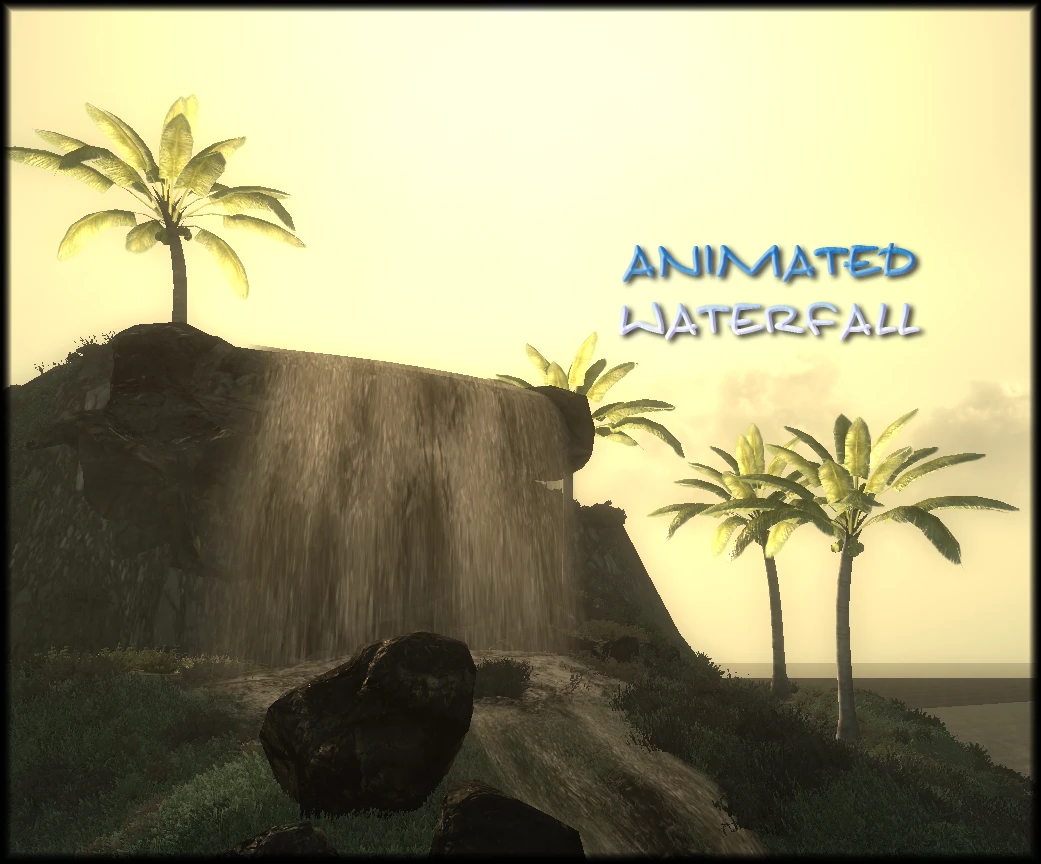
16 pieces of animated decor to simulate a flowing river with waterfall, converted from Oblivion. Resource for Modders.
Details
Originally made by Texian and Godhugh for Oblivion, a very clever series of resource objects I studied when I started to learn textures animation. Thanks to BourgeoisBanana, I came back to them and made a conversion for Fallout.
I really like the waterfall, it's lovely and very well though and made. I couldn't reproduce the mist and splash effects, I need help from a VFX Guru for that ...
- 13 modular pieces with several moving seamless 512² water textures to give the illusion of a stream.
- 1 waterfall + 1 waterfall with rocks in one nif (mesh-mashed).
- 1 rocky edge for the waterfall. (non animated)
They are identical to the original, same texture, same animation, same speed.
Implement as Statics in Geck.
Animated texture will glow in the dark, nothing can be done about it, consider it a feature.
Permission to convert acquired by BourgeoisBanana.
Conversion of the meshes and re-animation by Pixelhate.
A little guide may come later about how to change the speed animation.
You can always learn more about Textures Animation in the meantime.
Requirements:
FO3 or FNV.
Installation:
Extract from the archive to any folder. Examine the content and structure.
Place the Meshes & textures folders in the game Data folder.
Uninstallation:
Delete the folder AnimatedRivers located in Data/Meshes/.
Delete the folder Water located in Data/textures/.
Bugs/Incompatibilities:
None Known.
Bug reports are welcome and rewarded with Kudos.
Permission:
Use freely in you FO3 and FNV mods only.
Credits to Texian & Godhugh, to Pixelhate and to BourgeoisBanana mandatory.
Please keep Pix somewhere in the name if you're renaming a mesh.
Credits:
Texian and Godhugh for creating the objects in the first place.
BourgeoisBanana for requesting a FO version and finding the permission of the original Author.
Modified version of WWII Guadalcanal by Sette1893 used in pictures.
Legal:
This file is provided as is and the author holds no responsibility for anything that may come to happen from using this file.
You MAY NOT use any part of this mod for commercial purposes (making money), including (but not limited to) creating a paid mod.
It's OK to earn DP
📊 Mod Details
- Game
- Fallout 3 Mods
- Author
- Texian - Godhugh and Pixelhate
- Version
- V2
- Downloads
- 562
- Endorsements
- 42
- Category
- Modders Resources and Tutorials
- Created
- 4/9/2016
- Updated
- 4/12/2016
🔧 How to Install Fallout 3 Mods
Download from Nexus.
📖 Full step-by-step install guide for Fallout 3 →
Visit the official mod page for specific installation instructions for this mod.
🎮 Need cheat codes or console commands? Check ur gaming wiki for Fallout 3 commands, item IDs, and more.
Keep browsing — more Fallout 3 mods await