Realistic (Reshade)
⚪ Last updated 2022⚠️ Install Order · 1 step
Install in this order, then this mod last — most mods fail to load without their framework and dependencies in place.
Preview
🔍 Analysis
- 👍 1.5% endorsement rate — high engagement, a strong quality signal
- 🏆 #1 of 20 Visuals and graphics mods in this game by downloads
📋 About This Mod
-FADs3GEyMs
- Mod rename: Ets 2 - Realistic and Ray Traycing (Reshade) to Realistic (Reshade)
Mod renomeado: Ets 2 - Realistic and Ray Traycing (Reshade) para Realistic (Reshade)
- Lighting adjustments
Ajustes na iluminação
- Removed SSR effect "reflections on the floor" (caused bug visual)
Removido efeito SSR "reflexos no chão (causava bug visual)
<1. 1>
Color adjustmensts
Ajustes nas cores
_____________________________________________________________________
ENGLISH
Attention: it is necessary to run the directx11 version of euro truck for it to work.
D:\Programas\Steam\steamapps\common\Euro Truck Simulator 2\bin\win_x64
D:\Programas\Steam\steamapps\common\Euro Truck Simulator 2\bin\win_x86
2. Start the game. A Reshade message should appear at the top of the screen. Press "PageUP" key to open the Reshade panel (the preset will be loaded), press "SkipTutorial" press "PageUP" again to close the panel.
PageDown: Enable/Disable effects
♥ If you like my preset, don't forget to Endorse ♥
⬇️ You can also help me by making a donation so I can continue working on presets like this. ⬇️
Global Account
Thank you for your support! 💖_____________________________________________________________________
D:\Programas\Steam\steamapps\common\Euro Truck Simulator 2\bin\win_x64
D:\Programas\Steam\steamapps\common\Euro Truck Simulator 2\bin\win_x86
2. Inicie o jogo. Deve aparecer uma mensagem do Reshade no canto superior da tela. Aperte a tecla "PageUP" para abrir o painel do Reshade (a predefinição sera carregada), pressione "SkipTutorial" aperte "PageUP" novamente para fechar o painel.
PageDown: Ativa/Desativa os efeitos
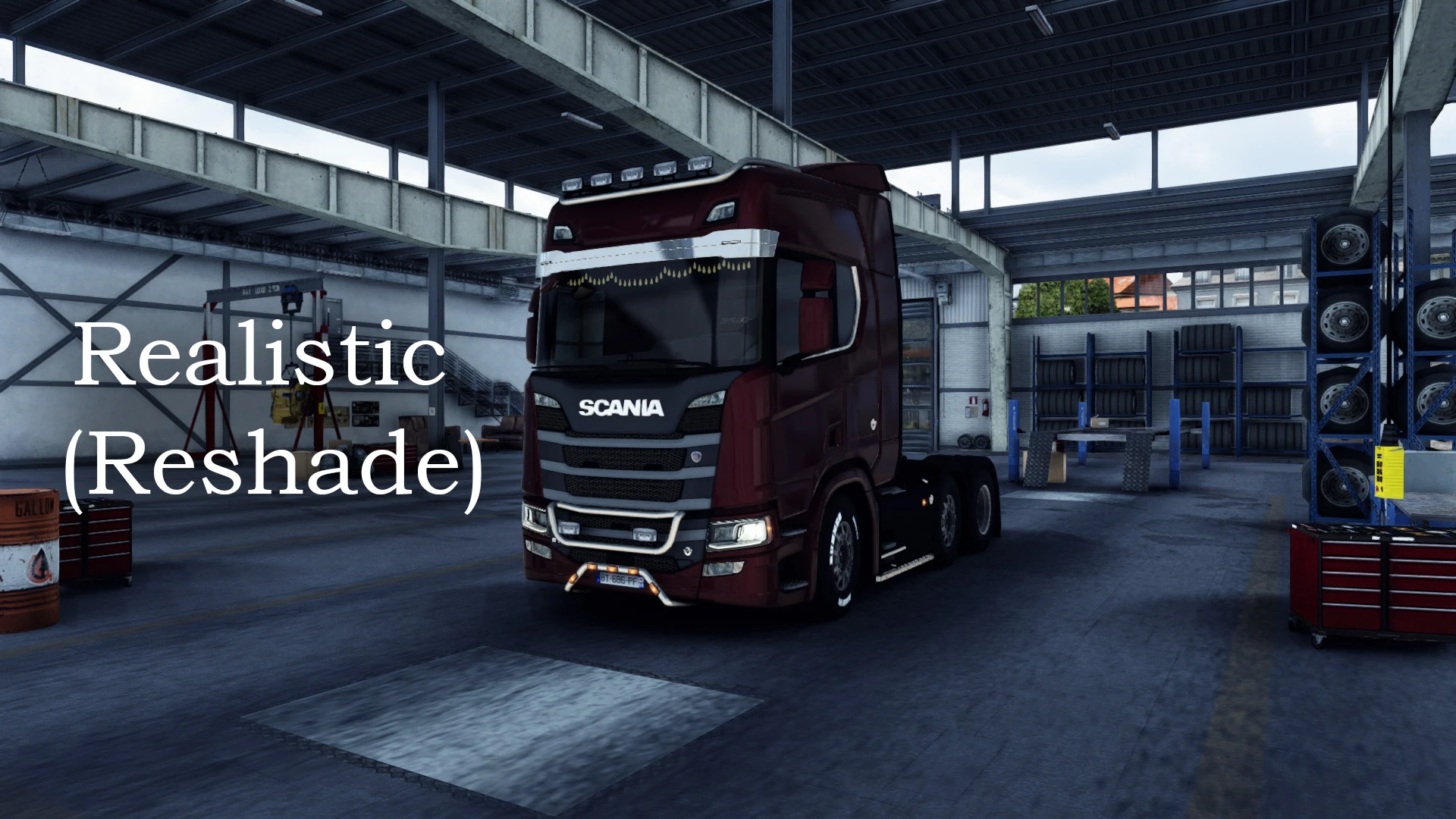
Realistic (Reshade) is a visual enhancement preset for Euro Truck Simulator 2, adding realistic lighting and color adjustments via ReShade. It requires the DirectX 11 version of the game and includes performance notes. The mod has been updated with lighting fixes and removed an SSR effect that caused visual bugs.
✨ Key Features
📊 Pros & Cons
✅ Pros
- 542 endorsements indicate community approval
- 35,716 downloads show significant usage
- Regular updates with bug fixes and improvements
⚠️ Cons
- Requires manual installation into the game folder
- Requires DirectX 11 version of the game, which may not be default
- Performance impact may be noticeable on lower-end systems
This mod is for Euro Truck Simulator 2 players who want to enhance the game's visuals with realistic lighting and colors, and who are comfortable with manual installation. It is not for those who prefer a simple one-click install or who are unwilling to adjust game settings for DirectX 11.
💡 Beginner Tips
- Ensure you run the DirectX 11 version of Euro Truck Simulator 2 before installing.
- After copying files, press PageUp to open the ReShade panel and load the preset.
- Use PageDown to toggle effects on/off to compare performance impact.
📊 Mod Details
- Game
- Euro Truck Sim 2 Mods
- Author
- Gato Comunista
- Version
- 1.2
- Downloads
- 35,716
- Endorsements
- 542
- Category
- Visuals and graphics
- Created
- 5/9/2021
- Updated
- 11/11/2022
🔧 How to Install ETS2 Mods
Subscribe on Steam Workshop or drop .scs files into /mod/ folder.
📖 Full step-by-step install guide for ETS2 →
Visit the official mod page for specific installation instructions for this mod.
🎮 Need cheat codes or console commands? Check ur gaming wiki for ETS2 commands, item IDs, and more.
Keep browsing — more ETS2 mods await