dummy's speedshade (reshade preset for elden ring)
⚪ Last updated 2024Preview
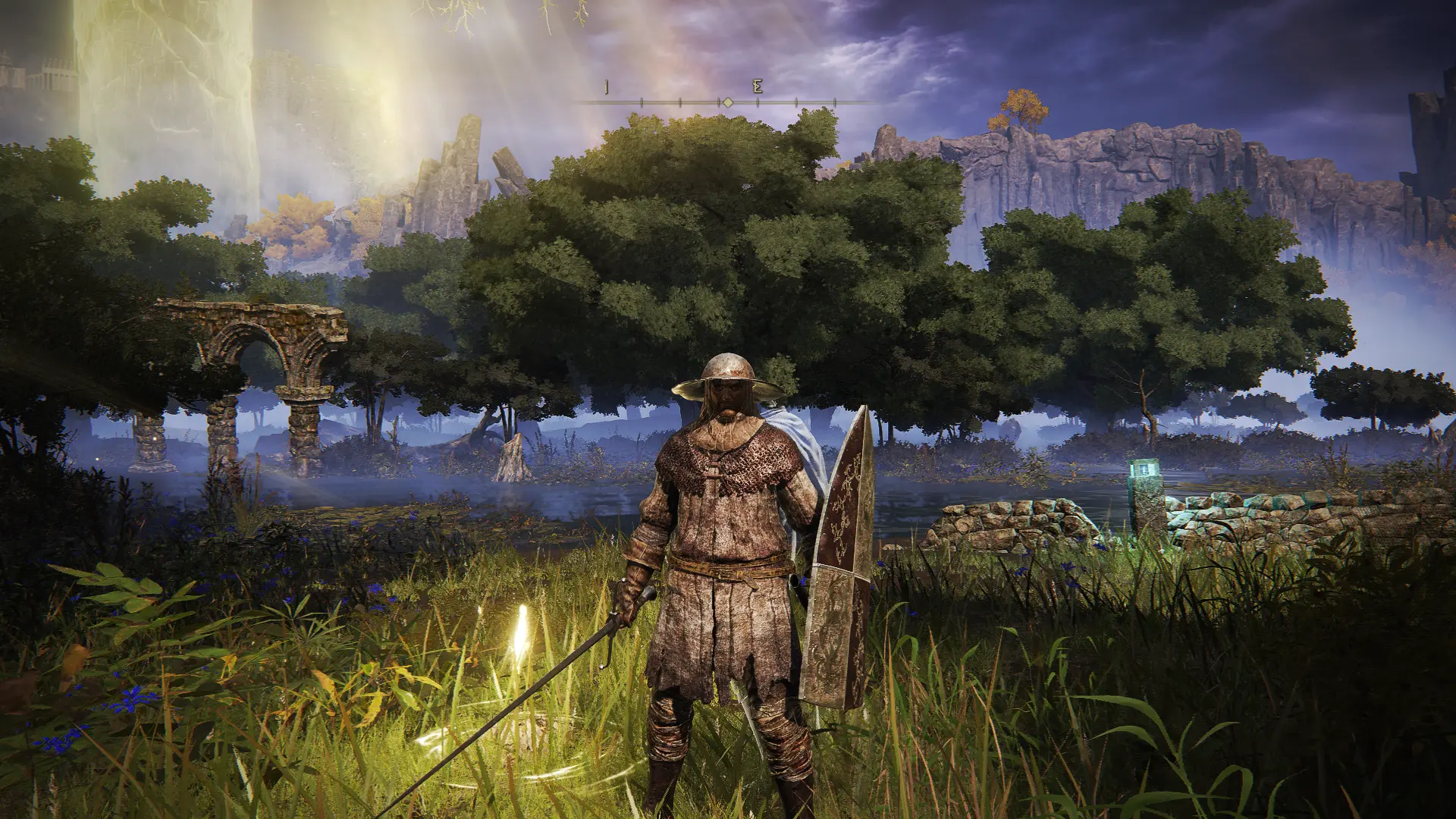
🔍 Analysis
- 🏆 #155 of 157 Visuals mods in this game by downloads
📋 About This Mod
Super fast reshade preset to increase contrast and warmth
This is a very fast reshade preset with only 2 shaders in it:
EyeAdaptation.fx
Lightroom.fx
This shader only takes 1/4 of a millisecond to process each frame at 1080p high settings for me (that's fast)
With 16. 67 milliseconds between each frame at 60fps, that means this shader should have ~0 performance impact, which is pretty good if you like the way it changes the game's look.
This was also made with the game's brightness set to 6, so try that if it looks off. If it still looks bad, dont use the mod!
Steps to make it work and stuff:
1. Download the mod and extract the .ini file from the .zip
2. Download ReShade
3. Open ReShade
4. In the screen that says select a game, find or type in eldenring.exe, choose it
5. It will take a while to analyse the executable, so wait for that
6. When asked to choose a rendering API, choose DirectX 10/11/12
7. When asked to install effects, click "Browse..." and find the mod file (dummy's speedshade.ini)
8. Press Next
9. Done, you'll see it happen when you open the game.
📊 Mod Details
- Game
- Eldenring Mods
- Author
- dummy
- Version
- 1.0.0
- Downloads
- 201
- Endorsements
- 12
- Category
- Visuals
- Created
- 7/10/2024
- Updated
- 7/10/2024
🔧 How to Install Elden Ring Mods
Download from Nexus Mods.
📖 Full step-by-step install guide for Elden Ring →
Visit the official mod page for specific installation instructions for this mod.
🎮 Need cheat codes or console commands? Check ur gaming wiki for Elden Ring commands, item IDs, and more.
Keep browsing — more Elden Ring mods await