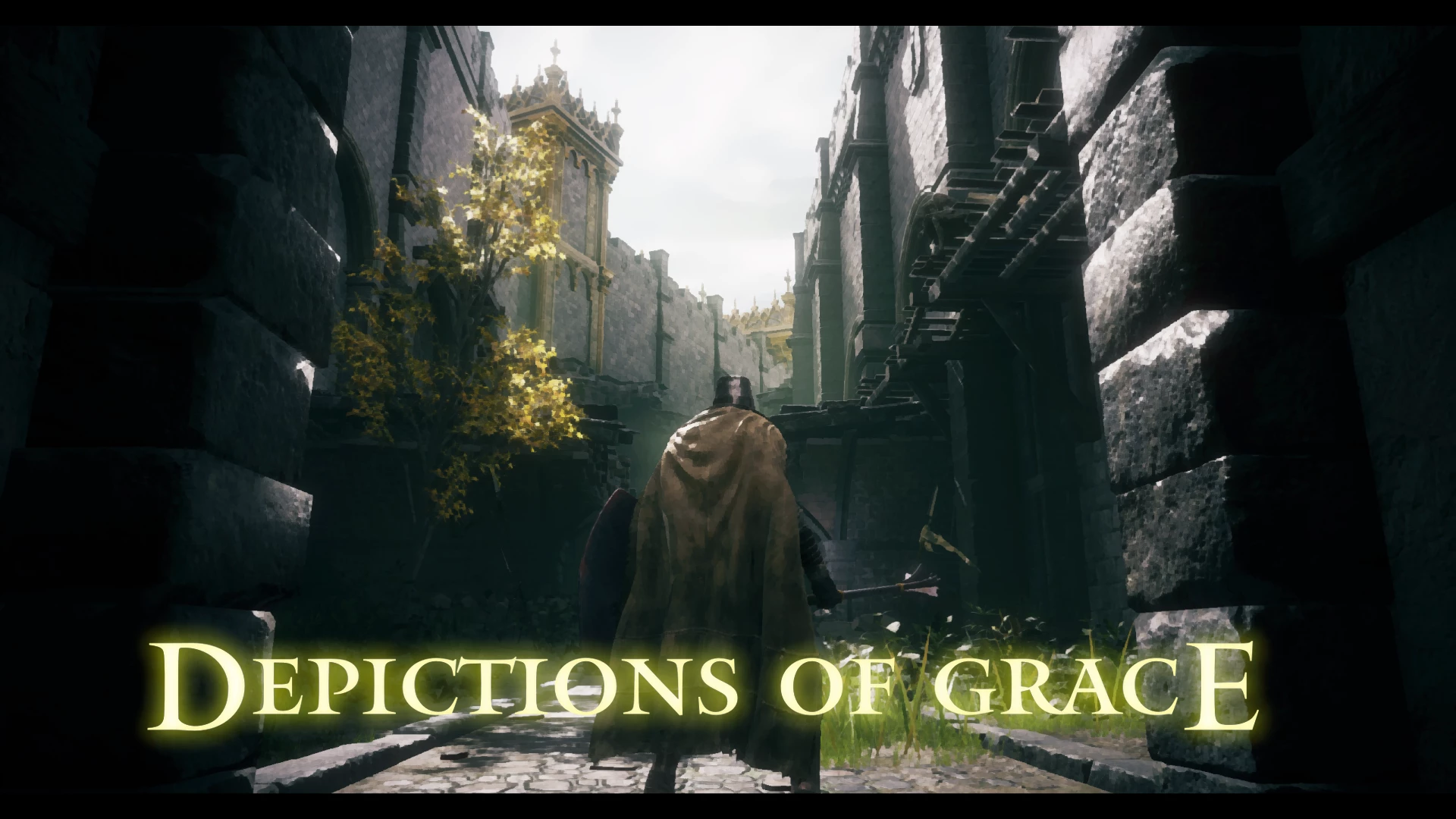
DoG ReShade (Depicitions of Grace)
⚪ Last updated 2024Preview
🔍 Analysis
- 🏆 #8 of 81 Visuals mods in this game by downloads
📋 About This Mod
Make The Lands Between feel like a work of art by one of the wandering artists! A preset designed to make your game feel like a playable painting.The effects used in this preset can be pretty intensive, and probably won't run super well on
Installation Instructions:
[]Place the DoG.ini file into wherever you are keeping your presets. (I keep mine in the ELDEN RING\Game\Presets folder)
[]Install the latest ReShade (currently 6. 2. 0), and in the shader selection menu, navigate to and select the DoG.ini file.
[]Move ReshadeEffectShaderToggler.addon64 and its .ini file into the main game folder.
[]Merge the Shaders and Textures folders with the ones added by the ReShade install.
[]Open the game and go through the ReShade tutorial.
[]In the Settings menu, add the following line to both Effect and Texture search paths: .\reshade-shaders\Shaders\Acerola
[]In the Addons menu, make sure ReShade Effect Shader Toggler is enabled, and that the UI MASK is active.
[]Back in the Hom
📊 Mod Details
- Game
- Eldenring Mods
- Author
- TwinSouls
- Version
- 1.0.0
- Downloads
- 181
- Endorsements
- 3
- Category
- Visuals
- Created
- 8/27/2024
- Updated
- 8/27/2024
🔧 How to Install Elden Ring Mods
Download from Nexus Mods.
📖 Full step-by-step install guide for Elden Ring →
Visit the official mod page for specific installation instructions for this mod.
🎮 Need cheat codes or console commands? Check ur gaming wiki for Elden Ring commands, item IDs, and more.
Keep browsing — more Elden Ring mods await