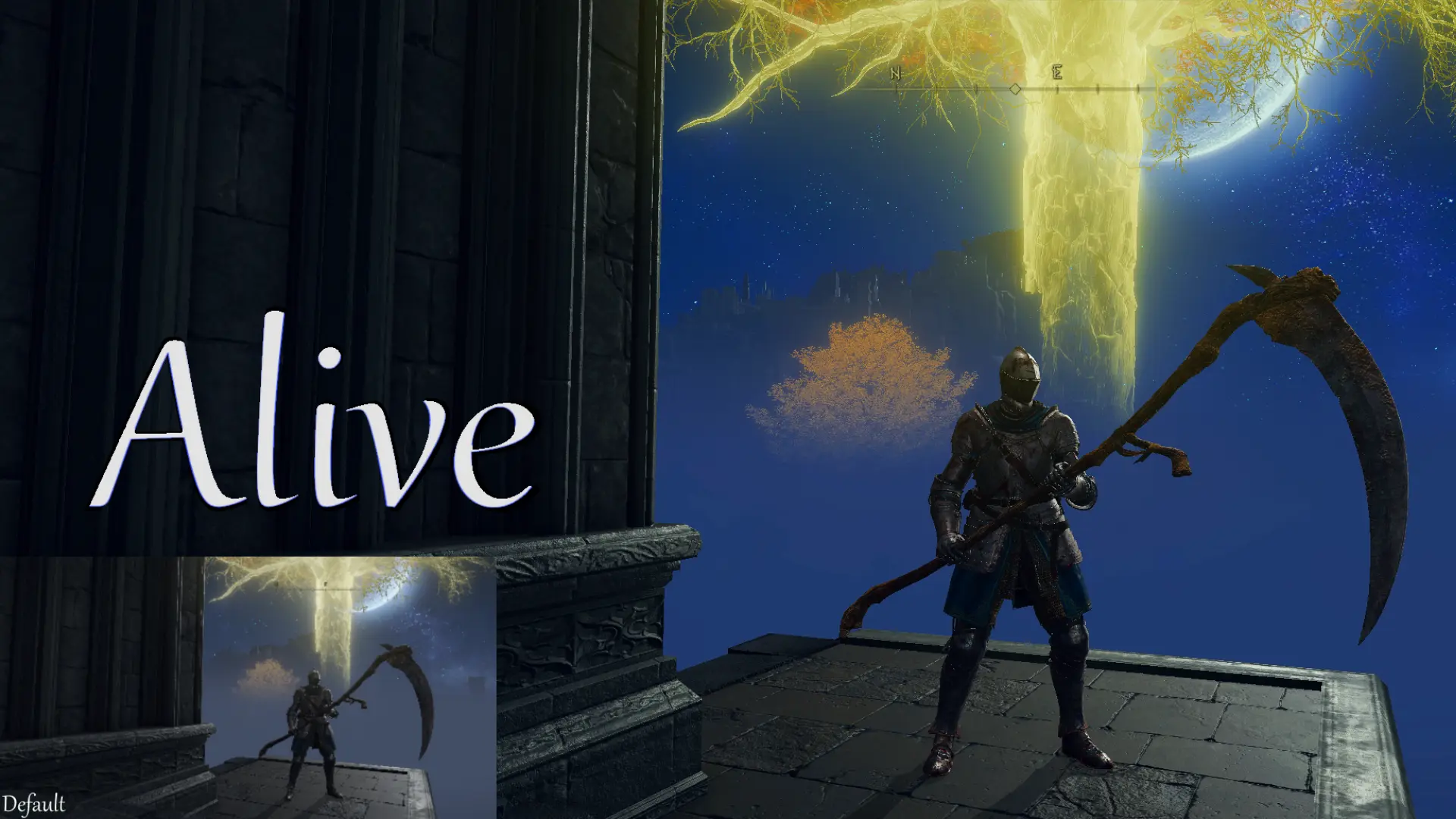
Alive Clear and Colorful (No More Grey Filter)
⚪ Last updated 2023Preview
🔍 Analysis
- 👍 4.3% endorsement rate — high engagement, a strong quality signal
- 🏆 #27 of 157 Visuals mods in this game by downloads
📋 About This Mod
The goal of this preset is to retain near exactly the same detail, while not blowing out the whites, nor blacken the darks. It has no frills, no extra nonsense, it simply gives the game clarity and color. Easily modifiable to your personal
Update v1. 3: I have redone the system, Alive simply aims to remove/reduce the Grey Filter, while AliveUltraVibrant makes the game's colors Paint-Bucket
thick with minor loss in detail. I still recommend adjusting to your preferences and monitor's color/white balance.Here's an example as to why.
Every Area and every NPC should feel natural, but most importantly, Alive.
Tired of the typical Grey filter in modern gaming?
The primary goal of this preset was to vacuum the game's old dusty plastic phone cover, return it to it's original paint-bucket deep vibrant colors with sharpened detail, without pouring glitter into it. Bloom/crushed whites/blacks
Just make the game look the way it should've: Breathtaking, with no compromise, and no glitter.
The sole intent of removing this dusty grey filter without losing any detail.
The common problem I've seen is bright colors and whites are blown out, and dark colors are nearly-completely black, this preset was made to ensure you see as much detail as someone playing normally, just Alive.
If you feel there's too much saturation, the only setting you should need to adjust is Vibrance.
Settings Order/Extra Options:
I've also got some optional settings set up, in case you do want some extra frills, they should all be above the Before and After settings.
If not the settings should look like this, in this order:
Not all of these optional settings are completely tested, they all lose some measure of detail and is why I have them turned off, however some people have preferences and may just want the one preset, or at least the one to work off of. I recommend making a duplicate if you want to truly use any of these, as you'll need to turn on or off certain settings, and adjust the order in some instances.
Some settings of note:
Clarity is purely preference, your choice to have it on or off. Essentially gives a slight depth/sharpness to edges.
Deband was difficult to get right. I recommend leaving it as is, as you can never truly rid the banding in this game at a certain level of adjustment. It's set up to look good most of the time, it shouldn't mess with the visuals in any noticeable way, but it goes a long way to make most Fog near and distant look decent, especially in the swamp level. Have fun adjusting this one.
DeHaze gives a very slight boost to what should be whites. It's most noticeable on clouds and reflections on armor. It can be turned off if you think it removes detail somewhere, but oth
📊 Mod Details
- Game
- Eldenring Mods
- Author
- Jeremy Llama
- Version
- 1.3
- Downloads
- 828
- Endorsements
- 36
- Category
- Visuals
- Created
- 2/10/2023
- Updated
- 3/1/2023
🔧 How to Install Elden Ring Mods
Download from Nexus Mods.
📖 Full step-by-step install guide for Elden Ring →
Visit the official mod page for specific installation instructions for this mod.
🎮 Need cheat codes or console commands? Check ur gaming wiki for Elden Ring commands, item IDs, and more.
Keep browsing — more Elden Ring mods await