Timepiece
⚪ Last updated 2015Preview
🔍 Analysis
- 👍 2.8% endorsement rate — high engagement, a strong quality signal
- 🏆 #3 of 71 Miscellaneous mods in this game by downloads
📋 About This Mod
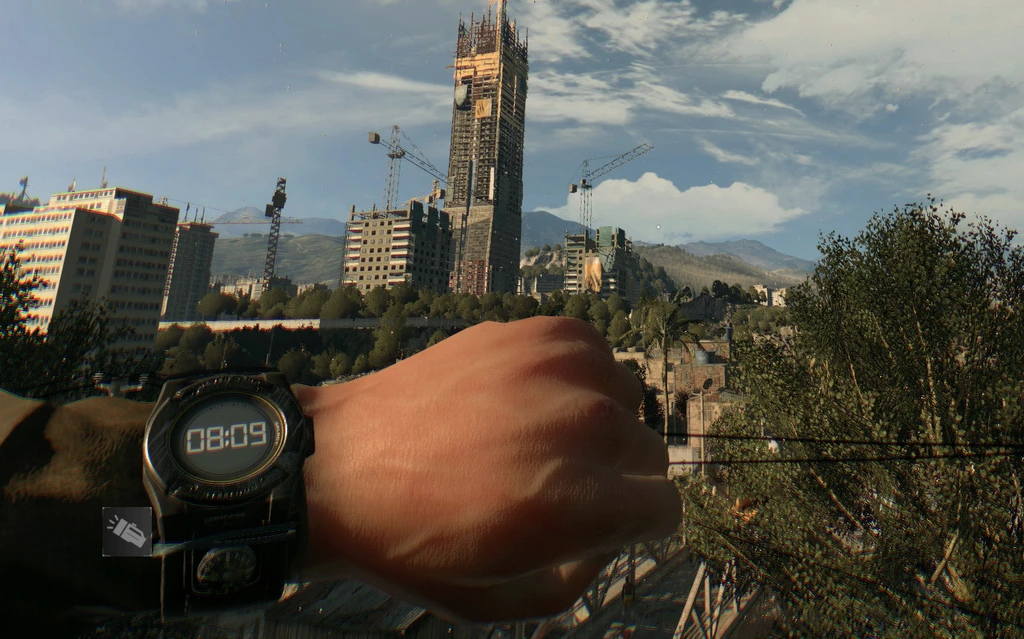
Press to look at your timepiece outside of a safe zone while holding a melee weapon. You can change key from in-game menu (controls - key bindings - other), look for an empty line with number 4.
This mod will start working after you complete the first airdrop mission. Before that mission day/night cycle is disabled, you can't see the clock in your inventory and your watch is always stuck at 19:30.
-------1. 4. 0-------
1. 4. 0 now allows you to change Data3.pak, you can repack it with any other mods you like. Installation is the same as with 1. 2. 1.
-------1. 2. 1-------
With the new update 1. 2. 1 old ways of modding are not working anymore.
Updated version should work with 1. 2. 1 (let me know if it's not). Added ability to change key from in-game menu (controls - key bindings - other), look for an empty line with number 4. I couldn't find the way how to "name" it. :/ Don't try to alter modded .pak, the game will refuse to start.
Installation:
Replace Data3.pak in your game directory (e.g. c:\Games\Dying Light\DW\). Keep a backup of your original .pak file, just in case.
-------1. 2. 0-------
Game/mod version 1. 2. 0 installation:
Extract the archive to: c:\Users\<username>\Documents\DyingLight\out\ Should look like this: c:\Users\<username>\Documents\DyingLight\out\Data\scripts\inputs\inputs_keyboard.scr
Timepiece is a small utility mod for DayZ that lets you check your watch outside of safe zones. With 1,363 endorsements and 48,684 downloads, it's a popular quality-of-life addition for players who want to keep track of time while exploring. Last updated in 2015, it remains a simple and effective tool.
✨ Key Features
📊 Pros & Cons
✅ Pros
- Community favorite with 1,363 endorsements and nearly 50k downloads.
- Does exactly what it says—no bloat, just the timepiece feature.
- Lightweight and likely compatible with most setups.
⚠️ Cons
- Last updated in 2015—may not work with current DayZ versions.
- No documentation or install instructions provided by the author.
- Limited to a single feature; not for players wanting more gameplay changes.
For DayZ players who want to check the time without being restricted to safe zones. If you're a survivalist who values immersion and convenience, this is a must-have. Skip if you're looking for major gameplay overhauls or if you're playing on a recent version where compatibility is uncertain.
💡 Beginner Tips
- Since this mod is from 2015, check if your DayZ version still supports it before installing.
- If you're using a mod manager, place the file in the correct folder to avoid conflicts.
- Test the mod in a single-player session to ensure it works before joining a server.
📊 Mod Details
- Game
- Dyinglight Mods
- Author
- Impus
- Version
- N/A
- Downloads
- 48,684
- Endorsements
- 1,363
- Category
- Miscellaneous
- Created
- 1/30/2015
- Updated
- 2/16/2015
🔧 How to Install Dyinglight Mods
Download from Nexus Mods.
📖 Full step-by-step install guide for Dyinglight →
Visit the official mod page for specific installation instructions for this mod.
🎮 Need cheat codes or console commands? Check ur gaming wiki for Dyinglight commands, item IDs, and more.
Keep browsing — more Dyinglight mods await