Natural Dying Light ReShade
⚪ Last updated 2020Preview
🔍 Analysis
- 👍 4.8% endorsement rate — high engagement, a strong quality signal
- 🏆 #52 of 129 Visuals and Graphics mods in this game by downloads
📋 About This Mod
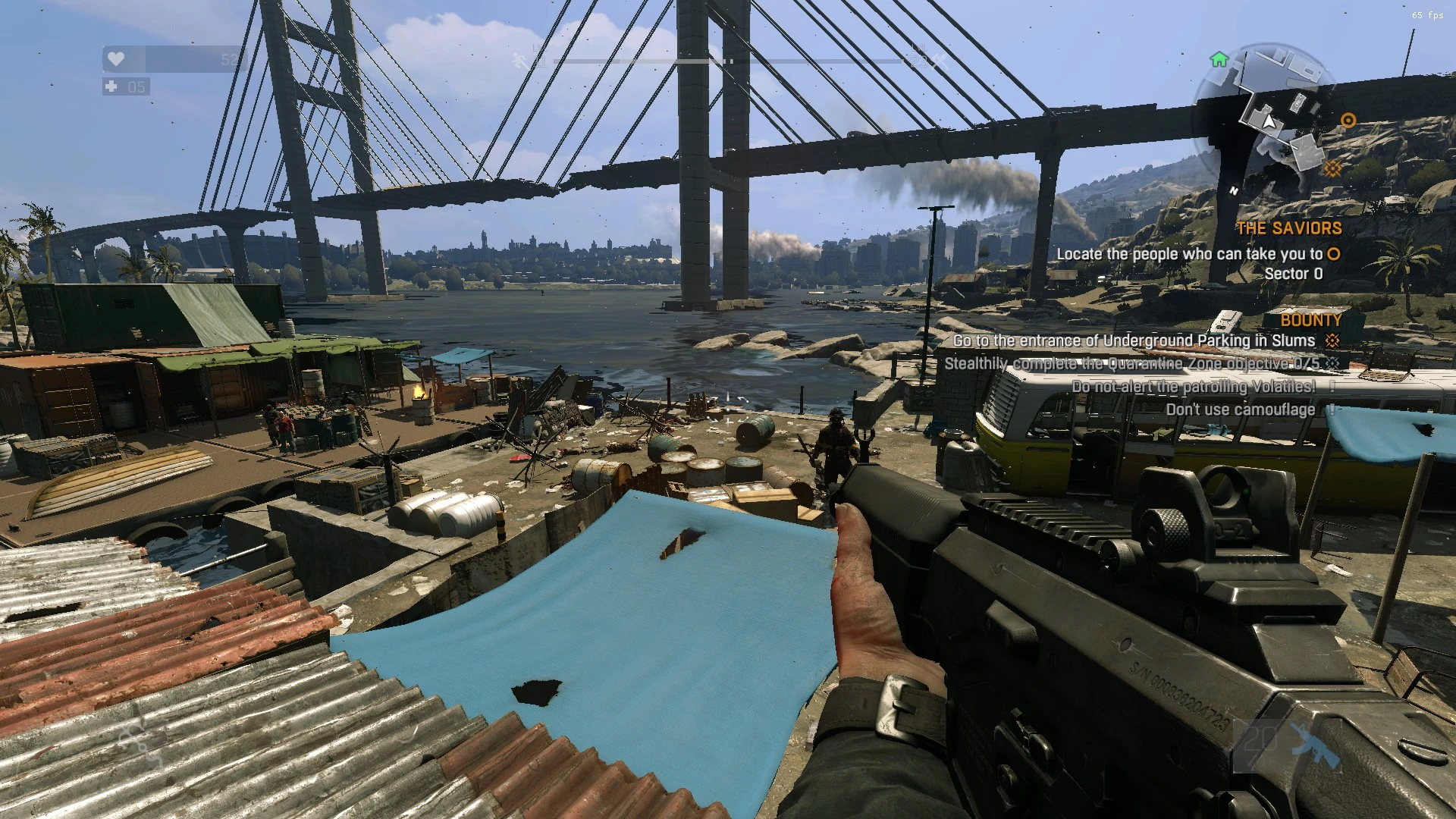
Simple Reshade Settings and LUT with qUINT shader MXAO added for better performance
Just a Simple Reshade Setting and custom LUT and a added qUINT shader MXAO for better performance. Removes that ugly tint from the game and makes the overall colors more natural and adds more of a cleaner look over.
This includes the qUINT shaders as of 03/2020. Please make sure to update if this date has passed:
-- Get the latest version from: https://github.com/martymcmodding/qUINT
-
[] Download ReShade from http://reshade.me/
[
]Install it as normal[]Copy my settings DY-Natural.ini file and the reshade-shaders folder to your dying light main folder
[]When asked to override, say yes.
[]Start Dying Light
[]Configure Reshade to use DY-Natural from the drop down
- Optional: Configure ReShade to have a toggle on/off within its settings to a key of your choice. I used Keypad #5 for pref.
===================================================================
Looking to reduce your own mods texture file size? Try my new Texture Shrink Tool here
📊 Mod Details
- Game
- Dyinglight Mods
- Author
- FartPluser
- Version
- 1.0
- Downloads
- 1,486
- Endorsements
- 72
- Category
- Visuals and Graphics
- Created
- 3/24/2020
- Updated
- 3/24/2020
🔧 How to Install Dyinglight Mods
Download from Nexus Mods.
📖 Full step-by-step install guide for Dyinglight →
Visit the official mod page for specific installation instructions for this mod.
🎮 Need cheat codes or console commands? Check ur gaming wiki for Dyinglight commands, item IDs, and more.
Keep browsing — more Dyinglight mods await