Chromatic Aberration Removal v3
⚪ Last updated 2015Preview
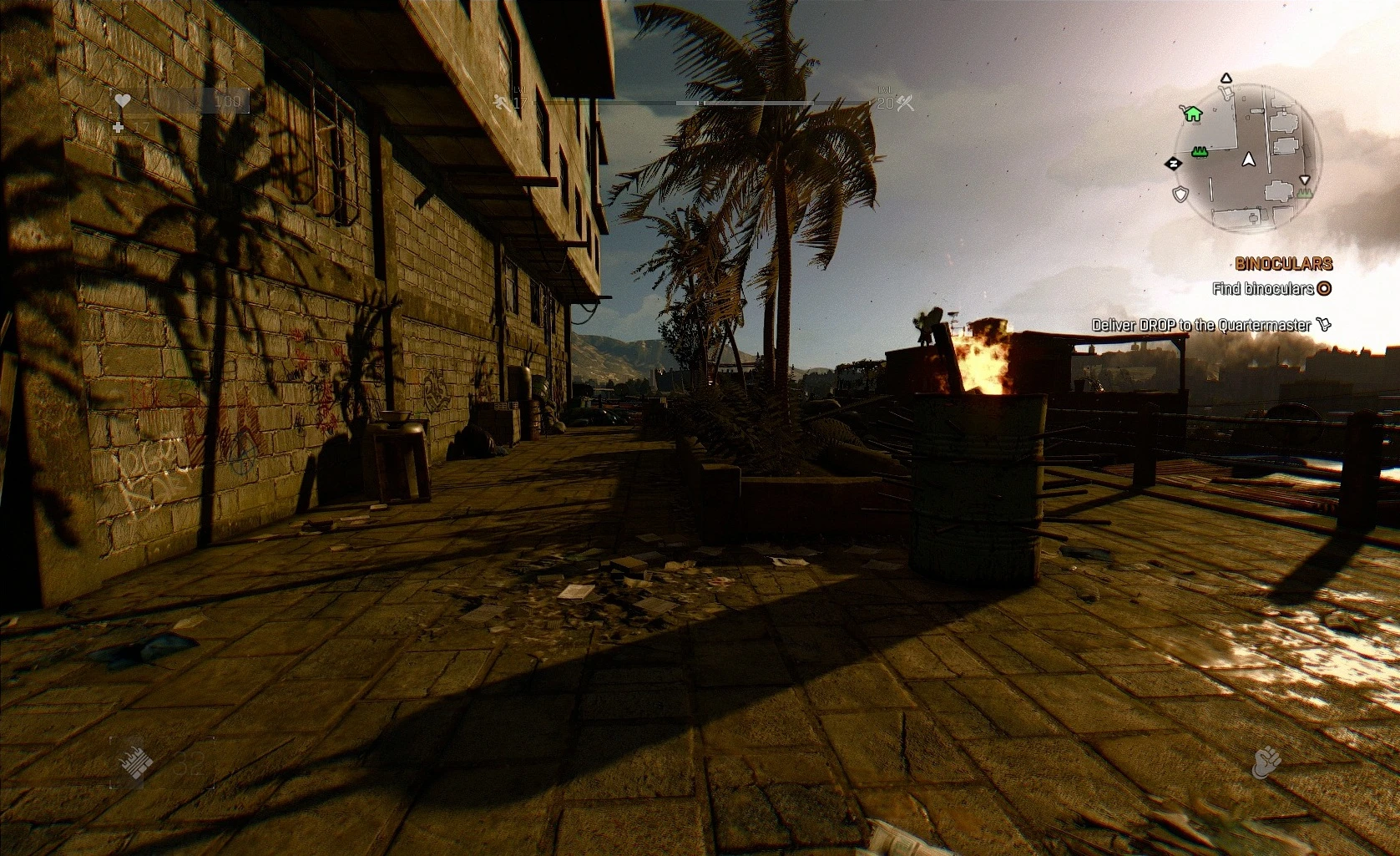
🔍 Analysis
- 👍 2.7% endorsement rate — high engagement, a strong quality signal
- 🏆 #11 of 129 Visuals and Graphics mods in this game by downloads
📋 About This Mod
This is a Proper fix to play the game without the effect.
ABOUT:
First, Chromatic Aberration is in more as only one postprocessing filter integrated
For example, each time at a different point where you lose Health
it will enabled again and if you use a MedKit it is disabled again.
So I disabled certain points where it turns on again.
"Chromatic Aberration Begone" was a good tutorial
And i've removed the effect completely up to 99% from the game.
Now i never get the CA at low health again, e.g. either by green acidic phlegm of Toad.
You can only see the effect for 1 second if you heal the character!
But at the moment it removes the exhausted effect.
(Vignette effect if you're out of Stamina in fights and Sprint)
ATTENTION!
The Modification changed the light system!?
But currently i think that the CA is connected with a tonemap,
which gives the game a yellow tint look and not changing the lighting sytem.
(But I'm not an expert in modding and maybe my thoughts can be wrong)
In fact that the files inlcudes informations about a kind of mesh.
I think it is a file for the CA filter too, i assume that Anti-aliasing
and Motion Blur are using the mesh in some situations too,
which is responsible for the black screen if the two options aren't enabled.
Maybe if it is possible to extract the .rpack/.rpacz
People can modify it or replacing it maybe with a blank file.
INSTALLATION:
01. Download Modification
02. Make a Backup of your Data3.pak
03. Extract the archive into the Game directory
(C:\Program Files (x86)\Steam\SteamApps\Common\Dying Light\DW)
04. Overwrite the existing files
DESCRIPTION 4 HOW TO USE:
I can say that i was able to turn the motion blur OFF
And i'm still testing some configurations.
KNOWN ISSUES:
-You must turn anti-aliasing ON
otherwise the game may crash or freeze
-motion blur can sometimes disabled
-Using a MedKit turns it on for 1 second
ACTUAL WORK:
Now i'm checking if MedKit Tint can be changed
And is it a filter or an effect!
reagrds, Credits & Thank you @
Chromatic Aberration Removal v3 is a small visual mod that disables the chromatic aberration effect in the game. It includes a fix for the issue where the effect turns back on when the player loses health. With 237 endorsements and 8,719 downloads, it's a niche utility for players who want a cleaner image.
✨ Key Features
📊 Pros & Cons
✅ Pros
- Simple and effective – does exactly what it says, no bloat.
- The health-loss fix is a lifesaver for immersion, since CA popping back on mid-fight is jarring.
- Decent community trust with 237 endorsements and 8.7k downloads.
⚠️ Cons
- Last updated in 2015 – might not work with newer game patches, so check compatibility before installing.
- Only addresses one specific effect – if you're looking for a broader visual overhaul, this isn't it.
For players who hate chromatic aberration and want a quick, no-fuss fix. If you're sensitive to the blurry color fringing, this mod is a must-have. Skip if you want more comprehensive visual tweaks – this is a one-trick pony.
💡 Beginner Tips
- Since the mod is from 2015, make sure your game version is compatible – if not, look for a newer alternative.
- If you're using a mod manager, drop the files in manually or use the manager's 'install from file' option to keep things tidy.
- Test the mod by taking damage in-game to confirm the health-loss fix works.
📊 Mod Details
- Game
- Dyinglight Mods
- Author
- rataj
- Version
- 1.1
- Downloads
- 8,719
- Endorsements
- 237
- Category
- Visuals and Graphics
- Created
- 2/25/2015
- Updated
- 2/26/2015
🔧 How to Install Dyinglight Mods
Download from Nexus Mods.
📖 Full step-by-step install guide for Dyinglight →
Visit the official mod page for specific installation instructions for this mod.
🎮 Need cheat codes or console commands? Check ur gaming wiki for Dyinglight commands, item IDs, and more.
Keep browsing — more Dyinglight mods await