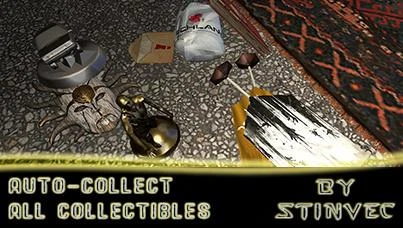
Auto-Collect All Collectibles
⚪ Last updated 2021Preview
🔍 Analysis
- 👍 3.7% endorsement rate — high engagement, a strong quality signal
- 🏆 #9 of 126 Cheats mods in this game by downloads
📋 About This Mod
· Auto-Collect All Collectibles ·
***************************
by StinVec
· This mod does not alter any existing game files ·
· Once you load into your game(s), all collectibles will automatically become collected ·
· The mod file is no longer needed after it auto-collects all collectibles and can be removed ·
· If you do remove the mod, simply re-add it again temporarily to auto-collect the collectibles on a new game ·
________________________________________________________________________________________
________________________________________________________________________________________
[ Alternate Version Available - Selective Collectible Category Auto-Collecting ]
Place the included Data3.pak file into your game installation's 'DW' folder as normal. You can then open it using the WinRar/7zip file manager
program and add in the 'data' folder for collectible categories you desire to have auto-collected from the mod zip into the Data3.pak window.
You can add in additional collectible category 'data' folders over time if you later desire to auto-collect additional categories.
Current Categories:
- General Collectibles - All Buggy Decorations
- General Collectibles - All Buggy Skins
- General Collectibles - All Outfits
- Harran Collectibles - All Flags
- Harran Collectibles - All Journals
- Harran Collectibles - All Notes
- Harran Collectibles - All Statues
- Harran Collectibles - All Voicemails
- Countryside Collectibles - All Flags
- Countryside Collectibles - All Letters
- Countryside Collectibles - All Masks
- Countryside Collectibles - All Notes
- Countryside Collectibles - All Trophies
- Hellraid Collectibles - All Notes
Total Collectibles Auto-Collected:
491
When the mod activates:
Collectibles related to Harran and the Hellraid DLC will be auto-collected upon completing the tutorial in
the Tower when you get to actually start playing outside or loading a save game at any point after that.
Collectibles related to the Countryside (The Following DLC) will be collected upon loading into the Countryside.
________________________________________________________________________________________
Auto-Collect All Collectibles is a cheat mod for Cyberpunk 2077 that automatically collects every collectible in the game upon loading a save or starting a new game. It offers an alternate version for selective collection. With 696 endorsements and frequent updates, it's a popular quality-of-life cheat.
✨ Key Features
📊 Pros & Cons
✅ Pros
- Saves hours of hunting down every shard, tarot card, and fast travel dataterm.
- Community-approved with 696 endorsements and over 18k downloads.
- Two versions give you control: grab everything or pick specific categories.
⚠️ Cons
- Last updated in December 2021 — might not work with the latest Cyberpunk 2077 patches.
- It's a cheat, so you'll skip the exploration and discovery that makes Night City fun.
For completionists who've already beaten the game and just want to 100% without the grind. Also for players starting a new playthrough who want all collectibles from the get-go. Skip if you enjoy hunting down every shard and tarot card yourself.
💡 Beginner Tips
- Make sure your game is version 1.54.0 or earlier, since the mod was last updated for that patch.
- Use the alternate version if you only want certain collectibles, like tarot cards, and not others.
- Since it's a cheat mod, consider disabling it after the initial collection to avoid breaking quests that rely on finding collectibles.
📊 Mod Details
- Game
- Dyinglight Mods
- Author
- StinVec
- Version
- 491
- Downloads
- 18,715
- Endorsements
- 696
- Category
- Cheats
- Created
- 2/28/2016
- Updated
- 12/11/2021
🧩 Commonly Used Together
Users add these mods to the same collections — a real compatibility signal, not an AI guess.
🔧 How to Install Dyinglight Mods
Download from Nexus Mods.
📖 Full step-by-step install guide for Dyinglight →
Visit the official mod page for specific installation instructions for this mod.
🎮 Need cheat codes or console commands? Check ur gaming wiki for Dyinglight commands, item IDs, and more.
Keep browsing — more Dyinglight mods await