BigWheeler Final Version
⚪ Last updated 2017Preview
🔍 Analysis
- 🏆 #1544 of 1838 Cars mods in this game by downloads
📋 About This Mod
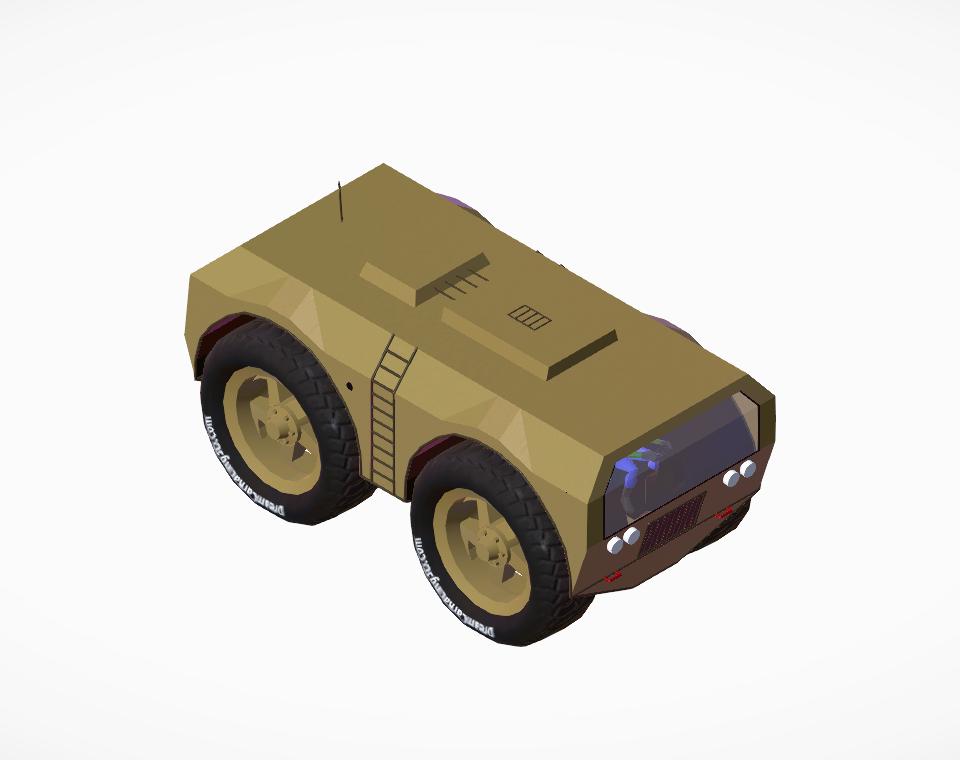
After working on this vehicle for a couple days, I am satisfied with it. Improvements include a better looking windshield, more sturdy structure, easy paint-ability, and finer details, especially the interior. To paint: - Press A on your keyboard while in the Garage - Click the arrow once to get to "Panel - Solid (412)" - Paint the panels any color you desire - Click in an empty space to un-highlight the car - Press Ctrl+1 on your keyboard to highlight panels that should be painted Black. - (Optional) Press Ctrl+2 to highlight the tow points on the front. They are originally painted red, but you can paint them any color or leave them unpainted. - Ctrl+3 highlights the glass panels just in case you decided to paint the car using the "All Panels" option. You should paint the glass a color between black and neutral gray, depending on how visible you want the glass to be. In case you wanted to know, this vehicle has an independent suspension, which doesn't do much work since there is very little room in the wheel wells for the wheels to move, and the tires absorb a lot of the impacts. To lower the ladder, press F. Anyways, I hope you enjoy using this vehicle, have fun!
📊 Mod Details
- Game
- Dream Car Builder Mods
- Author
- 76561198380626010
- Version
- N/A
- Downloads
- 29
- Endorsements
- 0
- Category
- Cars
- Created
- 8/2/2017
- Updated
- 8/2/2017
🔧 How to Install Dream Car Builder Mods
Subscribe on Steam Workshop. Mods auto-download and install. Launch the game to activate.
📖 Full step-by-step install guide for Dream Car Builder →
Visit the official mod page for specific installation instructions for this mod.
🎮 Need cheat codes or console commands? Check ur gaming wiki for Dream Car Builder commands, item IDs, and more.
Keep browsing — more Dream Car Builder mods await