WADDI - Expandable add item script with input window
⚪ Last updated 2013Preview
🔍 Analysis
- 👍 5.4% endorsement rate — high engagement, a strong quality signal
- 🏆 #3 of 26 Utilities mods in this game by downloads
📋 About This Mod
UPDATE Version 1. 4b allows you to use apostrophes & dashes in the text field.
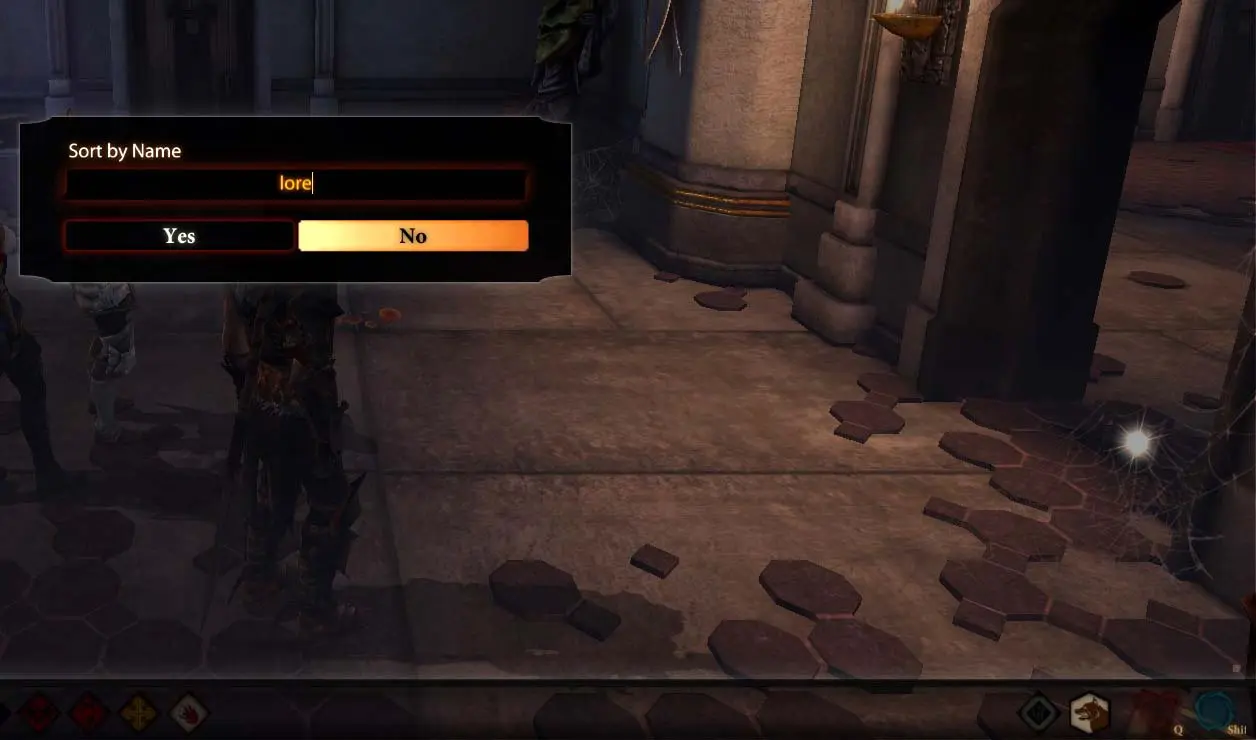
VADDI is one of the greatest mods for DA2, along with it\'s update, but it does have two drawbacks: 1) It can\'t be easily expanded to include new user-created items without causing conflicts. 2) Like all console commands, you can\'t see what you\'re typing. So I created W(indowed)ADDI, which calls up an input window so you can see what you\'re typing to search for. It\'s also easily expanded via standard 2DA methods. Instructions 1. Unzip into your /override folder. 2. To use, type \'runscript waddi\' into the console. 3. A window will pop up with the message \"Sort by Name\", an input field, and \"YES\" and \"NO\" buttons.
- [] Pressing the \"NO\" button with an empty input field will exit the script with no search performed. [] Typing into the field and pressing the \"YES\" button or the enter key will cause a NAME SEARCH of items. Just like VADDI, this is processing intensive and will cause a slowdown. [] Typing into the field and pressing the \"NO\" button will cause a RESOURCE SEARCH of items.
🤖 AI-enhanced — based on mod data
WADDI is a utility mod for Skyrim that adds an expandable item-adding script with an input window for error-free search phrase entry. It offers a VADDI-like experience with easy expansion, backed by 1,994 endorsements and 36,904 downloads, though it hasn't been updated since 2013.
✨ Key Features
Adds an item-adding script similar to VADDI
Easily expandable for custom items
Provides an input window for error-free search phrase entry
📊 Pros & Cons
✅ Pros
- Community-trusted with 1,994 endorsements and 36k downloads
- Input window prevents typos when searching for items
- Expandable design lets you add your own items
⚠️ Cons
- Last updated in 2013 — may not work with current Skyrim versions
- Utility mod, not for players wanting new content
🎯 Is This For You?
For Skyrim modders and power users who want a reliable way to add items via console without typos. If you're a casual player, you might not need this unless you're troubleshooting or testing. Skip if you want new quests or gear — this is purely a tool.
For Skyrim modders and power users who want a reliable way to add items via console without typos. If you're a casual player, you might not need this unless you're troubleshooting or testing. Skip if you want new quests or gear — this is purely a tool.
📦 Install:Easy· Under 1 minute
💡 Beginner Tips
- Make sure to read the mod's forum posts for compatibility notes with your Skyrim version.
- Use a mod manager like Vortex or Mod Organizer 2 to keep track of this utility mod.
- Test the script in a save you don't mind breaking, as console mods can cause issues if used incorrectly.
📊 Mod Details
- Game
- Dragonage2 Mods
- Author
- gastank
- Version
- 1.4b
- Downloads
- 36,904
- Endorsements
- 1,994
- Category
- Utilities
- Created
- 10/23/2013
- Updated
- 12/1/2013
🔧 How to Install Dragon Age 2 Mods
Download from Nexus Mods.
📖 Full step-by-step install guide for Dragon Age 2 →
Visit the official mod page for specific installation instructions for this mod.
🎮 Need cheat codes or console commands? Check ur gaming wiki for Dragon Age 2 commands, item IDs, and more.
Keep browsing — more Dragon Age 2 mods await