Journal Fixes
⚪ Last updated 2023Preview
🔍 Analysis
- 👍 7.5% endorsement rate — high engagement, a strong quality signal
- 🏆 #12 of 25 User Interface mods in this game by downloads
📋 About This Mod
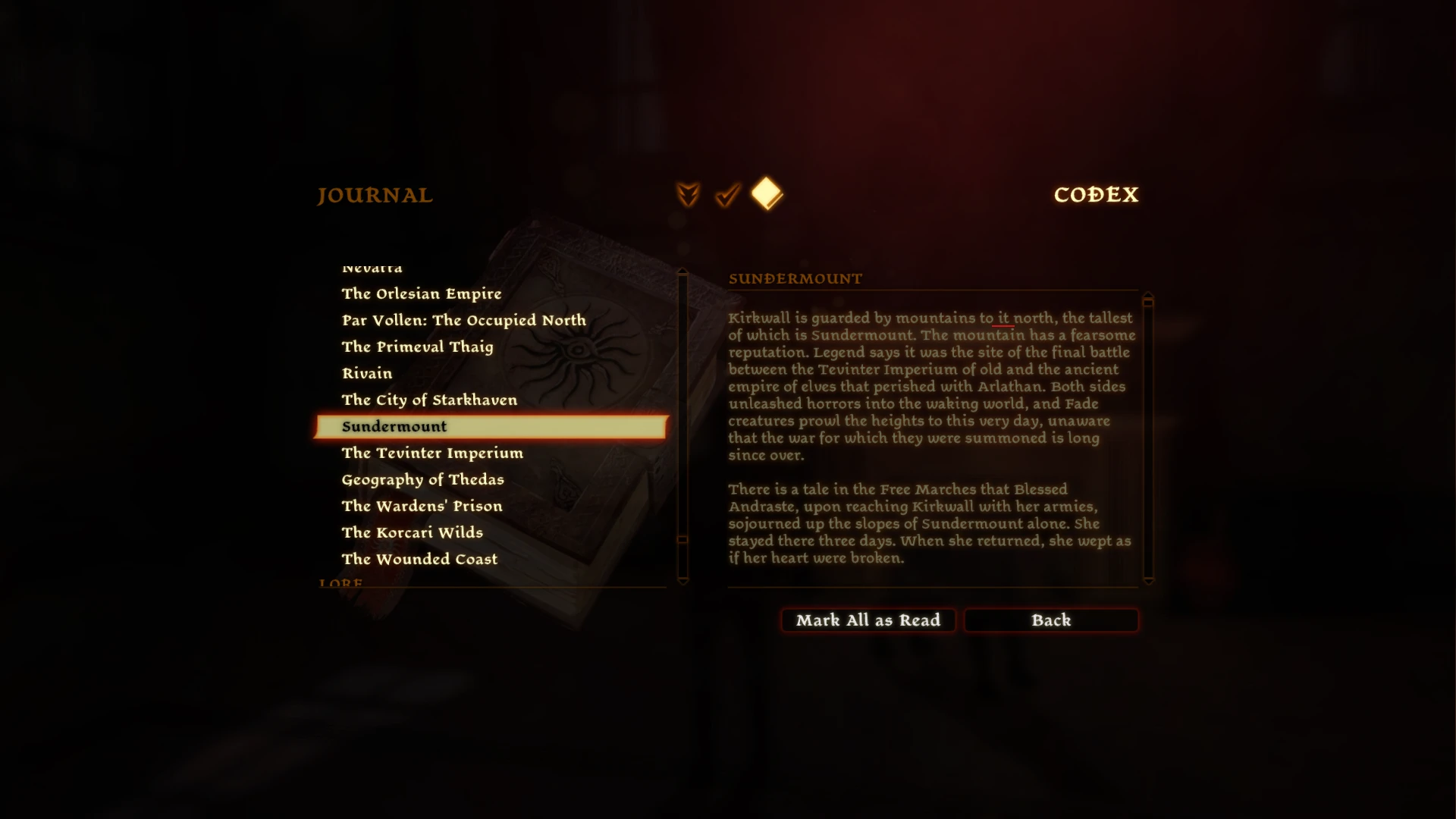
Fixes typos and bugs in the Journal entries
This mod fixes various typos and bugs I've noticed in the Journal entries.
As of v1. 1 this mod is expanded to fix bugs in the descriptions of various Quest entries.
Pendant of the Morning Frost aka da2_pro_fut01. I am using this addin to make the patch file to edit the talktables.
- Sundermount => Changed "Kirkwall is guarded by mountains to it north" to "Kirkwall is guarded by mountains to its north"
- Rock Wraith => Changed "and then it turned it’s eyeless skull toward us" to "and then it turned its eyeless skull toward us"
- Wyvern => Changed "while the nobleman merely accept the praise." to "while the nobleman merely accepts the praise."
- History of Kirkwall Chapter 3 => Changed "during last of the New Exalted Marches." to "during the last of the New Exalted Marches."
- The Ben-Hassrath => Changed "the assimilation of conqured peoples." to "the assimilation of conquered peoples."
- Puzzle Ring of the Fox => Changed "of secrets the he kept" to "of the secrets he kept"
- Shield of the Knight Herself => Changed "Aveline may find it's attribution to her namesake of interest." to "Aveline may find its attribution to her namesake of interest."
- Staff of Parthalan => Changed "Tevinter Empirium" to "Tevinter Imperium"
- Haunted => Changed "rock wraith" to "ethereal golem" (v1. 1)
- The First Sacrifice => Changed "The elf works at Hightown's Blooming Rose at night." to "The elf works at Hightown's Blooming Rose" because he is there during the day too. (v1. 1)
- Herbalist's Tasks (Act 3) => Changed "created a powerful fire rune" to "created a powerful amulet" (v1. 1)
- Reining It In => Changed "Lowtown" to "the Docks" (v1. 1)
In case you find more typos, let me know and I'll see what I can do about them.
If you want to manually do this:
1. Download DA2 TLK Converter and extract it
2. Copy and paste the <path_to_game>\packages\core\data\talktables\core_en-us.tlk file to where your TLK Converter is
All base game strings are located here or in <path_to_game>\modules\campaign_base\data\talktables\campaign_base_en-us.tlk.
For DLC strings, you'll have to search their talktables in their addins directories.
For MOTA: <path_to_game>\addins\da2_prc_eye\module\data\talktables\da2_prc_eye_en-us.tlk
3. Open the Command Prompt window pointing to your TLK Converter directory and type:
da2tlkconv -d core_en-us.tlk unpacked.txt
4. Open the unpacked.txt in any text editor and change the strings you want
5. Delete everything except the modified string and its ID once you are done. Example:
📊 Mod Details
- Game
- Dragonage2 Mods
- Author
- UroshAuberon
- Version
- 1.1
- Downloads
- 1,251
- Endorsements
- 94
- Category
- User Interface
- Created
- 3/13/2023
- Updated
- 3/16/2023
🔧 How to Install Dragon Age 2 Mods
Download from Nexus Mods.
📖 Full step-by-step install guide for Dragon Age 2 →
Visit the official mod page for specific installation instructions for this mod.
🎮 Need cheat codes or console commands? Check ur gaming wiki for Dragon Age 2 commands, item IDs, and more.
Keep browsing — more Dragon Age 2 mods await