Infinite Inventori-Inventario Infinito ESP-ENG
⚪ Last updated 2019Preview
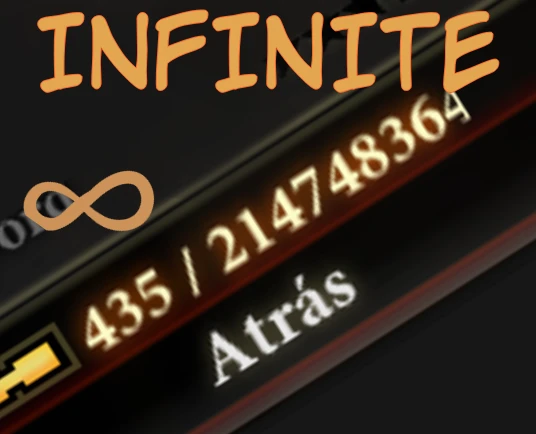
🔍 Analysis
- 👍 5.5% endorsement rate — high engagement, a strong quality signal
- 🏆 #118 of 189 Gameplay mods in this game by downloads
📋 About This Mod
Tired of filling your inventory every so often?
that you have to go back to your house to be able to store objects and make space?
Then this is for you
Once the game was over I wanted to try a new game with a new class and this time with full mods
So one of the things I first looked for was to enlarge the backpack, I was looking for a mod that would do this but I only found one that gave you the 120 spaces that the game gives you by default, so I started to invert and found a way to have a basically infinite backpack and today I want to share how to achieve it
-------------------------------------------
Cansado de que se te llene el inventario a cada rato?
que tengas que volver a tu casa para poder almacenar objetos y hacer espacio?
Entonces esto es para ti
Una vez terminado el juego quise probar una nueva partida con una clase nueva y esta ves con mods a full
Asi una de las cosas que primero busque fue agrandar la mochila,estuve buscado un mod que hiciera esto pero solo encontre uno que te daba los 120 espacios que te da el juego por defecto,asi que me puse a invertigar y encontre una forma para tener una mochila basicamente infinita y hoy les quiero compartir la forma de lograrlo
REQUERIMENTS:
-
[]gffyEDITOR
- [
Forget to mention, you will first have to save your game from the save menu so that the .das file is updated and the modification works correctly
- Olvide mencionar,primero tendran que guardar su partida desde el menu de guardado para que el archivo .das se actualize y la modificacion funcione correctamente
STEP 1: First of all, we will make a backup of our saved game
for this we will have to go to the next route:
Documents\BioWare\DragonAge2\Characters\name of the character we are going to edit\Saves\Slot_1
PASO 1:Antes que nada,haremos una copia de seguridad de nuestra partida guardada
para esto tendremos que ir a la siguiente ruta:
Documents\BioWare\DragonAge2\Characters\nombre del personaje que vamos a editar \Saves\Slot_1
STEP 2:We open the editor (you will find it in the archives part)
PASO 2: Abrimos el editor(lo encontraras en la parte de archivos)
Step 3:Once opened we will click on File > Open
PASO 3:Una vez abierto daremos en File > Open
Step 4:We locate the .das file of our game saved at the same address as in step 1
(Documents\BioWare\DragonAge2\Characters\name of the character we are going to edit\Saves\
📊 Mod Details
- Game
- Dragonage2 Mods
- Author
- Stiff
- Version
- 1.0
- Downloads
- 2,928
- Endorsements
- 161
- Category
- Gameplay
- Created
- 10/31/2019
- Updated
- 10/31/2019
🔧 How to Install Dragon Age 2 Mods
Download from Nexus Mods.
📖 Full step-by-step install guide for Dragon Age 2 →
Visit the official mod page for specific installation instructions for this mod.
🎮 Need cheat codes or console commands? Check ur gaming wiki for Dragon Age 2 commands, item IDs, and more.
Keep browsing — more Dragon Age 2 mods await