Dragon Age II 4K 60FPS Cinematics Mod
⚪ Last updated 2021Preview
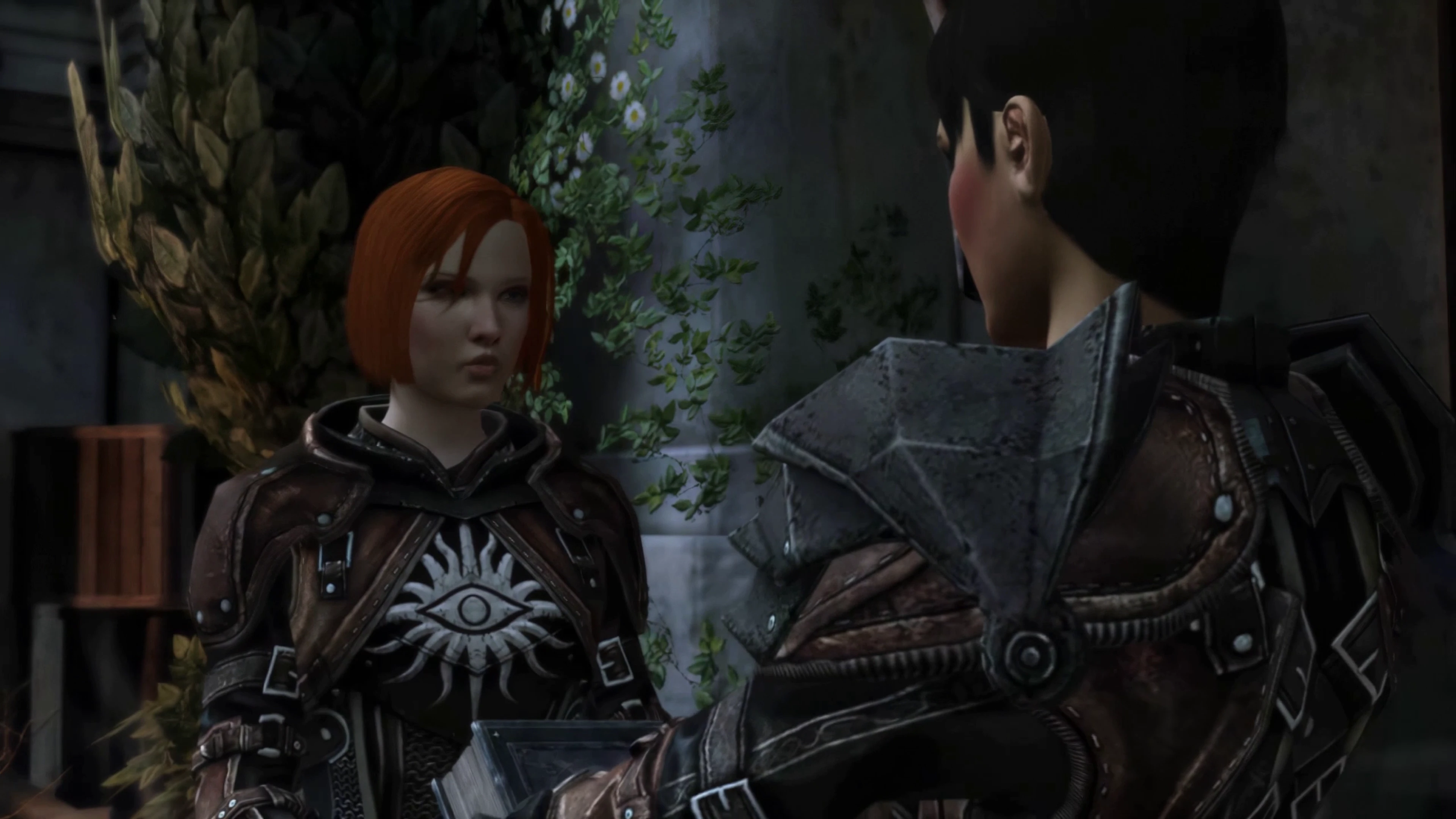
🔍 Analysis
- 👍 1.8% endorsement rate — high engagement, a strong quality signal
- 🏆 #3 of 29 Visuals and Graphics mods in this game by downloads
📋 About This Mod
Using AI upscaling and AI interpolation, the cinematics are now much sharper while preserving the artist's intent of the originals. The biggest upgrade in my opinion is converting them to 60FPS. Normally interpolation produces sub-par results, but AI-based interpolation is vastly superior to the point where it almost looks native. I've uploaded just the 4K versions of the cutscenes but the game will downscale these to whatever resolution you're using, so you'll still benefit!
Installation is an absolute snap.
Simply use WinRAR or a similar program to unpack both archives (Main Cinematics and Intro/Loading Screens) once it's finished downloading. And you then paste them in these two file directories, overwriting the existing files:
For the main game cinematics: C:/Program Files (x86)/Steam/steamapps/common/Dragon Age II/modules/campaign_base/data/movies/
For the intro and loading screens: C:/Program Files (x86)/Steam/steamapps/common/Dragon Age II/packages/core/data/movies/
For the main game cinematics: C:/Program Files (x86)/Origin Games/Dragon Age II/modules/campaign_base/data/movies/
For the intro and loading screens: C:/Program Files (x86)/Origin Games/Dragon Age II/packages/core/data/movies/
This mod replaces all pre-rendered 720p 30fps cinematics in Dragon Age II with 4K 60fps versions, including logos, intro, cutscenes, and loading screens. It's a visual upgrade for players who want sharper, smoother cutscenes. With 149 endorsements and 8,248 downloads, it's a niche but appreciated mod.
✨ Key Features
📊 Pros & Cons
✅ Pros
- Makes cutscenes look noticeably sharper and smoother (4K 60fps vs 720p 30fps).
- Covers everything from logos to loading screens, so the whole experience feels consistent.
- Decent community support (149 endorsements, 8,248 downloads) shows it works for many.
⚠️ Cons
- Last updated in 2021, so it might not be compatible with the latest game patches or mod setups.
- Only affects pre-rendered cinematics—in-game cutscenes and gameplay visuals remain unchanged.
For Dragon Age II players who want a more polished cinematic experience without changing gameplay. If you're a completionist or replaying the game and want those cutscenes to look modern, this is a solid pick. Skip if you're looking for gameplay overhauls or if you're on a low-end PC—4K videos might be heavy.
💡 Beginner Tips
- Make sure to back up your original cinematics folder before replacing, just in case you want to revert.
- If you're using a mod manager like Vortex, check if it supports this mod's file structure—manual install is also fine.
- Verify that your game version matches the mod's last update (2021) to avoid potential conflicts.
📊 Mod Details
- Game
- Dragonage2 Mods
- Author
- fromsoftserve
- Version
- 1.0
- Downloads
- 8,248
- Endorsements
- 149
- Category
- Visuals and Graphics
- Created
- 5/26/2021
- Updated
- 5/26/2021
🔧 How to Install Dragon Age 2 Mods
Download from Nexus Mods.
📖 Full step-by-step install guide for Dragon Age 2 →
Visit the official mod page for specific installation instructions for this mod.
🎮 Need cheat codes or console commands? Check ur gaming wiki for Dragon Age 2 commands, item IDs, and more.
Keep browsing — more Dragon Age 2 mods await