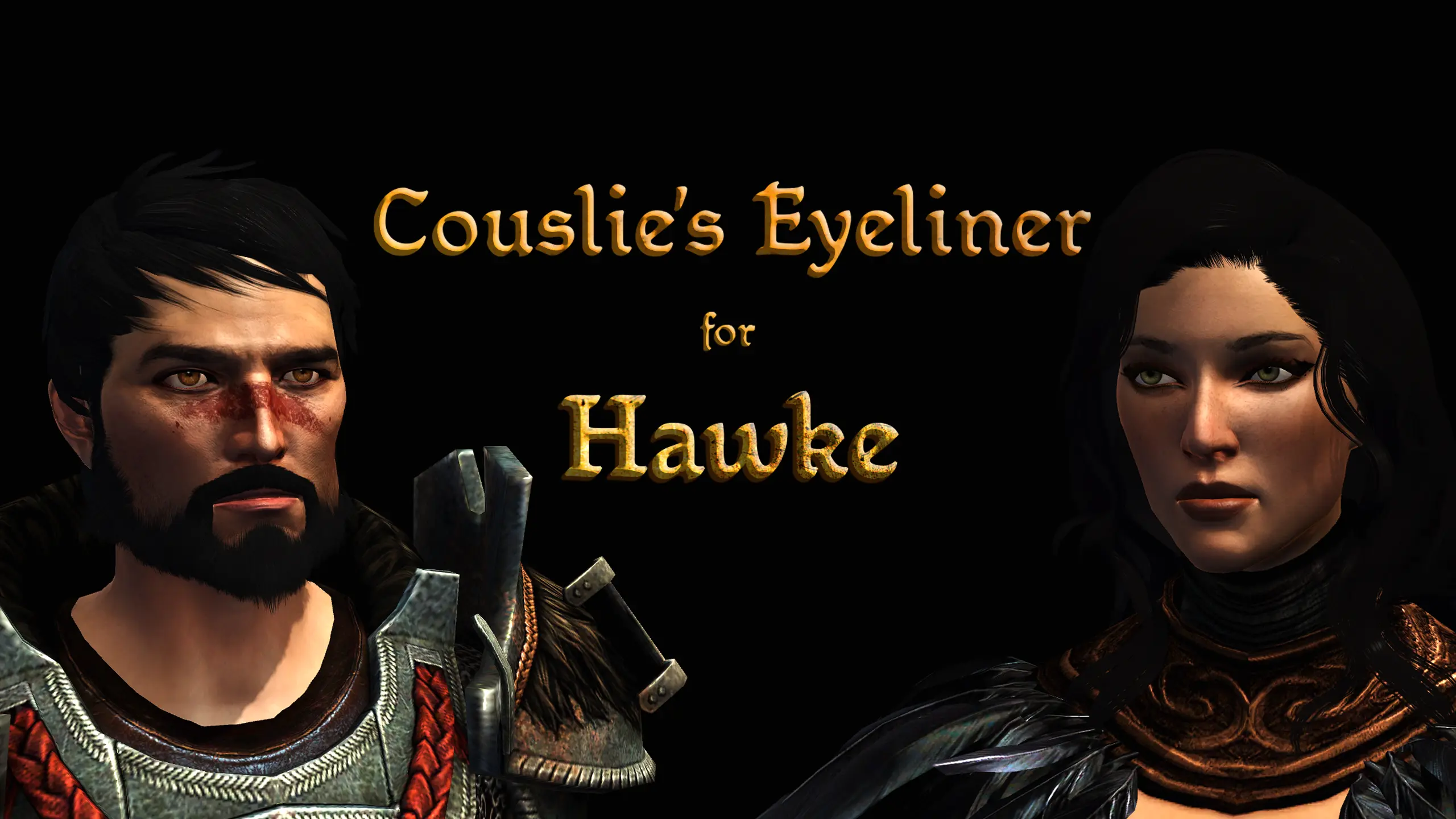
Couslie's Eyeliner for Hawke
⚪ Last updated 2024Preview
🔍 Analysis
- 👍 5.8% endorsement rate — high engagement, a strong quality signal
- 🏆 #86 of 157 Face and Hair mods in this game by downloads
📋 About This Mod
This mod will give your Hawke twenty different eyeliners to choose from under the "Tattoos" in the Character Creator.
UPDATE: I have added FIFTEEN NEW EYELINERS for both Hawkes to use (thank you OrionFrost for the guyliner idea)! Please make sure to read the UPDATING instructions below! Even though the tattoo names are the same, they now are done properly, so while there are five resource names, there is now twenty eyeliners. Please make sure to remember to compile the chargenmorph again! <3
As stated, this mod will give Hawke twenty different eyeliner styles to choose from under the "Tattoos" section in the character creator. There are no duplicates anymore! I figured it out!!
A facet to this mod: the eyeliners will look different with every eye shape. That's just how the textures work in this game, but I tested it on different presets and I think they all look decent on each one! Play around with the character creator and pick a style you think looks best! :)
This is my first mod, so please let me know if it is not showing correctly for you! It works in my game, but I can only test it for myself! If it does not work for you, please let me know. I will try my best to fix it :D
INSTALLATION:
There are two ways to install this mod -- both ways are in the -- READ ME -- but I will put them here, too! :)
FIRST WAY
1.) Copy "Couslie_Eyeliner" folder with .erf file in it and paste it into the override folder
2.) Paste what is below into your game's chargenmorph file in your override under the <tattoos> section
<resource name="mt_tat_cos_0t" />
<resource name="mt_tat_cou_0t" />
<resource name="mt_tat_css_0t" />
<resource name="mt_tat_cus_0t" />
<resource name="mt_tat_cut_0t" />
** SECOND WAY
1.) Copy "Couslie_Eyeliner" folder with .erf file in it and paste it into the override folder
2.) Copy "chargenmorph" folder and paste it into the override folder
3.) Use "DA CHARGENMORPH COMPILER" to compile .xml files
Copy and paste the new "Couslie_Eyeliner" and "chargenmorph" file into your override -- click "Replace File" when prompted, and update your chargenmorph/recompile it.
Simply delete the "Couslie_Eyeliner" folder from your override and the resource names from your chargen files! Done! :)
MODS SHOWN:
Unique Face Textures for Companions by Ellise
SJC'S Makeup Edit by SammyJC
Pineappletree's Vibrant Colors for DA2 by Pineappletree
Pineappletree's Vibrant Eyes for DA2 by Pineappletree
Black Hair is Black 2 by
📊 Mod Details
- Game
- Dragonage2 Mods
- Author
- couslie
- Version
- 2.0
- Downloads
- 3,051
- Endorsements
- 177
- Category
- Face and Hair
- Created
- 5/5/2022
- Updated
- 1/18/2024
🔧 How to Install Dragon Age 2 Mods
Download from Nexus Mods.
📖 Full step-by-step install guide for Dragon Age 2 →
Visit the official mod page for specific installation instructions for this mod.
🎮 Need cheat codes or console commands? Check ur gaming wiki for Dragon Age 2 commands, item IDs, and more.
Keep browsing — more Dragon Age 2 mods await