TSM Iconic Duncan's Sword
⚪ Last updated 2024Preview
🔍 Analysis
- 🏆 #17 of 36 Weapons mods in this game by downloads
📋 About This Mod
Name: Iconic Duncan's Sword
Version: 1. 0
Date: 2024-04-26
File under: No I won't recolor the icon to match the dagger.
Author: theskymoves
=================
Requirements:
=================
Dragon Age: Origins
Return to Ostagar DLC
Better RTO Items (optionally)
=================
Description:
=================
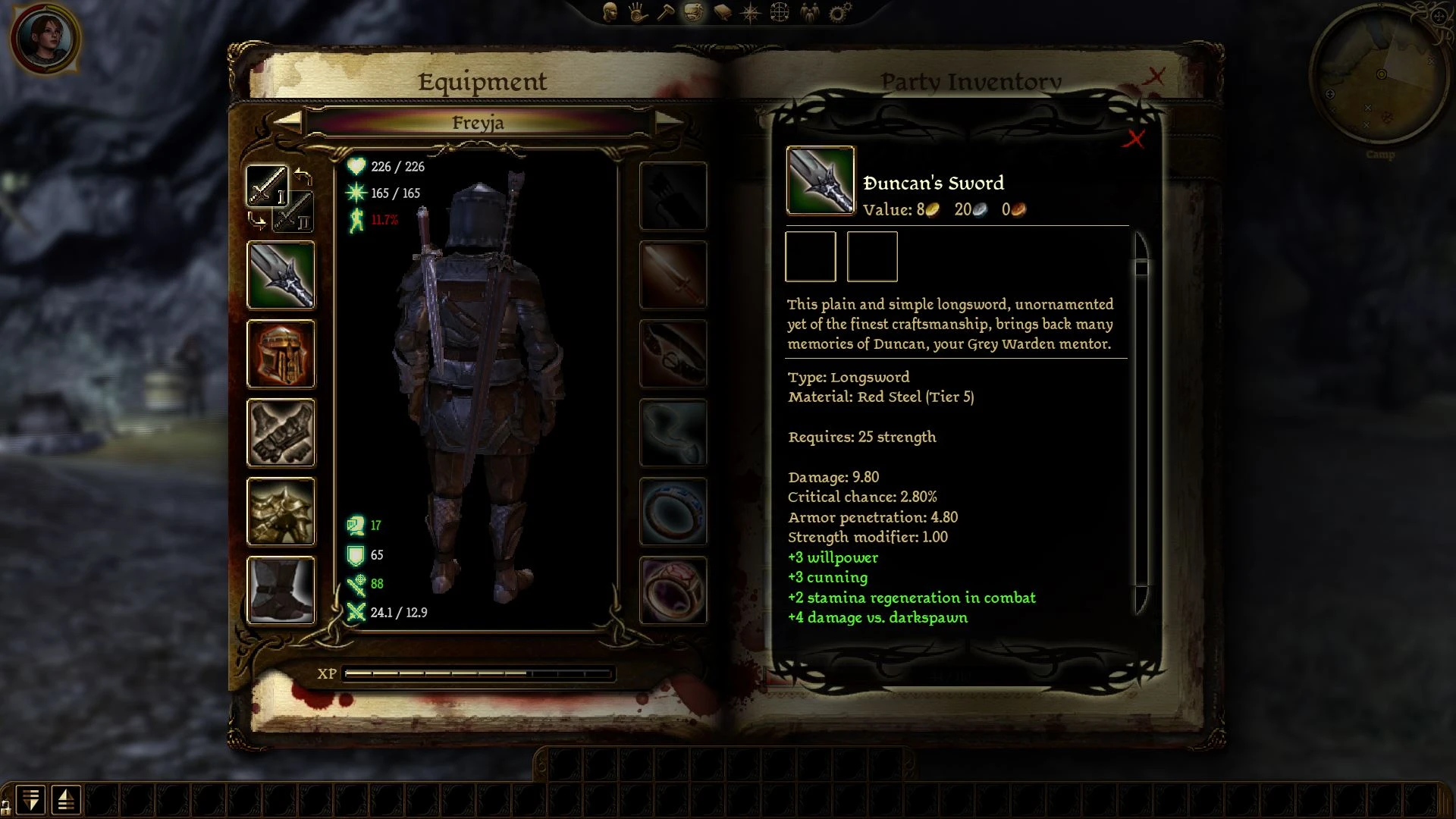
By request. Changes the icon used by the Duncan's Sword to the one used by the Vigilance longsword, to more closely reflect the appearance of the weapon.
The mod includes several versions of the sword; install only one!
The options are:
tsm_iconic_duncan_sword_vanilla - No other changes were made to the dagger; the material and material scaling are the vanilla variable tier T5 (Red Steel) - T7 (Dragonbone)
tsm_iconic_duncan_sword_dragonbone - Duncan's Sword will spawn at fixed T7 Dragonbone. For use as an optional override with Better RTO Items (Dragonbone) installed.
tsm_iconic_duncan_sword_db2va - Duncan's Sword will spawn at T7 Dragonbone, which can then be further scaled to T8/T9. For use as an optional override with Better RTO Items (Dragonbone to Volcanic Aurum) installed.
tsm_iconic_duncan_sword_volcanic - Duncan's Sword will spawn at fixed T9 Volcanic Aurum. For use as an optional override with Better RTO Items (Volcanic Aurum) installed.
=================
To Install the Vanilla stats version:
=================
Place the tsm_iconic_duncan_sword_vanilla folder into the override directory (usually \My Documents\BioWare\Dragon Age\packages\core\override).
For the revised item to drop during the quest, this must be installed prior to entering the RTO version of the Ostagar map. Post-RTO, the appearance of the dagger will update automatically.
=================
To Install a modded stats Better RTO Items version:
=================
First install one version of Better RTO items. Then place both of the Iconic Duncan's Sword files for the corresponding material in the Better RTO Items folder. Allow the kcc_im_wep_mel_lsw_dun.uti file to replace the original file when asked.
=================
To Uninstall:
=================
Delete the mod from \My Documents\BioWare\Dragon Age\packages\core\override.
=================
Known Issues:
=================
Will not be compatible with other mods that edit kcc_im_wep_mel_lsw_dun.uti, including the various options from my Better RTO Items mod.
If such a conflict does exist, removing the kcc_im_wep_mel_lsw_dun.uti file from the other mod will resolve that conflict.
All versions were minimally tested in-game. The fixed T9 Volcanic Aurum and T7-to-T9 versions work fine in Awakening,
📊 Mod Details
- Game
- Dragonage Mods
- Author
- theskymoves
- Version
- 1.0
- Downloads
- 490
- Endorsements
- 22
- Category
- Weapons
- Created
- 4/26/2024
- Updated
- 4/26/2024
🔧 How to Install Dragon Age: Origins Mods
Download from Nexus Mods.
📖 Full step-by-step install guide for Dragon Age: Origins →
Visit the official mod page for specific installation instructions for this mod.
🎮 Need cheat codes or console commands? Check ur gaming wiki for Dragon Age: Origins commands, item IDs, and more.
Keep browsing — more Dragon Age: Origins mods await