Transparent Quickbar
🟠 Updated over a year agoPreview
🔍 Analysis
- 🏆 #6 of 18 User Interface mods in this game by downloads
📋 About This Mod
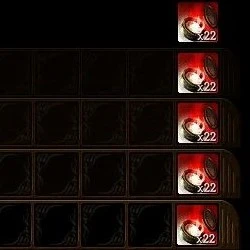
Changes the opacity of the quickbar.
=== Installations ===--- Transparent Quickbar Version ---
Download the "Transparent Quickbar" file.
Extract the file and choose only one of the 4 opacity options.
There are 4 opacity options available:
The lower the percentage, the more transparent it is.
Move one of the "Transparent Quickbar" folders into the game's "override" folder.
Download one of the "Clean Version" options.
Extract the file and open the "Clean Quickbar" folder.
If you don't want the shortcuts to appear on the quickbar skill icons.
Open the "No Shortcuts" folder and move the "Transparent Quickbar" folder to the game's "override" folder.
However, if you want the shortcuts to remain visible as in the vanilla version.
Open the "With Shortcuts" folder and move the "Transparent Quickbar" folder to the game's "override" folder.
=== Uninstallation ===
Delete the "Transparent Quickbar" folder from the game's "override" folder.
--- Notes ---
I have no idea if this will work for other people, but I believe it should... why not?
I thought about creating various options and variations, but I think it would be too confusing.
I ended up making this "Clean Version" based on my personal taste, but I think it turned out well... I hope.
📊 Mod Details
- Game
- Dragonage Mods
- Author
- Rashigo
- Version
- 1
- Downloads
- 429
- Endorsements
- 20
- Category
- User Interface
- Created
- 2/27/2025
- Updated
- 3/1/2025
🔧 How to Install Dragon Age: Origins Mods
Download from Nexus Mods.
📖 Full step-by-step install guide for Dragon Age: Origins →
Visit the official mod page for specific installation instructions for this mod.
🎮 Need cheat codes or console commands? Check ur gaming wiki for Dragon Age: Origins commands, item IDs, and more.
Keep browsing — more Dragon Age: Origins mods await