Tome of Death
⚪ Last updated 2020Preview
🔍 Analysis
- 👍 4.6% endorsement rate — high engagement, a strong quality signal
- 🏆 #215 of 336 Gameplay mods in this game by downloads
📋 About This Mod
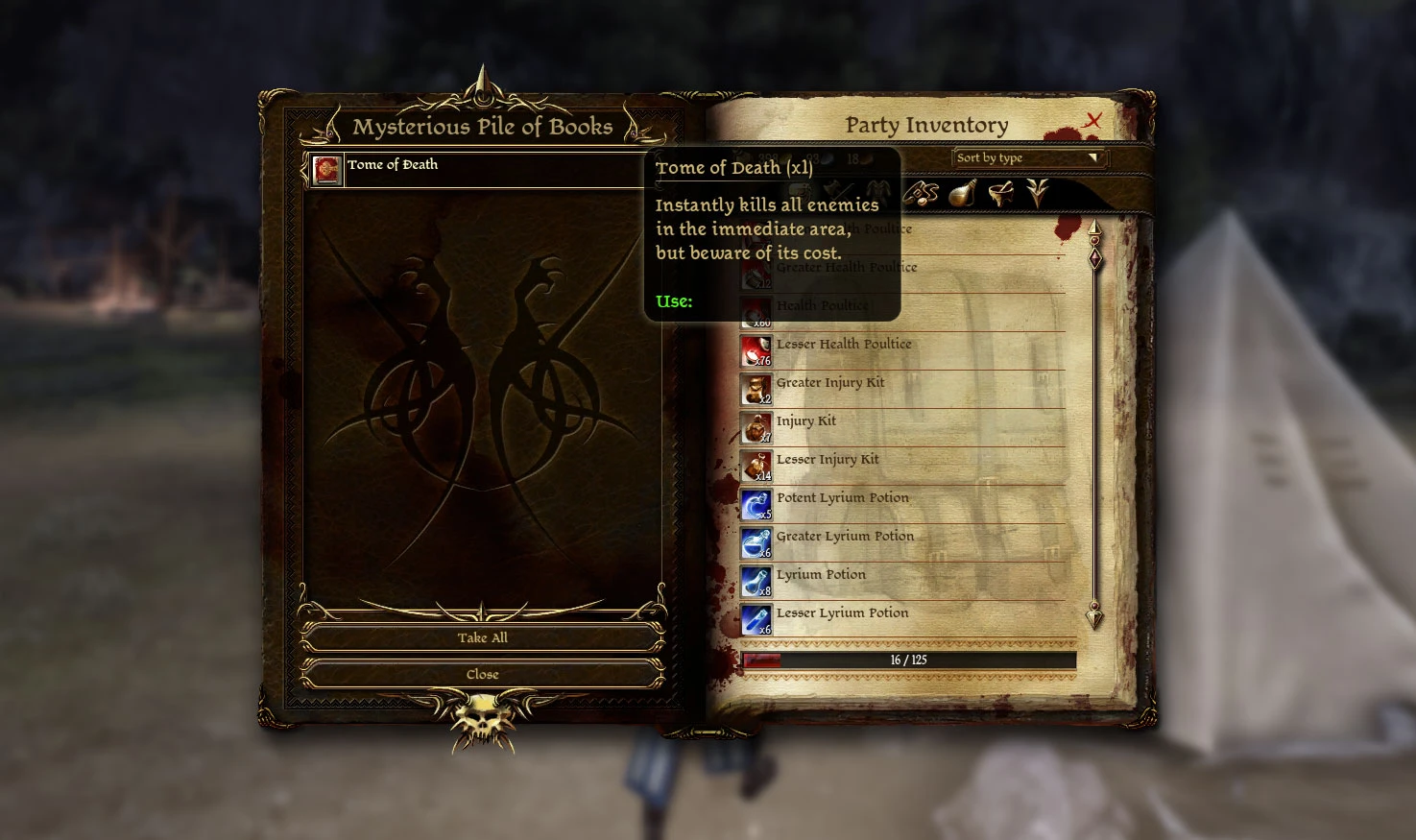
Tome of Death is an equippable, reusable tome that allows the player to kill all hostiles in the immediate area. Two versions are now available for different play styles.
Tome of Death effectively does the same as the killallhostiles script but with less hassle. Simply put, I wanted to replay for the story and skip minor combat. This gives the player a permanent book that equips to the hot bar that can be used to kill all surrounding enemies. The cooldown is 4 seconds, so it can be used repeatedly if need be.
The tome can be found by interacting with the Mysterious Pile of Books in the camp beside the Warden's tent. If it is destroyed for any reason, a new copy can be obtained by running the console script provided.
Available Versions
Standard Version
This is the original version shown in the screenshots provided that was designed to have a consequence attached to it. Whenever the Tome of Death is used in this version, a random party member gains an injury that can be treated with an injury kit or traveling to the camp. It is intended to encourage the player to use it wisely or suffer with setbacks should they find a need to fight before resting.
No Penalty Version
A secondary version has been added that will function the same as the original file but without the injury penalty. This is for those that simply want to run through the game without worrying about drawbacks or needing to rest periodically.
If you previously installed Tome of Death, please view the instructions below on how to install the No Penalty version.
Warning
It does not trigger the 'Cheats Used' flag for the game, but I would advise against using it on anything beyond trash mobs. Creatures can sometimes die too fast and you may lose essential quest items from the missed game trigger.
Disabling or uninstalling this mod will make you force load any saves that implemented it previously. However, it has been tested thoroughly and has caused no issues.
Script
If you lose your tome through accidentally destroying it in your inventory, you can get another copy through the console. For instructions on how to enable the console, visit http://dragonage.wikia.com/wiki/Console_(Origins).
Once enabled, enter the following command into the console:
runscript zz_add_tome_death
Install and Uninstall
Standard Version-
[]To install, use daupdater.exe located in the bin_ship folder of your install directory. Drag and drop the dazip file onto the interface, select it, and click Install Selected.
[
]To disable, uncheck the box for Tome of Death in Downloadable Content from the main menu in the game.[]To uninstall, delete the folder from ..\Documents\BioWare\Dragon Age\addins\
No Penalty Version
[]To install, extract the contents of the zip file into ..\Document
📊 Mod Details
- Game
- Dragonage Mods
- Author
- takingcasualties
- Version
- v2.0
- Downloads
- 4,450
- Endorsements
- 204
- Category
- Gameplay
- Created
- 7/1/2018
- Updated
- 10/18/2020
🔧 How to Install Dragon Age: Origins Mods
Download from Nexus Mods.
📖 Full step-by-step install guide for Dragon Age: Origins →
Visit the official mod page for specific installation instructions for this mod.
🎮 Need cheat codes or console commands? Check ur gaming wiki for Dragon Age: Origins commands, item IDs, and more.
Keep browsing — more Dragon Age: Origins mods await