Merchant Compatibility Patch
⚪ Last updated 2017Preview
🔍 Analysis
- 👍 5.9% endorsement rate — high engagement, a strong quality signal
- 🏆 #16 of 16 Locations: Stores and Taverns mods in this game by downloads
📋 About This Mod
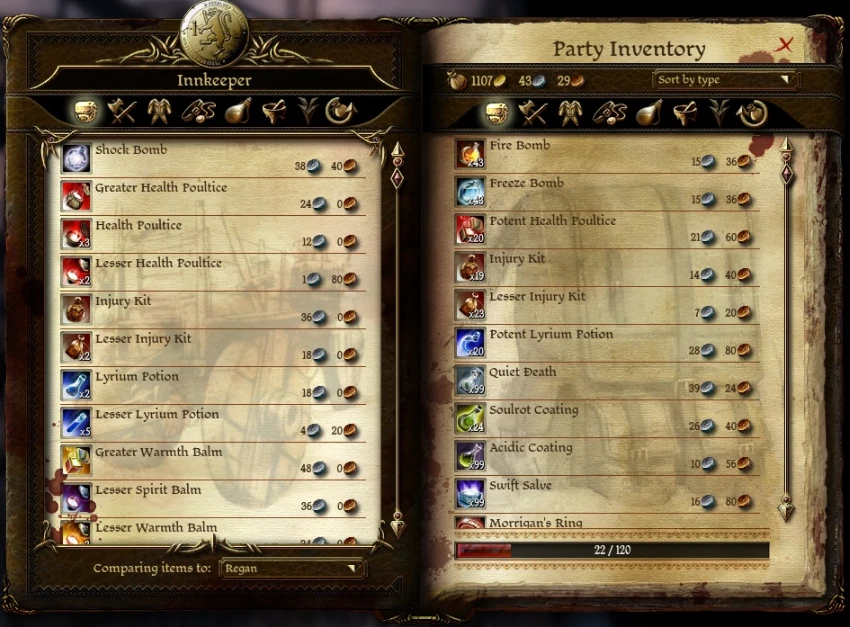
Allows for the use of multiple merchant mods for the party camp.
What does this mod do?
The aim of this mod is to allow the use of multiple merchant mods that make use of the party camp without the necessity of having to install several of those mods in order for the patch to work. Currently, the mods included in this patch are:
- []Additional Adjustments (Special Store module) []Brutal Vendor []Camp Merchant Chest []Misha the Hoarder []New Items Pack []Quartemaster Tolby []Serenity Store []Shady Dealings []Storage Chest - Store UI []Trailer Edition []Viking Set []Vishalas_Penance_10
- Warden's Trading Post
To install simply extract the contents into your "Dragon Age/packages/core/override" folder.
Be sure that the "cam100ar_camp_plains.lst" file from my mod is always the last in the load order, otherwise your game will most likely crash when you try to enter the party camp. You can do this by adding a "z" at the start of my mod's main folder, thus ensuring that it will always be last in alphabetical order. Also do NOT drop any files with the same name in the override folder, as loose files are always sorted after folders and can cause the same problem. If there is any such case you can always just delete that file, as long as you keep the one from my mod.
Use
When you're ready to install the real mod, all you need to do is to delete the corresponding folder that came with this patch in order for your merchant mod to work (otherwise it's possible that you won't see any changes when you install any of the mods listed above).
If at any point you decide to uninstall any of the merchant mods you'll need to restore the file that originally came with this patch, otherwise your game might crash when you try to enter the party camp. To do so, simply download this patch again and only extract the needed folder into this patch's folder.
Be warned, however, that the more mods of this type you have, the higher the possibility that there will be some overlapping of NPCs and/or objects.
Uninstallation Simply delete the folder that came with this mod. Doing this will most likely cause only one of your installed merchant mods to work, so be careful.
📊 Mod Details
- Game
- Dragonage Mods
- Author
- FJVP
- Version
- 1.0
- Downloads
- 2,370
- Endorsements
- 139
- Category
- Locations: Stores and Taverns
- Created
- 5/10/2017
- Updated
- 5/10/2017
🔧 How to Install Dragon Age: Origins Mods
Download from Nexus Mods.
📖 Full step-by-step install guide for Dragon Age: Origins →
Visit the official mod page for specific installation instructions for this mod.
🎮 Need cheat codes or console commands? Check ur gaming wiki for Dragon Age: Origins commands, item IDs, and more.
Keep browsing — more Dragon Age: Origins mods await