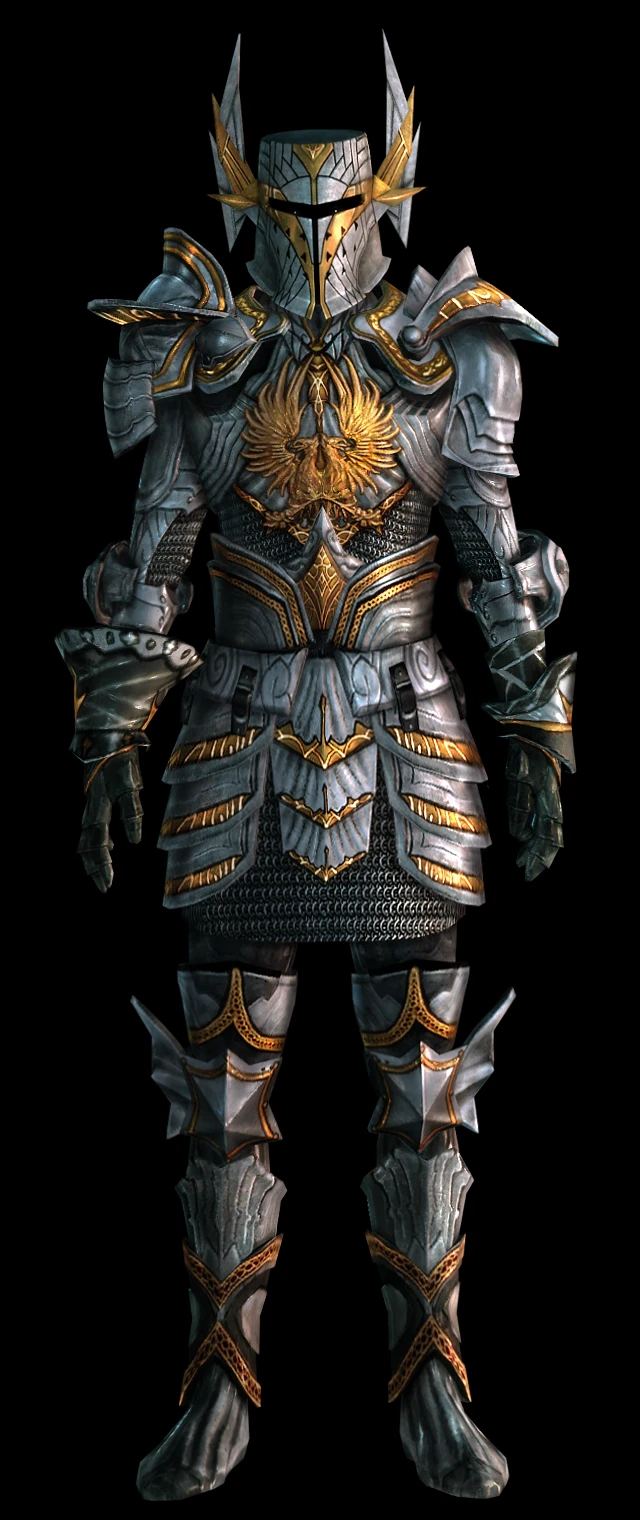
Grey Warden Runic Armor
⚪ Last updated 2014Preview
🔍 Analysis
- 👍 2.5% endorsement rate — high engagement, a strong quality signal
- 🏆 #2 of 224 Armour mods in this game by downloads
📋 About This Mod
Variation of the "Warden Equipment Set"
Variation of the "Warden Equipment Set". It is based on the "Effort" armor and "Duty" helmet, the original swords that were used as a base are "Topsider's Honor" and "Summer Sword".
Credits go to Teraki for the "story" and items descriptions.
============ INSTALLATION ============
Attention! To make sure you will receive the armor it is suggested that you install the mod after the character has been created, otherwise it will not appear in your inventory.
If you are using the previous version of this mod, unequip the character and uninstall it before the installation of the latest version to avoid bugs and conflicts.
Install it with the DAupdater: 1. Open the program "daupdater.exe", which is in your "Dragon Age\bin_ship" folder. 2. Click "Select DAZIPS". 3. Locate the "GW_Runic_Armor_v. 2. 2.dazip" that you downloaded (extract from RAR archive first). 4. Select the ".dazip" file after it has appeared on the list and then press "Install Selected". 5. Launch the game and enjoy :)
The way of installation of the "Dark textures" is the same. Original version must be installed first.
If you created a new character when this mod was already installed, to receive the armor and weapons you have to do the following: 1. Go to "Downloadable content". 2. Disable "Grey Warden Runic Armor" in the mods list. 3. Launch your current game and press "Force load". 4. Save your game. 5. Go to "Downloadable content" list again and enable this mod. 6. Load the game and the items should already be in your inventory.
============ UNINSTALLATION ============
To uninstall delete the "gw_runic_armor" folder in the "Addins" folder:
XP: C:\Documents and Settings\\My Documents\BioWare\Dragon Age\AddIns
Vista/Win7: C:\Users\\Documents\BioWare\Dragon Age\AddIns
To uninstall the "Dark Textures" just delete "patch_high" and "patch_medium" folders from here: ...\My Documents\BioWare\Dragon Age\AddIns\gw_runic_armor\core\textures
============ FAQ ============
Q: Armor and weapons lost after Dwarven noble origin. A: Wait with adding the armor until you have finished the origin, then activate the mod.
Q: Separate items are not showing/looking wrong. A: There may be some conflicts with other mods (it is noticed it may not work with "Adonnay's Weapon Replacer" and "Duncan's Armor" mods).
Q: Armor and weapons do not appear.
📊 Mod Details
- Game
- Dragonage Mods
- Author
- Ghost11 and Teraki
- Version
- 2.2
- Downloads
- 422,706
- Endorsements
- 10,662
- Category
- Armour
- Created
- 1/24/2010
- Updated
- 7/21/2014
🔧 How to Install Dragon Age: Origins Mods
Download from Nexus Mods.
📖 Full step-by-step install guide for Dragon Age: Origins →
Visit the official mod page for specific installation instructions for this mod.
🎮 Need cheat codes or console commands? Check ur gaming wiki for Dragon Age: Origins commands, item IDs, and more.
Keep browsing — more Dragon Age: Origins mods await