Advanced Quickbar
⚪ Last updated 2010Preview
🔍 Analysis
- 👍 4.6% endorsement rate — high engagement, a strong quality signal
- 🏆 #26 of 336 Gameplay mods in this game by downloads
📋 About This Mod
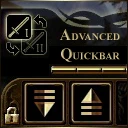
This add-in gives you access to 4 quickbars. You can navigate through them with a Next and a Previous button. Update 1. 4
- []Compatiblity Awakening, Darspawn Chronicles
- [](v1. 0) Add two skills in your skill book. You can drag and drop them into your quickbar to gain access to 3 additionnals quickbars. [](v1. 2) A third button allow you to swap quickbar during pause. Activate it to notify the mod that you want to swap quickbar during pause. Don\'t forget to release it when you leave pause.
- []Can I swap quickbars during pause ? Yes, use the pause button to notify the mod that you want to swap quickbar in pause. Release it when you leave pause. []The game paused when I used Next or Previous button You forget to release the pause button after leaving pause. Do it. []I don\'t see skills in the skill book. Before asking for help, deactivate all your mods but Advanced Quickbar and check it is working when it is the only loaded mod. Don\'t forget mods in your override folder as well. Update all your mods. If it still doesn\'t work, do not forget to give the list of mods you use. Your request will not be considered otherwise.
- []Advanced Tactics []Advanced Party
- Advanced Quickbar
🤖 AI-enhanced — based on mod data
Advanced Quickbar is a gameplay mod for an unspecified game that adds four quickbars, navigable via Next and Previous buttons. It has 3,496 endorsements and 76,727 downloads, last updated in 2010. This mod is for players who want more hotbar slots for quick access to items or abilities.
✨ Key Features
Adds 4 quickbars to the game interface.
Navigate between quickbars using Next and Previous buttons.
📊 Pros & Cons
✅ Pros
- Community favorite with 3,496 endorsements and over 76k downloads.
- Simple and functional: four quickbars give you more slots for items or abilities.
- Lightweight add-in that doesn't clutter the UI.
⚠️ Cons
- Last updated in 2010 — likely outdated and may not work with current game versions.
- No documentation or install instructions provided by the author.
- Only offers Next/Previous navigation, which might be clunky compared to direct hotkey switching.
🎯 Is This For You?
For players who need more hotbar space and don't mind a dated mod. If you're playing an older version of the game, this could be a solid addition. Skip if you're on a modern version or expect seamless integration.
For players who need more hotbar space and don't mind a dated mod. If you're playing an older version of the game, this could be a solid addition. Skip if you're on a modern version or expect seamless integration.
📦 Install:Easy· Under 1 minute
💡 Beginner Tips
- Check if the mod is compatible with your game version before installing, as it's from 2010.
- If the game has a mod manager, use it to install and manage the mod easily.
- Test the quickbar navigation in a safe area to get used to the Next/Previous buttons.
📊 Mod Details
- Game
- Dragonage Mods
- Author
- Anakin
- Version
- 1.4
- Downloads
- 76,727
- Endorsements
- 3,496
- Category
- Gameplay
- Created
- 2/4/2010
- Updated
- 6/26/2010
🔧 How to Install Dragon Age: Origins Mods
Download from Nexus Mods.
📖 Full step-by-step install guide for Dragon Age: Origins →
Visit the official mod page for specific installation instructions for this mod.
🎮 Need cheat codes or console commands? Check ur gaming wiki for Dragon Age: Origins commands, item IDs, and more.
Keep browsing — more Dragon Age: Origins mods await