Opulent Tints
⚪ Last updated 2019Preview
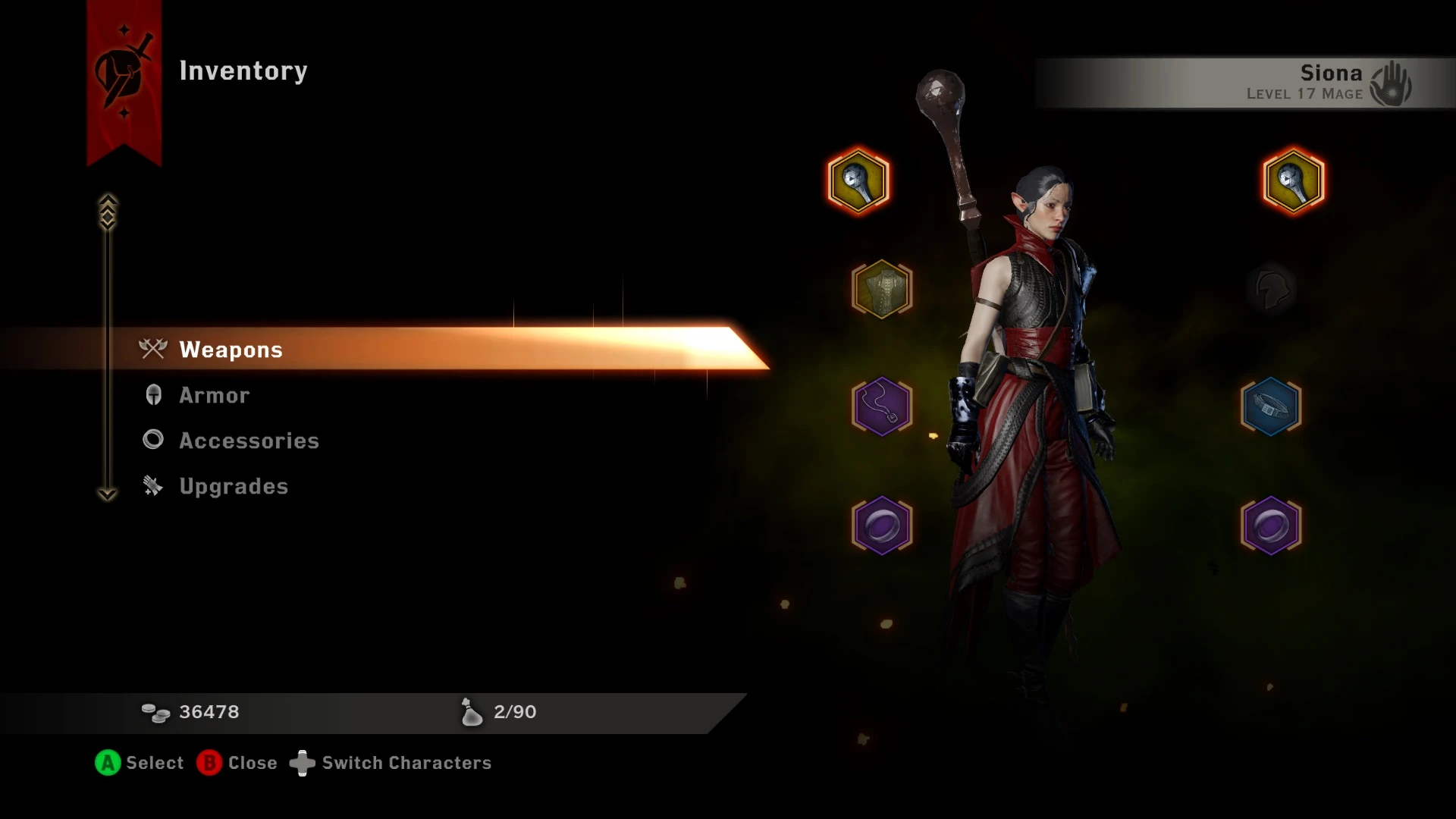
🔍 Analysis
- 👍 6.3% endorsement rate — high engagement, a strong quality signal
- 🏆 #71 of 451 Models and Textures mods in this game by downloads
📋 About This Mod
Opulent Tints
Major Overhaul 10/01/2016
The latest version of this mod is now fully configurable. It allows you enter RGB colour codes for all the fabric and leather in the base game at merge time. There's also an optional file the covers the Jaws of Hakkon crafting materials. Unfortunately, the current version of Mod Manager v0. 59, does not have any facility for storing the values you enter when you quit the program. However, there is nothing to stop you changing the default values in the mod directly once you're happy with the colours you've chosen. That way you wont have to keep entering them again every time you fire up Mod Manager. See below for instructions on how to do that.
The mod now comes in one zip file but has FOUR daimods. Basically, there are two versions of the Tier 1 mod. One has defaults which resemble the original Opulent Tints mod and the other is completely vanilla. In other words, it won't change any of the colours unless you modify it yourself. Choose ONE of the Tier 1 mods and combine it with the Tier 2 and Tier 3 mods. If you merge the Vanilla Tier 1, the Tier 2 and the Tier 3 mods without doing any configuration, NONE of the colours in the game will be changed. Clear? I hope so. You should only have THREE files in your mod directory for merging: One Tier 1, the Tier 2 and the Tier 3.
If you choose TMMOpulentTintsConfigTier1_Opulent.daimod then some of the Tier 1 fabrics and leathers will be changed as you can see if you open up the configuration window. See the image I've uploaded.
If you'd like some nicely coordinated colour palettes for your fabrics and leather instead of trying to come up with your own, I recommend Seasonal Palettes by berelinde.
If you need some help with RGB codes, here's a little colour chart that might help, or try this RGB Colour wheel.
Important Notes
[]Most fabrics also have an applied pattern so the colour you see in game will depend on the pattern as well as the RGB value.
[]The internal names for some of the materials is often completely different from what it's called by the game's internals. e.g. if you see "white_fox_fur" in the merge log, that means "fennec", "zangolia" means Varghest and "buzzard" means "quillback". Some of the names are just spelled badly and it's not my fault!
[]This mod will also change the colour of anything else in the game flagged as using the same crafting material. e.g. companions start game armour colours will be altered.
[]As of patch 12, this mod can still be used with LL Crafting Material Fixes provided you only use the three main files from that mod: metals, cloths, and leather, and not the loose files (which usually have the names of individual ma
Opulent Tints is a configurable mod for Skyrim that recolors all base game fabrics and leather using RGB codes at merge time. With 782 endorsements and over 12,000 downloads, it's a popular choice for players seeking a personalized visual overhaul, though it hasn't been updated since 2019.
✨ Key Features
📊 Pros & Cons
✅ Pros
- Community favorite with 782 endorsements and over 12k downloads.
- Gives you total control over fabric and leather colors—perfect for matching your aesthetic.
- Configurable at merge time, so you can tweak colors to your exact RGB specs.
⚠️ Cons
- Last updated in 2019—might not work with the latest Skyrim version or other mods.
- Requires merging into your load order, which can be a hassle if you're not used to it.
- No screenshots or detailed instructions in the description, so you're flying blind until you test it.
For Skyrim modders who love fine-tuning visuals and want to recolor every fabric and leather item to match their load order. If you're not comfortable with merge tools or just want a plug-and-play texture overhaul, this might be more effort than it's worth.
💡 Beginner Tips
- Make sure you have a merge tool like zEdit or Wrye Bash to combine the mod into your load order.
- Test the RGB values in a separate save before committing to a full playthrough.
- Check the mod's forum posts for user-shared color codes that look good in-game.
📊 Mod Details
- Game
- Dragon Age Mods
- Author
- Aintiarna
- Version
- 2.2
- Downloads
- 12,461
- Endorsements
- 782
- Category
- Models and Textures
- Created
- 9/14/2015
- Updated
- 4/14/2019
🔧 How to Install Dragon Age Mods
Download from Nexus.
📖 Full step-by-step install guide for Dragon Age →
Visit the official mod page for specific installation instructions for this mod.
🎮 Need cheat codes or console commands? Check ur gaming wiki for Dragon Age commands, item IDs, and more.
Keep browsing — more Dragon Age mods await