Lavellan - The Elven Mage
⚪ Last updated 2016Preview
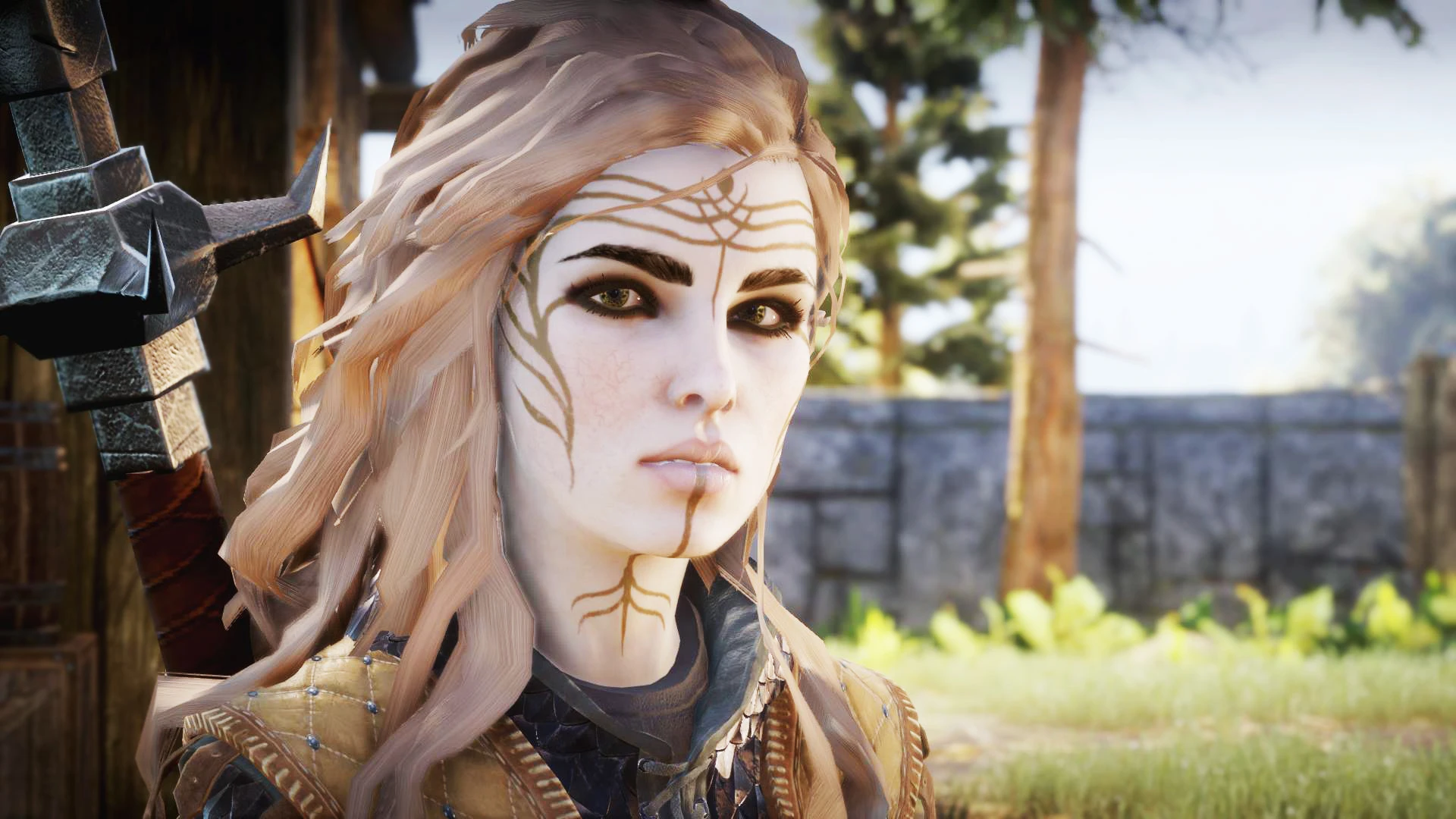
🔍 Analysis
- 👍 5.4% endorsement rate — high engagement, a strong quality signal
- 🏆 #42 of 110 NPCs mods in this game by downloads
📋 About This Mod
Sliders and saved game.
Hey, So I tried to do something good here, dunno if you're going to like it or not. But anyways, had fun doing it. :) If you want to share pictures of another version of my character, I will gladly see those. :) And if something is wrong or you just want to share your thoughts don't hesitate. :3 If you want to leave suggestions for characters from other games, you can. For example Yennefer from Witcher 3, I would try to do what I can. Just don't suggest something that is impossible to do, like Sylvanas :D If you want your character to look like mine, you'll need:
DAI_ModManager Eyebrows 4 Women (Darker, shaved) SK Hair Re-texture (Smooth version) Improved Lashes v4 (Longerest fuller lashes) New and Improved Makeup For All (version 3) DAI Hair recolor utility Lion's Mane for All (Elven version obviously) All about the face (Basic face texture) Those Eyes (Version 4)
UmewYMcSjrc
-->How to install mods:
- You have to download the mod manager, it can be found here and download and install SlimDX:
- Then watch this video and follow the steps. Make sure that mods show in your mod manager like in that video.
It will not work for you instantly, so you'll need to do some stuff before merging your mods 1. Now go where your game is installed and select all files that are in there and right click on them and select properties. Once that is done uselect the Read-only box. 2. Go to Dragon Age Inquisition\Update\Patch_ModManagerMerge folder and find the package.mft file. Open it with notepad and change version number to 13. 3. Then go to Dragon Age Inquisition\Update\Patch folder and again find package.mft file. Once again open it with notepad, but this time change version number to 12. 4. Make sure you installed SlimDX, if it's missing, mods won't work. 5. Go to mod manager and click on merge, it should work now. :3
I want to thank BioWare for another incredible game and all modders that created these wanderful mods I used. mrjack900 Skaramoosh Renmiri xstephyg Zolariel ShepShy LegionoftheLiving Korikoc
Another character by me: Cyanide
📊 Mod Details
- Game
- Dragon Age Mods
- Author
- Emilija Hayden
- Version
- v1.0
- Downloads
- 1,583
- Endorsements
- 85
- Category
- NPCs
- Created
- 3/16/2016
- Updated
- 3/16/2016
🔧 How to Install Dragon Age Mods
Download from Nexus.
📖 Full step-by-step install guide for Dragon Age →
Visit the official mod page for specific installation instructions for this mod.
🎮 Need cheat codes or console commands? Check ur gaming wiki for Dragon Age commands, item IDs, and more.
Keep browsing — more Dragon Age mods await