Intuitive Controls Mod
⚪ Last updated 2019Preview
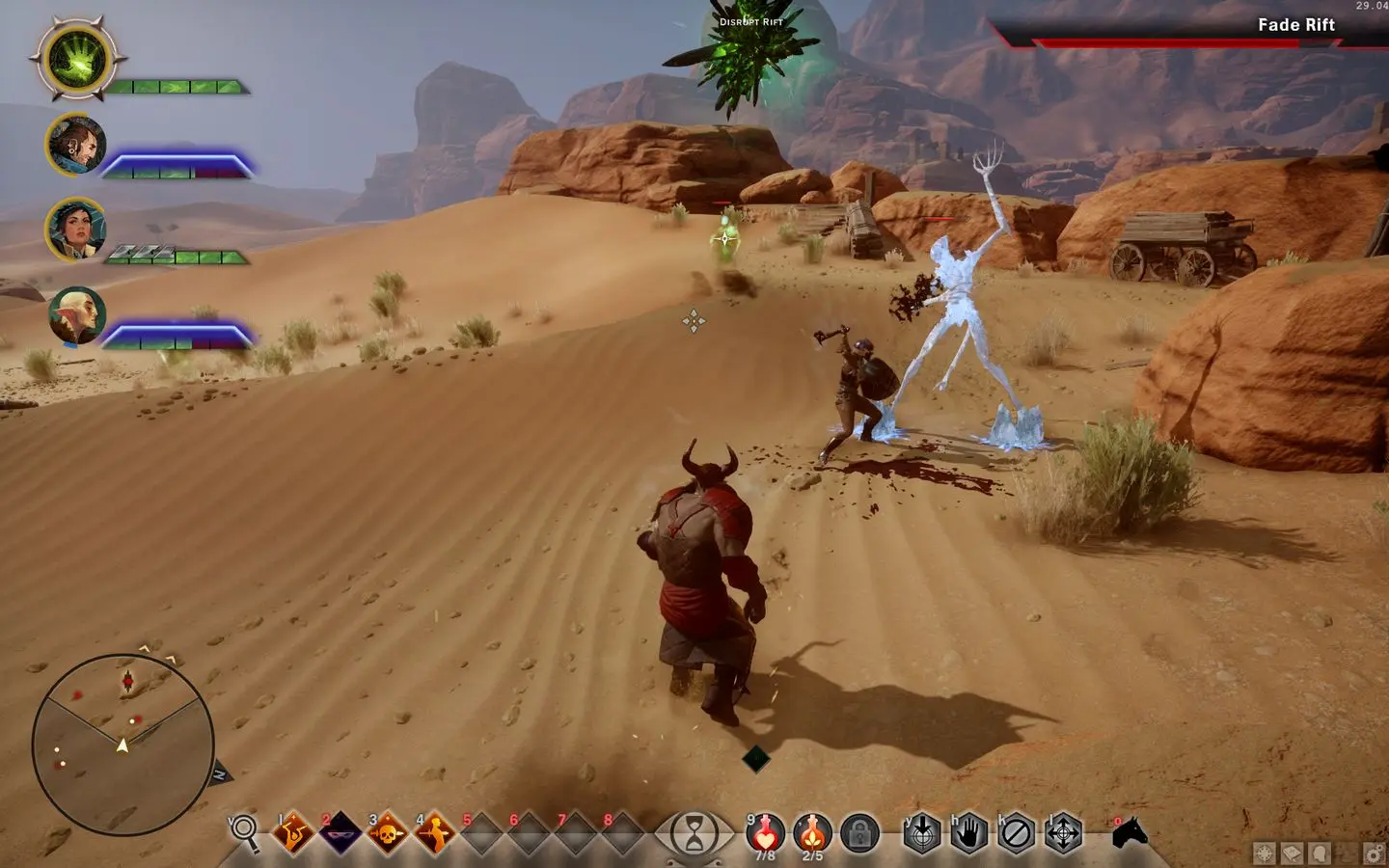
🔍 Analysis
- 👍 4.3% endorsement rate — high engagement, a strong quality signal
- 🏆 #37 of 187 Gameplay mods in this game by downloads
📋 About This Mod
Basically the mod changes the camera so it now works as expected from common FPS/RPG games and adds convenience/efficiency features, including the attack behavior of previous Dragon Age games. The result is much more fluid gameplay that makes it feasible to play without pauses and other annoying aspects.
More detailed documentation is available at my blog page Niftu Cal Labs, where I also have similar mods and articles for other games. The enclosed readme.txt file also details it (raw text format).
Known issues:
-
[]The game UI only activates at the first tutorial fight, so the mod won't be enabled until then (thanks YouHeardNothing).
[
]Reports indicate the 'Enhanced Camera' mod has compatibility problems (thanks sharyu1988).[]Some mods that modify the UI are incompatible, like FOV changes (thanks FilipKral).
[]If you experience problems with mouse cursors Origin Overlay is probably the cause (thanks heinek). Disable overlays as recommended in the documentation.
Mouse Cursor Fix: Open Origin Settings -> Application Settings -> Set Origin In-Game to Disabled. This will turn off Origin Overlay. Other overlays can be disabled in a similar manner.
* Author retired from modding
Intuitive Controls Mod overhauls game controls and camera for more fluid, intuitive gameplay, reducing the need for frequent pauses or camera adjustments. With 707 endorsements and 16,423 downloads, it's a popular choice for players seeking smoother control schemes.
✨ Key Features
📊 Pros & Cons
✅ Pros
- Community-approved with 707 endorsements and over 16k downloads
- Makes gameplay more fluid and intuitive, cutting down on pauses
- Addresses camera issues that plague the default setup
⚠️ Cons
- Last updated in 2019 — may be outdated for current game versions
- Potential compatibility issues with other mods due to lack of documentation
For players who find the default controls clunky and want a smoother, more responsive experience. Skip if you're happy with the vanilla control scheme or prefer gameplay changes over control tweaks.
💡 Beginner Tips
- Check the mod's page for any specific game version compatibility notes before installing.
- If you're using other control or camera mods, test this one in a clean save to avoid conflicts.
- After installing, spend a few minutes in a low-stakes area to get used to the new feel.
📊 Mod Details
- Game
- Dragon Age Mods
- Author
- niftucal_blogspot_com
- Version
- 1.1.2
- Downloads
- 16,423
- Endorsements
- 707
- Category
- Gameplay
- Created
- 6/30/2018
- Updated
- 4/26/2019
🔧 How to Install Dragon Age Mods
Download from Nexus.
📖 Full step-by-step install guide for Dragon Age →
Visit the official mod page for specific installation instructions for this mod.
🎮 Need cheat codes or console commands? Check ur gaming wiki for Dragon Age commands, item IDs, and more.
Keep browsing — more Dragon Age mods await